Course Objectives
1. What is the business impact of unifying time tracking with core HR systems?
You will architect a seamless data flow where logged hours, shift premiums, and approved leaves automatically calculate gross pay. This eliminates manual data entry between separate timekeeping and payroll databases, completely preventing costly wage disputes and administrative bottlenecks.
2. How do consultants configure rules for diverse global labor laws?
You will master the creation of dynamic time calculation tags and overtime conditions. Instead of hardcoding static policies, you will build conditional logic that automatically adjusts overtime multipliers based on an employee's location, union contract, or specific job profile.
3. Which technical configurations govern complex employee leave balances?
You will design enterprise-grade absence plans from scratch. The curriculum focuses on configuring automated time-off accrual frequencies, carry-over limits, and waiting periods, ensuring that sick leave and vacation balances update instantly without manual HR intervention.
4. What skills are required to manage flexible workforce schedules?
You will achieve fluency in Workday schedule routing and calendar creation. You will learn to map complex rotating shifts, assign variable work patterns, and configure holiday grace periods designed for 24/7 operational environments like hospitals or manufacturing plants.
Popular Techniques Covered in This Course
Testing cutover scenarios to ensure zero data loss during system migration
Configuring flexible remote-work attendance models and part-time proration
Mass-loading historical leave balances via Enterprise Interface Builders (EIB)
Configuring custom time entry templates and mobile web clock features for end-users
Generating real-time labor cost dashboards and workforce utilization matrix reports
Linking absence pools to compensatory time (comp-time) tracking workflows
Mapping global holiday calendars and complex rotational work schedules
Troubleshooting time-entry errors and resolving uncalculated time block warnings
Integrating calculated time blocks directly into Workday Payroll or third-party systems
Setting up strict business process (BP) routing for manager time-off approvals
Get Hands-on Knowledge about Real-Time Projects
Project 1
Project 1: Global Overtime & Shift Differential Automation
Goal: Prevent payroll leakage by automating complex regional overtime calculations for a manufacturing client. Key Skills: Time calculation logic, shift premiums, time block routing. Tasks: Create custom time entry codes for weekend shifts and hazardous duty assignments. Write conditional calculation tags that trigger a 1.5x pay rate automatically after 40 hours worked. Map the newly calculated time blocks to specific payroll earnings codes. Test the configuration by simulating a 50-hour work week inside a sandbox tenant.
Project 2
Project 2: Tiered Vacation Accrual Architecture
Goal: Modernize a corporate HR policy by building an automated, tenure-based vacation accrual system. Key Skills: Absence plan creation, accrual frequency mapping, limit logic. Tasks: Configure a new Absence Plan designated strictly for corporate vacation time. Build logic that grants 10 days for new hires, automatically upgrading to 15 days after 3 years of continuous service. Set strict year-end carry-over limits, capping roll-over balances at a maximum of 40 hours. Run an absence calculation simulation to verify correct monthly balance updates.
Project 3
Project 3: Healthcare Rotational Scheduling Setup
Goal: Ensure clinical staffing compliance by mapping 24/7 rotating nurse schedules and holiday rules. Key Skills: Work schedules, holiday calendars, schedule groups. Tasks: Build a custom work schedule calendar featuring a 4-days-on, 3-days-off rotating shift pattern. Configure a regional holiday calendar that applies premium pay logic for recognized public holidays. Assign the schedules to specific clinical supervisory organizations. Validate the schedule's impact on employee time-entry visibility and tardiness flags.
Project 4
Project 4: Managerial Approval Workflow Security
Goal: Stop unauthorized overtime expenses by engineering a multi-tier time-approval business process. Key Skills: Business Process (BP) configuration, security groups, conditional routing. Tasks: Modify the default "Enter Time" business process in the Workday tenant. Implement a conditional step requiring regional director approval if a worker's overtime exceeds 10 hours in a single week. Configure a streamlined mass-approval dashboard for front-line shift supervisors. Set up automated email notifications for overdue timecard approvals before payroll cutoff dates.
Project 5
Project 5: Legacy Leave Balance Migration
Goal: Execute a secure cutover by extracting historical sick leave balances from an old ERP and importing them into Workday. Key Skills: EIB data loads, data validation, system cutover testing. Tasks: Format historical absence balance data into a Workday-compliant XML/CSV spreadsheet. Configure an Inbound Enterprise Interface Builder (EIB) template for absence balances. Execute a secure bulk data upload into the Workday staging environment. Run custom data validation reports to ensure zero leave balances were lost or corrupted during the migration.
Key Features
Edubrights offers WORKDAY TIME TRACKING & ABSENCE Training in virtual mode with expert trainers. Here are the key features,
40 Hours Course Duration
100% Job Oriented Training
Industry Expert Faculties
Free Demo Class Available
Completed 500+ Batches
Certification Guidance
Curriculum
Module 1: Introduction to Workday Time Tracking & Absence
- Overview of Workday Time Tracking and Absence Management
- Time tracking architecture: time entry methods and periods
- Understanding worker, manager, and administrator roles
- Navigating the Workday Time Tracking interface
Module 2: Time Entry Configuration
- Configuring time entry methods: web clock, time clock, and manual entry
- Setting up time entry templates and time blocks
- Managing shift and schedule-based time entry
- Configuring overtime and premium pay rules
Module 3: Work Schedule and Shift Configuration
- Creating and managing work schedules and patterns
- Configuring shift definitions and rotation schedules
- Managing schedule assignment rules for worker populations
- Setting up holiday calendars and schedule exceptions
Module 4: Time Calculation and Rules
- Configuring time calculation rules for regular and overtime pay
- Managing daily and weekly overtime threshold rules
- Setting up meal break and rest period deduction rules
- Configuring blended overtime and premium rate calculations
Module 5: Absence Plan Configuration
- Creating and configuring absence plan types
- Managing accrual rules, rates, and balance calculations
- Setting up carry-forward and balance expiration rules
- Configuring waiting periods and eligibility for absence plans
Module 6: Leave of Absence Management
- Configuring leave of absence types and eligibility rules
- Managing FMLA, parental leave, and medical leave workflows
- Setting up return-to-work and leave extension processes
- Handling leave interaction with benefits and payroll
Module 7: Time Off Request and Approval Workflows
- Configuring time off request submission and approval flows
- Managing blackout dates and time off restrictions
- Setting up manager approval delegation and escalation
- Configuring automated time off balance notifications
Module 8: Compliance and Labor Law Configuration
- Configuring jurisdiction-specific labor law compliance rules
- Managing predictive scheduling and fair workweek compliance
- Setting up minor labor law and restriction rules
- Handling multi-state and international time tracking compliance
Module 9: Payroll Integration for Time and Absence
- Integrating time tracking data with Workday Payroll
- Managing time block to payroll component mapping
- Configuring absence payout and leave balance cash-out rules
- Handling retroactive time and absence payroll adjustments
Module 10: Reporting and Administration
- Building standard time tracking and absence reports
- Configuring attendance and absence trend dashboards
- Managing time tracking security roles and access
- Time and absence administration best practices and governance
Receive Training From Our Skilled and Effective Trainers
Experience in the Industry Learn from certified WORKDAY TIME TRACKING & ABSENCE professionals with hands-on industry experience.
Backgrounds at the Top Our trainers hold relevant certifications and have worked on real-world implementations.
Clear & Effective Teaching All core concepts of WORKDAY TIME TRACKING & ABSENCE are explained with practical examples.
Hands-On Learning Focus Students gain practical experience through structured labs and projects.
Up-to-Date Knowledge Trainers keep content current with the latest platform releases and best practices.
You will succeed with our recognized certification
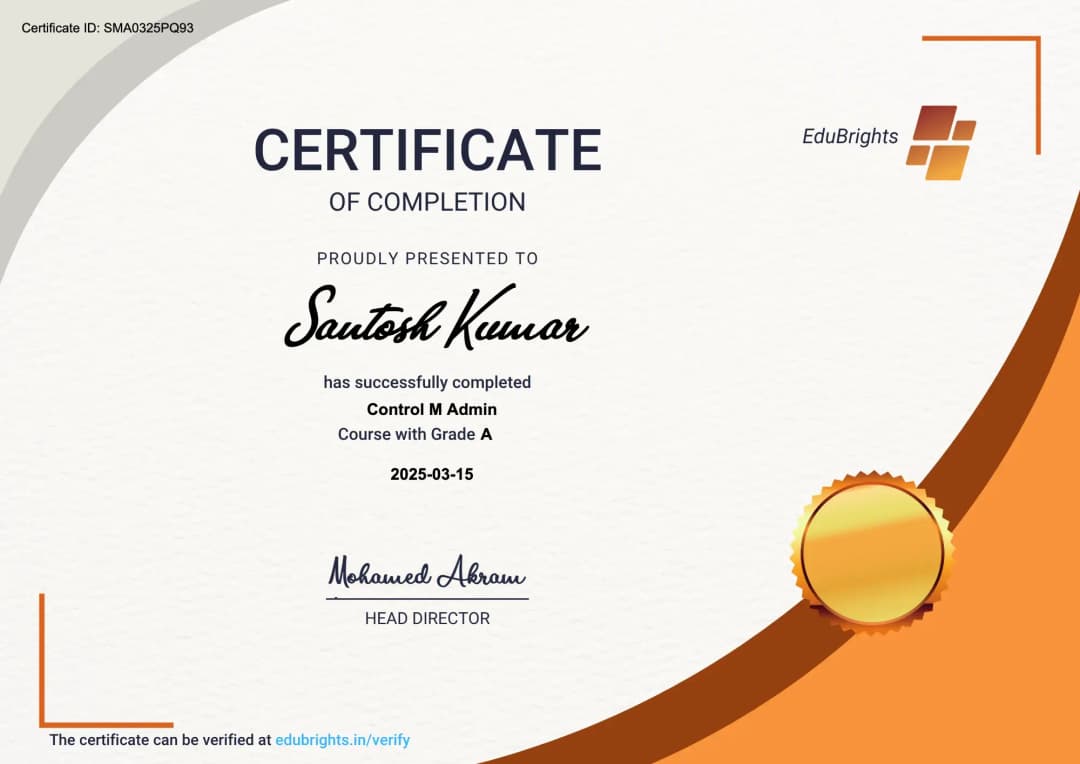
Our institution offers a recognized WORKDAY TIME TRACKING & ABSENCE certification that validates your ability to design and prototype professional user interfaces efficiently. This certification enhances your design portfolio and prepares you for collaborative projects in real-world environments. Gain practical skills through hands-on training and assessments.
Course FAQs
1. What is the main operational difference between Workday Time Tracking and Workday Absence Management?
Time Tracking handles active, real-time labor tracking—such as recording hours worked, managing clock-ins/outs, and calculating overtime premiums. Absence Management governs time off, determining how much sick leave, vacation, or FMLA an employee earns, accumulates, and is eligible to take.
2. Do I need to master Workday Payroll before learning Time Tracking?
No. While understanding basic payroll concepts is helpful, it is not a prerequisite. This course focuses entirely on generating, calculating, and validating correct time blocks within the tracking engine, which are then handed off to the payroll system for monetary processing.
3. How does Workday calculate complex overtime rules for different global locations?
Consultants utilize Time Calculation Tags and conditional logic groups. Instead of writing low-level code, you configure rules within the tenant that state, "If an employee in California works past 8 hours in a single workday, automatically apply the daily overtime premium rate."
4. Can Workday restrict employees from punching in outside of their physical workplace?
Yes. The platform supports advanced access security protocols, including IP-address restrictions for desktop web clocks and geographic radius fencing (geo-fencing) for mobile check-ins, preventing workers from clocking in before arriving at the job site.
5. What happens if a manager forgets to approve a timesheet before the payroll lockout cutoff?
You will learn to configure the "Enter Time" Business Process (BP) to handle these bottlenecks automatically. Workday can be set up to either auto-submit and auto-approve the timesheet based on scheduled hours to ensure the worker gets paid, or instantly escalate the approval task to a higher-level HR director.
6. Is complex coding required to build custom absence accrual logic?
No. Workday uses a declarative, metadata-driven calculation engine. You will design intricate accrual pathways using dropdown validation tools, conditional arithmetic statements, and logical evaluation rules rather than writing raw code like Java or Python.
7. How do enterprises manage compensatory time (comp-time) using these modules?
Workday seamlessly links the two systems. You configure a specific time calculation rule where overtime hours logged in Time Tracking are automatically diverted, converted into time-off credits, and deposited directly into a designated Absence Management comp-time balance pool.
8. Can we mass-upload thousands of historical leave balances during a system cutover?
Yes. Consultants regularly execute bulk data migrations using Inbound Enterprise Interface Builders (EIBs). You will learn how to populate standardized XML spreadsheet templates with historical data and load them securely into the Workday tenant.
9. What are Work Schedules and why are they fundamental to attendance tracking?
Work Schedules define the baseline calendar expectation for an employee's working hours. The system relies on this schedule to accurately calculate shift tardiness, determine shortfall hours, and compute the exact balance deductions when a worker requests a half-day absence.
10. How does the system automatically adjust vacation accrual rates during mid-year promotions?
By utilizing dynamic, date-based eligibility rules. When an HR transaction (like a promotion or shift in tenure) updates an employee's job profile, Workday automatically detects the change and seamlessly upgrades them to the corresponding accrual tier without manual data entry.
11. Are there remote career opportunities available for specialized Time and Absence consultants?
Yes, extensively. Because Workday is a 100% cloud-native enterprise platform, all tenant configurations, workflow testing, and system deployments are performed over secure internet connections, making remote consulting the industry standard.
12. What type of companies aggressively hire specialists in these specific functional areas?
Global IT consulting firms (such as Accenture, Deloitte, and Capgemini), large multinational corporations with massive hourly workforces, and dedicated HR technology deployment partners constantly recruit certified experts to prevent operational payroll leakage.
Get Training Quote for Free
Testimonials
Hear What Our Students Say
"Transform your life through Education, hear it from our Alumni"

8 LPA
Rahul
Student
Data Scientist
"Transform your life through Education, hear it from our Alumni"

8 LPA
Siddharth
NIELSON IQ
Data Analyst
"Transform your life through Education, hear it from our Alumni"

6 LPA
Fathima
Student
Software Engineer
