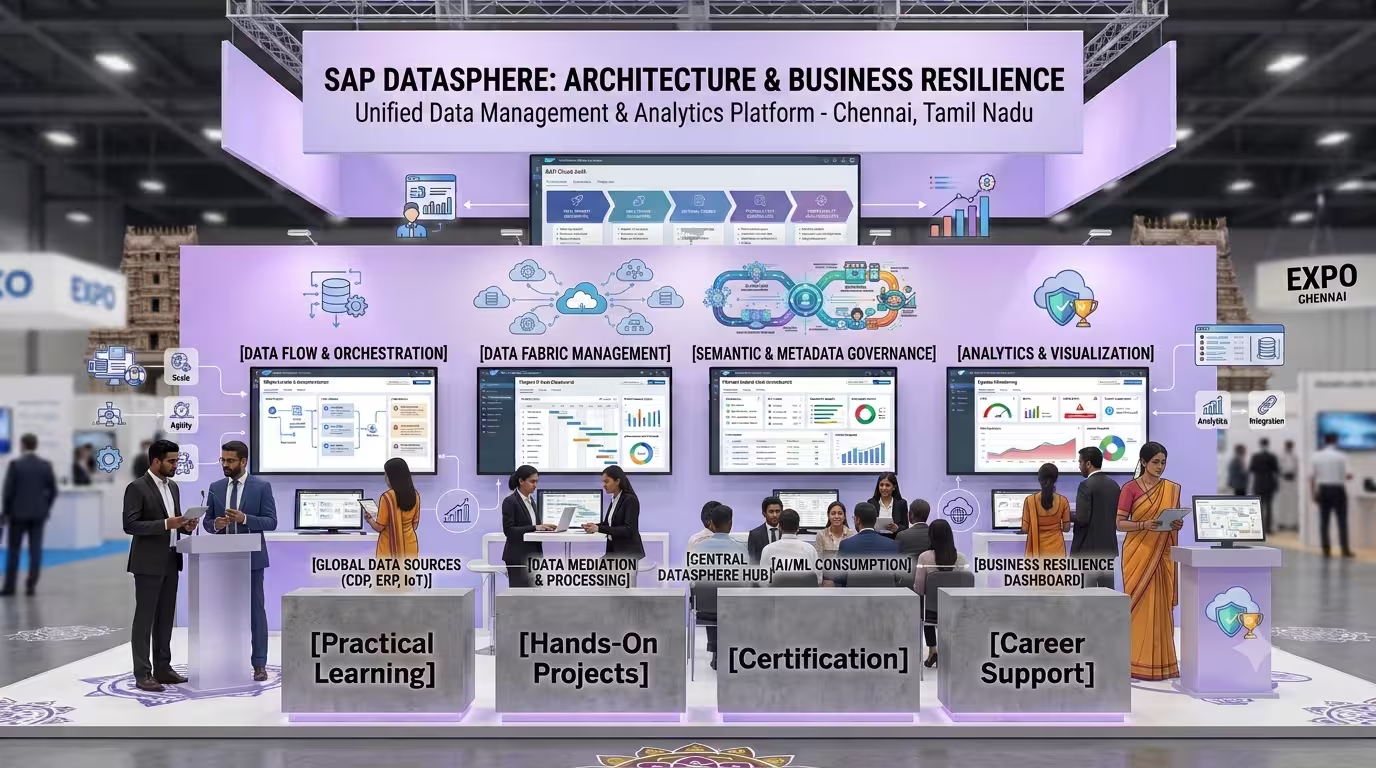
Course Objectives
1. What will I learn by taking the SAP Datasphere course in Bangalore?
You'll build a solid understanding of the core concepts, terminology, and fundamentals of SAP Datasphere, giving you a strong foundation to build on.
2. What hands-on skills will I gain from the SAP Datasphere training?
You'll get hands-on experience with industry-relevant SAP Datasphere tools and workflows through guided exercises, so you learn by doing rather than just reading theory.
3. How does the SAP Datasphere course prepare me for real-world work?
The SAP Datasphere course is designed around how SAP Datasphere is actually applied to solve real-world problems in professional settings, not just textbook scenarios.
4. What practical, job-ready skills will I build during SAP Datasphere training in Bangalore?
You'll develop the practical skills needed to confidently work with SAP Datasphere on the job, so you're ready to contribute from day one in a SAP Datasphere role.
5. Will I work on real projects during the SAP Datasphere course?
Yes, the SAP Datasphere course includes real-time projects and case studies that reinforce concepts through practice, giving you portfolio-ready work by the end.
6. How does the SAP Datasphere course help with certification and job interviews?
The SAP Datasphere course is structured to help you prepare for relevant certifications and interviews, covering the concepts and terminology employers and exam boards expect.
Popular Techniques Covered in This Course
1: Space Management & Compute Allocation
2: Universal Remote Connection Architecture
3: Graphical & SQL Data Layer Modeling
4: Analytical Cube & Semantic Optimization
5: Business Builder Abstraction Layer Design
6: Live Delta Replication & Data Flow Ingestion
7: Row-Level Data Access Control (DAC) Governance
8: SAP BW Bridge Heritage Workload Ingestion
9: End-to-End Task Chain Orchestration & Monitoring
10: Cross-Application Live Analytics Integration
Get Hands-on Knowledge about Real-Time Projects
Project 1
Project 1: Multi-Source Global Sales Integration Fabric
Configure secure connections to an on-premise SAP S/4HANA engine and an external cloud database (Snowflake) to clean, merge, and transform distributed transaction logs into a unified global sales Analytical Model.
Project 2
Project 2: Row-Level Secured Global Financial Reporting Matrix
Build a multi-currency corporate finance repository inside the Data Builder and implement dynamic Data Access Controls (DAC) to ensure regional managers can only view rows matching their authorized country codes.
Project 3
Project 3: Real-Time Delta Replication for E-Commerce Inventory Ingestion
Design automated, streaming Replication Flows utilizing native delta-capturing mechanisms to continuously track inventory adjustments without overloading the main production transactional database.
Project 4
Project 4: Legacy ERP Modernization via SAP BW Bridge
Execute a migration simulation using the BW Bridge tool to harvest legacy InfoObjects and Advanced DataStore Objects (aDSOs) from an older system and blend them into modern, cloud-hosted visualization layers.
Project 5
Project 5: Self-Service Semantic Fabric for Executive Marketing Insights
Construct a comprehensive business model layer using the Business Builder to shield non-technical marketing analysts from raw database joins, enabling them to build independent reports using everyday marketing terminology.
Key Features
Edubrights offers SAP Datasphere Training in virtual mode with expert trainers. Here are the key features,
40 Hours Course Duration
100% Job Oriented Training
Industry Expert Faculties
Free Demo Class Available
Completed 500+ Batches
Certification Guidance
Curriculum
Module 1: Introduction to SAP Datasphere
- Overview of SAP Datasphere (formerly SAP Data Warehouse Cloud)
- Datasphere capabilities: Data integration, modeling, federation
- Datasphere architecture on SAP BTP
- Business Data Fabric concept
- Integration with SAC, BW/4HANA, and S/4HANA
Module 2: Datasphere Administration
- Tenant and space management
- User and role administration
- Connection management
- Monitoring and operations
- License and resource management
Module 3: Data Integration
- Data flows for ETL
- Replication flows for real-time data
- Integration with SAP and non-SAP sources
- SAP HANA Smart Data Integration (SDI)
- Open SQL schemas and local tables
Module 4: Data Modeling
- Graphical views and SQL views
- Analytic models and dimension models
- Entity-Relationship modeling
- Associations and joins
- Hierarchies in Datasphere models
Module 5: Business Layer
- Business entities and business semantics
- Fact models and dimension models
- Key performance indicators (KPIs)
- Business context and glossary
- Analytical datasets
Module 6: Data Federation
- Virtual tables and remote connections
- Federation across SAP and non-SAP sources
- HANA Cloud and Datasphere federation
- Performance optimization for federation
- Data tiering strategies
Module 7: Data Cataloging and Governance
- Data catalog in Datasphere
- Business glossary management
- Data lineage and impact analysis
- Data quality monitoring
- Metadata management
Module 8: SAC and Datasphere Integration
- Live connection from SAC to Datasphere
- Analytic model consumption in SAC
- Planning integration with SAC
- Row-level security pass-through
Module 9: BW Bridge
- BW Bridge in Datasphere
- Migration of BW artifacts to Datasphere
- Running BW queries on Datasphere
- HANA-optimized DataProviders
Module 10: Data Marketplace
- Datasphere Data Marketplace
- Third-party data acquisition
- Data product creation and sharing
- Cross-organization data sharing
Module 11: Datasphere Performance and Optimization
- Partitioning and persisted views
- Data tiering and archiving
- Query performance monitoring
- Resource management in spaces
Module 12: Real-Time Projects and Case Studies
- Enterprise data fabric implementation
- S/4HANA analytics with Datasphere
- End-to-end Datasphere implementation
- Certification and interview preparation
Receive Training From Our Skilled and Effective Trainers
Experience in the Industry Gain expertise from SAP Datasphere professionals training in Bangalore who have applied their skills on live projects across corporate, product, and consulting environments, bringing practical, real-world context into every SAP Datasphere session.
Backgrounds at the Top Our SAP Datasphere trainers in Bangalore bring hands-on industry experience, having worked on real SAP Datasphere projects for organizations across various industries before moving into training.
Clear & Effective Teaching Core SAP Datasphere concepts, tools, and workflows are explained using real project examples and practical scenarios, so you understand not just the theory but how SAP Datasphere is actually used on the job.
Hands-On Learning Focus Students get structured, hands-on practice with SAP Datasphere through guided exercises, mini-projects, and lab work designed to build practical, job-ready skills.
Up-to-Date Knowledge Trainers keep the SAP Datasphere curriculum current with the latest tools, versions, and industry best practices, so what you learn stays relevant to how SAP Datasphere is used today in Bangalore and beyond.
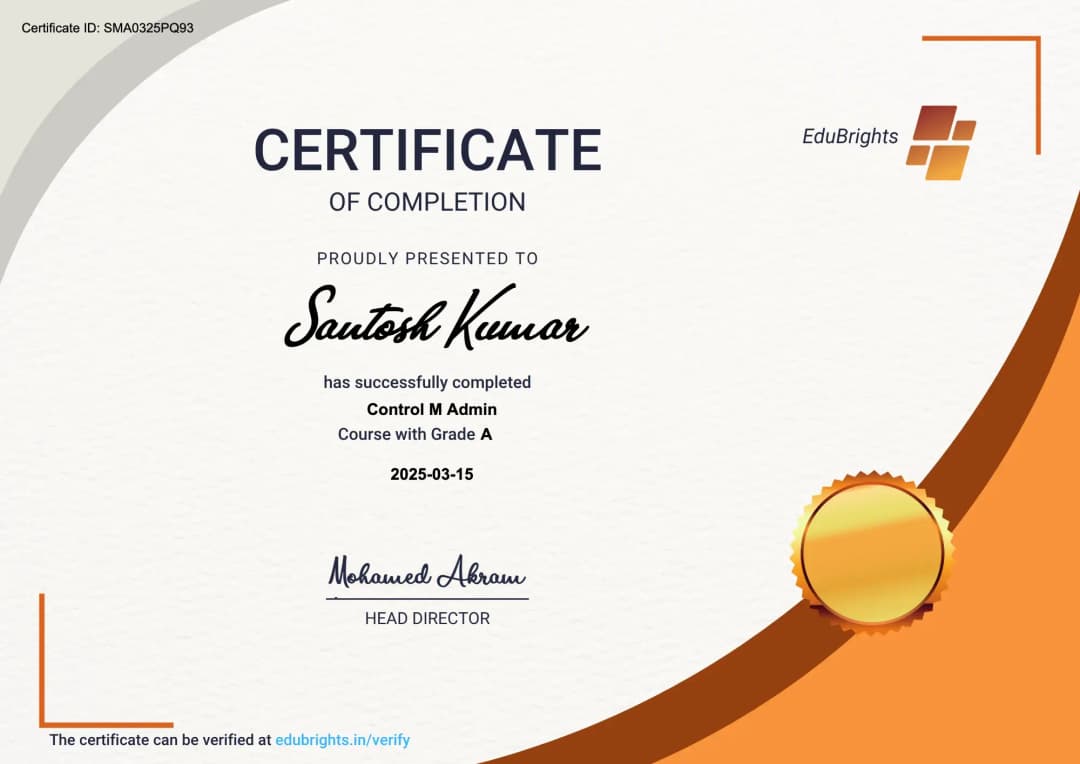
About Our Course Certification*
Our institution offers a recognized SAP Datasphere certification that validates your ability to design and prototype professional user interfaces efficiently. This certification enhances your design portfolio and prepares you for collaborative projects in real-world environments. Gain practical skills through hands-on training and assessments.
Course FAQs
1. What is SAP Datasphere?
SAP Datasphere is a cloud-based data service that helps organizations integrate, model, govern, and access business data from different systems. It supports data warehousing and analytics while helping preserve business context across connected data sources.
2. What are the key components of SAP Datasphere?
Key capabilities include Data Builder, Business Builder, Spaces, Connections, Data Flows, Replication Flows, Transformation Flows, and Analytic Models. These components support data acquisition, preparation, modeling, access management, and analytical consumption.
3. What is a space in SAP Datasphere?
A space is a secure environment in which data assets and modeling objects are managed. It provides a boundary for organizing data, assigning access permissions, and sharing selected objects with other spaces. citeturn357727search5
4. What is SAP Datasphere Data Builder?
Data Builder is the environment used to acquire, prepare, and model data. Users can create tables, views, data flows, replication flows, transformation flows, and other supported data objects.
5. What is the difference between Data Builder and Business Builder?
Data Builder focuses on technical data preparation and modeling, including tables, views, and data acquisition flows. Business Builder provides business-oriented modeling capabilities that help organize data around business entities and analytical requirements.
6. How are connections configured in SAP Datasphere?
Connections are configured using the relevant source-system type and connection details, such as endpoint, authentication, and other required properties. Administrators should verify connectivity and permissions before users import or process source data.
7. What data sources can SAP Datasphere connect to?
Depending on the available connectors and configuration, SAP Datasphere can connect to SAP systems, databases, cloud storage, and other supported SAP and non-SAP sources. Connection capabilities and replication options vary by source type. citeturn357727search0
8. What is a remote table in SAP Datasphere?
A remote table represents data from a connected source system that can be accessed through SAP Datasphere. Depending on the configuration, data may be federated from the source or replicated into SAP Datasphere for local access.
9. What is data federation in SAP Datasphere?
Data federation allows SAP Datasphere to access data from a remote system without necessarily storing a complete copy locally. It can reduce duplication, but query performance depends on the source system, network, and query workload.
10. What is data replication in SAP Datasphere?
Data replication transfers data from a source system into a target location so it can be accessed locally. Depending on the supported connection, replication may use an initial load, scheduled updates, or delta-based processing. citeturn357727search0
11. What is the difference between data federation and data replication?
Federation accesses data from the remote source when required, whereas replication stores a copy of the data in the target environment. Federation may help reduce data duplication, while replication can improve access performance and reduce repeated queries against the source.
12. What is a Data Flow in SAP Datasphere?
A Data Flow is used to extract, transform, and load data from supported sources into local tables. It follows a traditional ETL pattern in which transformations are applied as data moves through the flow. citeturn357727search6
13. What is a Replication Flow?
A Replication Flow transfers data from supported source objects to a target, with options that can include initial and delta loads. It is useful for loading data from multiple source objects and maintaining target data through supported replication methods. citeturn357727search1
14. What is a Transformation Flow?
A Transformation Flow processes data already loaded into SAP Datasphere and writes transformed results to target tables. It supports post-load transformation scenarios and offers additional transformation capabilities compared with traditional Data Flows. citeturn357727search1
15. What is the difference between Data Flow, Replication Flow, and Transformation Flow?
Data Flows primarily support ETL processing, Replication Flows focus on acquiring and replicating data, and Transformation Flows process data already stored in SAP Datasphere. The appropriate option depends on the source, target, required transformations, and supported connection capabilities. citeturn357727search1
16. What is Change Data Capture (CDC) in SAP Datasphere?
Change Data Capture identifies changes in source data so that downstream systems can receive updates without reloading the entire dataset. Delta-processing support depends on the source connection and its available replication capabilities.
17. What is the difference between an initial load and a delta load?
An initial load transfers the starting dataset from the source, while a delta load transfers changes that occur after the initial load. Supported load types depend on the source and target connection used in the Replication Flow. citeturn357727search6
18. What is a view in SAP Datasphere?
A view defines how data from one or more underlying objects is selected, joined, filtered, or transformed. Views can help create reusable data models for downstream reporting and analytics.
19. What is a graphical view?
A graphical view is designed visually by connecting source objects and defining modeling operations in the editor. It is useful for building data models without writing every transformation as SQL code.
20. What is an SQL view in SAP Datasphere?
An SQL view uses SQL statements to define data selection, joins, calculations, and other supported operations. It is useful when developers need greater control over transformation logic or prefer SQL-based modeling.
21. What are facts and dimensions in data modeling?
Facts represent measurable business events or values, such as sales amounts and quantities. Dimensions provide descriptive context, such as customer, product, region, or date, allowing measures to be analyzed across business categories.
22. What is an Analytic Model in SAP Datasphere?
An Analytic Model provides a structured analytical layer built from facts, dimensions, measures, and related modeling elements. It supports analytical consumption and can be used with compatible tools such as SAP Analytics Cloud. citeturn357727search7
23. What is the purpose of measures and dimensions in an Analytic Model?
Measures represent values that can be aggregated or analyzed, such as revenue, cost, and quantity. Dimensions provide the context used to filter, group, and compare those values across categories and hierarchies.
24. How are hierarchies used in SAP Datasphere?
Hierarchies represent parent-child or other structured relationships among business entities. They allow analytical users to navigate between levels, such as region, country, and city, when the underlying model supports the required hierarchy.
25. How can SAP Datasphere integrate with SAP Analytics Cloud?
SAP Datasphere can expose compatible analytic models and data objects for consumption in SAP Analytics Cloud. This supports analytical reporting using governed data models and business definitions maintained in the data platform. citeturn357727search2turn357727search7
26. How does SAP Datasphere integrate with SAP S/4HANA?
SAP Datasphere can acquire data from supported SAP S/4HANA Cloud and on-premises environments through available connections and import capabilities. The implementation depends on the system version, connectivity, authorization, and data objects required. citeturn357727search0
27. How does SAP Datasphere support SAP BW integration?
SAP Datasphere supports selected data acquisition scenarios involving SAP BW and SAP BW Bridge. The integration approach depends on the source environment, available interfaces, and the required migration or data-sharing scenario. citeturn357727search0
28. What is SAP BW Bridge in SAP Datasphere?
SAP BW Bridge provides SAP BW-related capabilities in the cloud and supports selected data warehousing scenarios. It can help organizations reuse supported BW modeling and data acquisition capabilities as part of a cloud data architecture.
29. What is data modeling in SAP Datasphere?
Data modeling defines how raw and integrated data is organized into reusable structures for business reporting and analysis. It may involve tables, views, facts, dimensions, associations, measures, and analytic models.
30. How are joins and associations used in SAP Datasphere?
Joins combine records from related data sources based on matching conditions, while associations describe relationships between modeled entities. Choosing the correct relationship and cardinality helps avoid duplicate records and incorrect analytical results.
31. How can data quality be improved in SAP Datasphere?
Data quality can be improved through validation rules, standardization, filtering, duplicate detection, and source-to-target reconciliation. Data-quality checks should be placed at appropriate points in the pipeline to identify issues before data is consumed.
32. What is metadata management in SAP Datasphere?
Metadata management organizes technical and business information about data assets, such as object definitions, relationships, and descriptions. It helps users understand the structure and meaning of data used in enterprise reporting.
33. What is data governance in SAP Datasphere?
Data governance defines how data is accessed, managed, shared, and maintained across an organization. SAP Datasphere supports governance through controlled spaces, permissions, structured modeling, and carefully managed sharing of data assets.
34. How does space-level security work in SAP Datasphere?
Space-level security controls which users can access and work with objects in a particular space. Users need appropriate roles and privileges, and objects are not automatically visible across spaces unless they are shared or exposed. citeturn357727search5
35. How can data be shared between SAP Datasphere spaces?
Supported tables, views, task chains, and analytic models can be shared with other spaces when the required privileges and dependencies are available. Sharing should be configured deliberately to provide the intended access without exposing unnecessary data. citeturn357727search3
36. What is a task chain in SAP Datasphere?
A task chain coordinates data-processing tasks such as replication and loading operations. It can automate a sequence of tasks and help manage dependencies in recurring data acquisition processes. citeturn357727search0
37. How can SAP Datasphere support data migration projects?
SAP Datasphere can be used to acquire data from supported sources, transform it, and load it into target tables. A migration process should include source analysis, field mapping, data validation, reconciliation, exception handling, and cutover planning.
38. What is ETL, and how is it used in SAP Datasphere?
ETL stands for Extract, Transform, Load. Data is extracted from a source, transformed into the required structure, and loaded into a target; SAP Datasphere Data Flows support this pattern for compatible scenarios. citeturn357727search6
39. What is ELT, and when is it useful?
ELT stands for Extract, Load, Transform. Data is loaded first and transformed within the target data platform, which can be useful when transformations need to be performed on stored datasets or reused across different analytical requirements.
40. How can SQL be used in SAP Datasphere?
SQL can be used in supported modeling and database-access scenarios to define transformations, joins, filters, and calculations. Developers should understand SQL syntax, data types, aggregation, and query performance to create reliable data models.
41. How can SAP Datasphere performance be optimized?
Performance can be improved by reducing unnecessary columns and records, choosing suitable federation or replication strategies, optimizing joins, and simplifying transformations. Developers should also consider source-system performance, data volume, model design, and the requirements of consuming applications.
42. How can SAP Datasphere data be consumed by reporting tools?
Data can be consumed through supported analytic models, views, and connections used by compatible reporting applications. The exact approach depends on the reporting tool, the source object, access permissions, and whether live or imported data is required.
43. What is the role of SAP HANA Cloud in SAP Datasphere?
SAP Datasphere uses SAP HANA Cloud capabilities as part of its cloud data platform architecture. These capabilities support data storage and processing for supported data modeling and analytics scenarios.
44. How are errors in data flows and replication flows investigated?
Troubleshooting begins by checking execution status, error messages, connection settings, permissions, and source-system availability. Developers should verify whether the failure occurred during extraction, transformation, loading, or target processing before applying corrective action.
45. How can SAP Datasphere support enterprise reporting?
SAP Datasphere can bring data from supported systems into consistent models that are ready for reporting and analysis. Reusable views and analytic models help maintain common definitions for business metrics across reporting scenarios.
46. What are common challenges in SAP Datasphere implementations?
Common challenges include source connectivity, authorization setup, inconsistent data, inefficient models, replication limitations, and unclear ownership of data assets. Effective implementations address these issues through requirements analysis, architecture planning, testing, and governance.
47. What practical projects can be covered in SAP Datasphere training in Bangalore?
Projects can include connecting supported data sources, building replication and transformation flows, creating views and analytic models, and preparing data for SAP Analytics Cloud reporting. Practical exercises can also cover permissions, data validation, monitoring, and performance analysis.
48. What technical skills can learners develop through SAP Datasphere training?
Learners can develop skills in data acquisition, connection configuration, data modeling, SQL, replication flows, transformation flows, analytic modeling, data governance, and troubleshooting. Additional practice may include SAP S/4HANA integration and SAP Analytics Cloud consumption.
49. How can SAP Datasphere training in Bangalore help with data engineering projects?
Training can help learners understand how to integrate data sources, prepare reusable models, configure data flows, and validate data for analytics. Hands-on exercises can build a foundation for contributing to cloud data warehousing, business intelligence, and enterprise data integration projects.
50. What should learners practice before working on SAP Datasphere implementation projects?
Learners should practice creating spaces, configuring connections, loading data, building views, designing analytic models, and managing access permissions. They should also validate data quality, test replication behavior, investigate errors, and document the complete source-to-reporting workflow.
Get Training Quote for Free
Testimonials
Hear What our Students say
"Transform your life through Education, hear it from our Alumni"

6 LPA
Fathima
Student
Software Engineer
"Transform your life through Education, hear it from our Alumni"

8 LPA
Rahul
Student
Data Scientist
"Transform your life through Education, hear it from our Alumni"

8 LPA
Siddharth
NIELSON IQ
Data Analyst