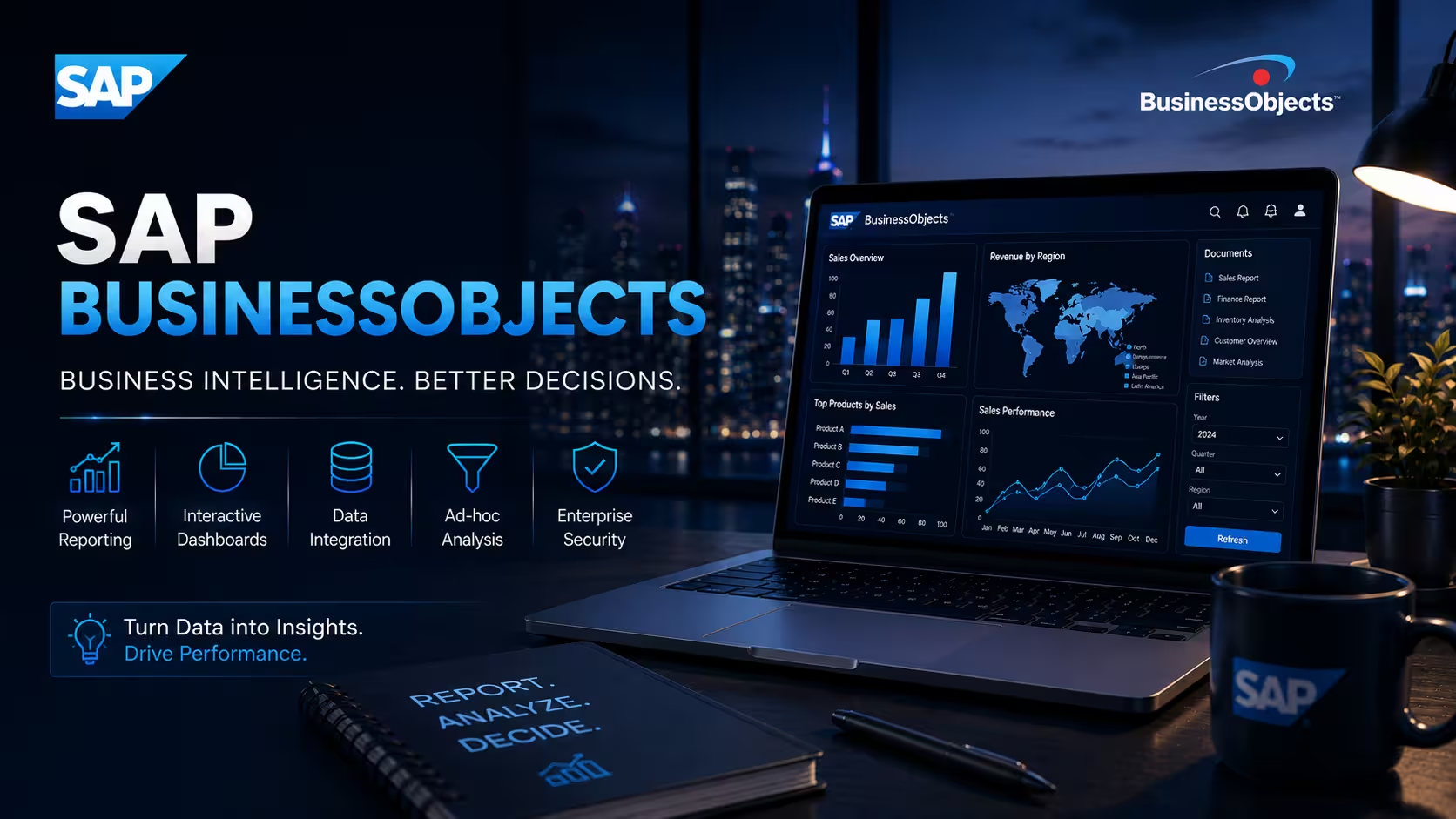
Course Objectives
What will I learn in this SAP BusinessObjects (BOBJ) course?
You'll learn how organizations configure and use SAP BusinessObjects to run core business processes, covering master data, transactions, and reporting so you understand both the how and the why behind each step.
What hands-on skills will I gain from SAP BusinessObjects training?
You'll get hands-on experience with industry-relevant SAP BusinessObjects tools and workflows through guided exercises, so you learn by doing rather than just reading theory.
How does this course prepare me for real-world SAP BusinessObjects work?
The course is designed around how SAP BusinessObjects is actually applied to solve real-world problems in professional settings, not just textbook scenarios.
Will I work on real projects during the SAP BusinessObjects (BOBJ) course?
Yes, the course includes real-time projects and case studies that reinforce SAP BusinessObjects concepts through practice, giving you portfolio-ready work by the end.
How does this course help with certification and job interviews?
The course is structured to help you prepare for relevant SAP BusinessObjects certifications and interviews, covering the concepts and terminology employers and exam boards expect.
Popular Techniques Covered in This Course
Master data setup and maintenance in SAP BusinessObjects
Configuring business processes and transaction workflows
Navigating core modules and transaction screens
Generating and customizing business reports
Managing organizational structures and user roles
Handling period-end and month-end processing
Troubleshooting transactional errors
Integrating SAP BusinessObjects with upstream and downstream systems
Supporting user training and change management
Certification-aligned exam preparation
Get Hands-on Knowledge about Real-Time Projects
Project 1
SAP BusinessObjects Fundamentals Project
A guided, hands-on project where you apply the core concepts and basic tools of SAP BusinessObjects to a simple task — designed to build confidence with the fundamentals before moving on to advanced work.
Project 2
Real-World SAP BusinessObjects Case Study
Work through a real-world scenario that mirrors how SAP BusinessObjects is used on the job, practicing the workflows, decisions, and troubleshooting professionals rely on day to day.
Project 3
SAP BusinessObjects Configuration & Setup Exercise
Configure and set up a working SAP BusinessObjects environment from scratch, applying what you've learned in a structured, hands-on format with guidance from your trainer.
Project 4
SAP BusinessObjects Integration & Automation Challenge
Tackle a practical, open-ended problem involving SAP BusinessObjects integration or automation, working through troubleshooting, optimization, and best practices the way you would in a real professional environment.
Project 5
SAP BusinessObjects Capstone Project
Bring together everything you've learned into one comprehensive, portfolio-ready project that demonstrates your end-to-end SAP BusinessObjects skills to potential employers.
Key Features
This SAP BusinessObjects (BOBJ) program offers comprehensive hands-on training to prepare you for industry demands.
40 Hours Course Duration
100% Job Oriented Training
Industry Expert Faculties
Free Demo Class Available
Completed 500+ Batches
Certification Guidance
Curriculum
Module 1: Introduction to SAP BusinessObjects
- Overview and evolution of SAP BusinessObjects
- Industry landscape, use cases, and business value
- Career paths and job roles related to SAP BusinessObjects
Module 2: Core Concepts and Terminology
- Key modules, screens, and terminology in SAP BusinessObjects
- Master data structures and organizational hierarchies
- How SAP BusinessObjects fits into a broader enterprise systems landscape
Module 3: Environment Setup and Configuration
- Setting up a working SAP BusinessObjects environment
- Initial configuration and system requirements
- Navigating the core interface and tools
Module 4: Architecture and Key Components
- Understanding the underlying architecture of SAP BusinessObjects
- Key modules, components, and how they interact
- Data flow and system design considerations
Module 5: Hands-On Tools and Techniques
- Practical, hands-on use of core SAP BusinessObjects tools
- Step-by-step configuration and customization
- Common workflows used in real projects
Module 6: Data Management and Administration
- Creating and maintaining master and transactional data
- User roles, authorizations, and access management
- Data cleansing, archiving, and housekeeping practices
Module 7: Integration with Related Systems
- Connecting SAP BusinessObjects with other enterprise systems
- APIs, interfaces, and data exchange methods
- Common integration patterns and challenges
Module 8: Automation and Workflow Optimization
- Automating repetitive tasks within SAP BusinessObjects
- Streamlining workflows for efficiency
- Tools and techniques for process optimization
Module 9: Security, Compliance and Best Practices
- Role-based access control and segregation of duties
- Audit trails and compliance reporting
- Data protection guidelines specific to SAP BusinessObjects
Module 10: Troubleshooting and Performance Tuning
- Identifying and resolving common SAP BusinessObjects issues
- Performance tuning and optimization techniques
- Monitoring and diagnostic approaches
Module 11: Real-World Case Studies and Projects
- Applying SAP BusinessObjects to practical, real-world scenarios
- Working through guided, project-based exercises
- Learning from common industry implementation patterns
Module 12: Certification Preparation and Capstone Project
- Consolidating skills through a capstone project
- Exam-focused review of key SAP BusinessObjects concepts
- Interview preparation and next steps for your career
Receive Training From Our Skilled and Effective Trainers
Experience in the Industry Gain expertise from SAP BusinessObjects professionals who have applied their skills on live projects across corporate, product, and consulting environments, bringing practical, real-world context into every SAP BusinessObjects session.
Backgrounds at the Top Our SAP BusinessObjects trainers bring hands-on industry experience, having worked on real SAP BusinessObjects projects for organizations across various industries before moving into training.
Clear & Effective Teaching Core SAP BusinessObjects concepts, tools, and workflows are explained using real project examples and practical scenarios, so you understand not just the theory but how SAP BusinessObjects is actually used on the job.
Hands-On Learning Focus Students get structured, hands-on practice with SAP BusinessObjects through guided exercises, mini-projects, and lab work designed to build practical, job-ready skills.
Up-to-Date Knowledge Trainers keep the SAP BusinessObjects curriculum current with the latest tools, versions, and industry best practices, so what you learn stays relevant to how SAP BusinessObjects is used today.
Certified SAP BusinessObjects Professional
Our certification validates your expertise in SAP BusinessObjects. Gain practical skills to apply SAP BusinessObjects confidently in real-world projects. Ideal for professionals and freshers looking to strengthen their SAP BusinessObjects career profile.

Course FAQs
1. What is SAP BusinessObjects (BOBJ)?
SAP BusinessObjects is a business intelligence platform used to access, analyze, report, and share enterprise data. It provides reporting and analytics tools that help users convert business information into meaningful insights.
2. What are the main components of SAP BusinessObjects?
The SAP BusinessObjects BI platform includes components such as BI Launch Pad, Central Management Console (CMC), Web Intelligence, Crystal Reports, the Information Design Tool, and platform processing servers. Each component supports reporting, administration, data modeling, or content management.
3. What is SAP BusinessObjects BI Launch Pad?
BI Launch Pad is a web-based interface that allows users to access reports, documents, dashboards, and other BI content. Users can view, refresh, organize, and schedule supported documents according to their permissions.
4. What is the Central Management Console (CMC)?
The Central Management Console is an administration interface used to manage users, groups, security, servers, connections, and BI content. Administrators use it to configure and maintain the BusinessObjects environment.
5. What is the SAP BusinessObjects BI platform architecture?
The BI platform uses a multi-tier architecture involving client interfaces, application services, processing servers, and data sources. Components communicate through platform services to process user requests and deliver reports.
6. What is the Central Management Server (CMS)?
The Central Management Server manages platform information such as users, groups, security settings, and metadata about BI content. It also coordinates important platform operations and interacts with the system repository.
7. What is the Input File Repository Server (Input FRS)?
The Input File Repository Server stores report files and other BI content uploaded to the platform. It works with the Output File Repository Server and platform services to manage document storage.
8. What is the Output File Repository Server (Output FRS)?
The Output File Repository Server stores generated report instances and scheduled document outputs. It supports access to processed documents through authorized BI platform interfaces.
9. What is the role of the Adaptive Processing Server?
The Adaptive Processing Server hosts various BI platform services, depending on how it is configured. Administrators can configure its services and allocate resources to support platform workloads.
10. What is the difference between the CMC and BI Launch Pad?
CMC is primarily used by administrators to manage platform configuration, security, users, servers, and content. BI Launch Pad is mainly used by business users to access, view, refresh, and interact with reports.
11. What is SAP Web Intelligence (WebI)?
SAP Web Intelligence is a reporting and analysis tool used to create interactive reports from enterprise data sources. It allows users to build queries, apply filters, create calculations, and present information in tables and charts.
12. What is a Web Intelligence document?
A Web Intelligence document contains queries, data providers, report tabs, tables, charts, filters, and calculations. It can be refreshed to retrieve updated data from its connected sources, subject to permissions and configuration.
13. What is a universe in SAP BusinessObjects?
A universe is a semantic layer that presents database information through business-friendly objects such as dimensions, measures, attributes, and predefined filters. It helps report developers query data without needing to understand every underlying database table.
14. What is the difference between a universe and a database schema?
A database schema defines the underlying database objects, including tables, columns, and relationships. A universe adds a business-oriented layer that maps these technical structures into objects suitable for reporting and analysis.
15. What is the Information Design Tool (IDT)?
The Information Design Tool is used to create and maintain universes for SAP BusinessObjects reporting. It supports connections, data foundations, business layers, parameter settings, and publishing universe resources to a repository.
16. What is a data foundation in IDT?
A data foundation defines the tables, joins, aliases, contexts, and relationships used in a universe. It provides the structural basis for the business layer and helps determine how data is retrieved from the source database.
17. What is a business layer in SAP BusinessObjects?
A business layer presents database structures as business-friendly objects that report developers can use in queries. It defines dimensions, measures, attributes, filters, and other objects available to report users.
18. What are dimensions, measures, and attributes in a universe?
Dimensions represent descriptive information such as customer, product, region, or date. Measures represent numerical values such as revenue or quantity, while attributes provide additional descriptive details associated with dimensions.
19. What are joins in a universe?
Joins define relationships between tables used when retrieving data. Correct join configuration helps produce accurate results and prevents unexpected row multiplication or missing records.
20. What are contexts in SAP BusinessObjects universes?
Contexts define valid join paths when a universe contains multiple possible paths between tables. They help resolve certain join ambiguities and reduce the risk of incorrect query results.
21. What are aliases in universe design?
Aliases are alternative references to database tables used to manage specific modeling situations, such as role-playing dimensions. They can help avoid ambiguous joins and support different business relationships using the same underlying table.
22. What are prompts in Web Intelligence?
Prompts allow users to provide values or select criteria before a query runs. They help filter data dynamically, reduce unnecessary data retrieval, and make reports reusable for different business requirements.
23. What are query filters in Web Intelligence?
Query filters restrict the data retrieved from the source based on specified conditions. They can filter records by dimensions, measures, dates, or other available objects, depending on the query design.
24. What is the difference between query filters and report filters?
Query filters restrict data during query execution and can reduce the volume of data retrieved. Report filters operate on data already available in the report, allowing users to control which information is displayed without necessarily changing the underlying query.
25. What are variables in Web Intelligence?
Variables are reusable expressions created to calculate values or define custom logic in a report. They can be used for calculations, conditional formatting, data classification, and other reporting requirements.
26. What are formulas in Web Intelligence?
Formulas perform calculations using available data objects, functions, and operators. They can calculate totals, ratios, differences, conditional values, and other business metrics within a report.
27. How are charts created in SAP Web Intelligence?
Charts are created by assigning dimensions and measures to chart structures and configuring presentation options. Users can choose appropriate chart types to communicate comparisons, trends, distributions, and performance indicators.
28. What is a report section in Web Intelligence?
A section groups report content according to a selected dimension, such as region, department, or customer. Sections make long reports easier to read by organizing information into logical groups.
29. What are breaks and sorts in Web Intelligence?
Breaks divide report data into groups based on a selected dimension, while sorts arrange records in a specified order. Together, they help organize detailed reports and support clearer data analysis.
30. What is a merged dimension in Web Intelligence?
A merged dimension combines compatible dimensions from different data providers so they can be analyzed together. It is useful when a report uses data from multiple queries that share a common business key.
31. What is a data provider in Web Intelligence?
A data provider supplies the data used by a Web Intelligence document. It can be based on supported data sources such as universes and other configured connections, depending on the platform version and environment.
32. How does SAP BusinessObjects connect to databases?
BusinessObjects uses configured database connectivity and data-source connections to retrieve information. Connection setup depends on the database type, drivers, authentication method, network access, and platform configuration.
33. What is a secured connection in SAP BusinessObjects?
A secured connection defines how the platform authenticates and connects to a data source. Credentials, authentication settings, permissions, and connection access must be configured appropriately to protect business information.
34. What is Crystal Reports in SAP BusinessObjects?
SAP Crystal Reports is a reporting tool used to create formatted, pixel-perfect reports from supported data sources. It is commonly used for invoices, statements, operational reports, and documents that require precise layouts.
35. What is the difference between Web Intelligence and Crystal Reports?
Web Intelligence is commonly used for interactive business reporting, ad hoc analysis, and flexible data exploration. Crystal Reports focuses on highly formatted reports with detailed layout control, making it suitable for documents such as invoices and statements.
36. What is report scheduling in SAP BusinessObjects?
Report scheduling allows documents to run automatically at defined times or recurring intervals. Scheduled outputs can be stored as report instances or delivered through supported destinations, depending on system configuration.
37. What is an event-based schedule in SAP BusinessObjects?
An event-based schedule runs a document when a configured event condition is met. Events can coordinate scheduled processing with other system activities instead of relying only on a fixed time.
38. What is a publication in SAP BusinessObjects?
A publication distributes personalized or shared content to multiple recipients through a configured workflow. Depending on the document and setup, publication can use recipient-specific data filtering and supported delivery destinations.
39. What is promotion management in SAP BusinessObjects?
Promotion management supports moving BI content between environments, such as development, test, and production. It helps administrators transport selected reports, universes, connections, and related dependencies while managing deployment requirements.
40. How is user security managed in SAP BusinessObjects?
User security is managed through users, groups, permissions, and access levels. Administrators can control who can view, refresh, edit, schedule, publish, or administer particular BI resources.
41. What is role-based access control in SAP BusinessObjects?
Role-based access control assigns permissions according to users' responsibilities. It helps ensure that people access only the reports, folders, data connections, and administrative functions required for their work.
42. What is an access level in the CMC?
An access level is a predefined collection of permissions that can be assigned to users or groups. Administrators can use access levels to simplify the management of common permission requirements.
43. How does SAP BusinessObjects support auditing and compliance?
The platform provides administration and auditing capabilities that can help organizations track relevant user activities and system operations, depending on configuration. Access controls, audit records, and operational procedures contribute to governance and compliance processes.
44. How can SAP BusinessObjects performance be optimized?
Performance can be improved through efficient universe design, suitable query filters, optimized SQL, appropriate server configuration, and effective scheduling. Report complexity, data volume, database performance, and concurrent workloads should also be considered.
45. How do you troubleshoot a failed Web Intelligence report?
Troubleshooting begins by checking the error message, data-source connection, user permissions, universe objects, query filters, and database availability. Administrators may also review relevant server logs and processing services to identify the cause.
46. What causes a universe query to return duplicate records?
Duplicate records can result from incorrect joins, one-to-many relationships, unsuitable table relationships, or a query that combines data at different levels of detail. Reviewing the data foundation, contexts, and generated SQL can help identify the issue.
47. How can scheduled report failures be diagnosed?
Scheduled report failures can be investigated by checking the schedule status, document permissions, data-source credentials, server availability, destination settings, and error logs. Recurring failures may require reviewing resource usage and scheduling conflicts.
48. How does SAP BusinessObjects integrate with other enterprise systems?
BusinessObjects can retrieve data from supported databases, SAP systems, and other configured enterprise data sources. Integration methods depend on available connectors, drivers, APIs, authentication, and the architecture of the connected systems.
49. What practical projects can be completed during SAP BusinessObjects training?
Learners can work on a fundamentals project, a business reporting case study, an environment configuration exercise, an integration and automation challenge, and a capstone project. These activities help apply reporting, administration, security, data modeling, and troubleshooting concepts.
50. What technical skills can learners develop through SAP BusinessObjects training?
Learners can develop skills in BI platform architecture, BI Launch Pad, CMC administration, Web Intelligence reporting, universe design, IDT, query filters, formulas, charts, Crystal Reports, database connectivity, report scheduling, publication, promotion management, access control, troubleshooting, and performance optimization.
Get Training Quote for Free
Testimonials
Hear What Our Students Say
"Transform your life through Education, hear it from our Alumni"

8 LPA
Rahul
Student
Data Scientist
"Transform your life through Education, hear it from our Alumni"

6 LPA
Fathima
Student
Software Engineer
"Transform your life through Education, hear it from our Alumni"

8 LPA
Siddharth
NIELSON IQ
Data Analyst