Course Objectives
1. Master SAP BASIS Administration Fundamentals
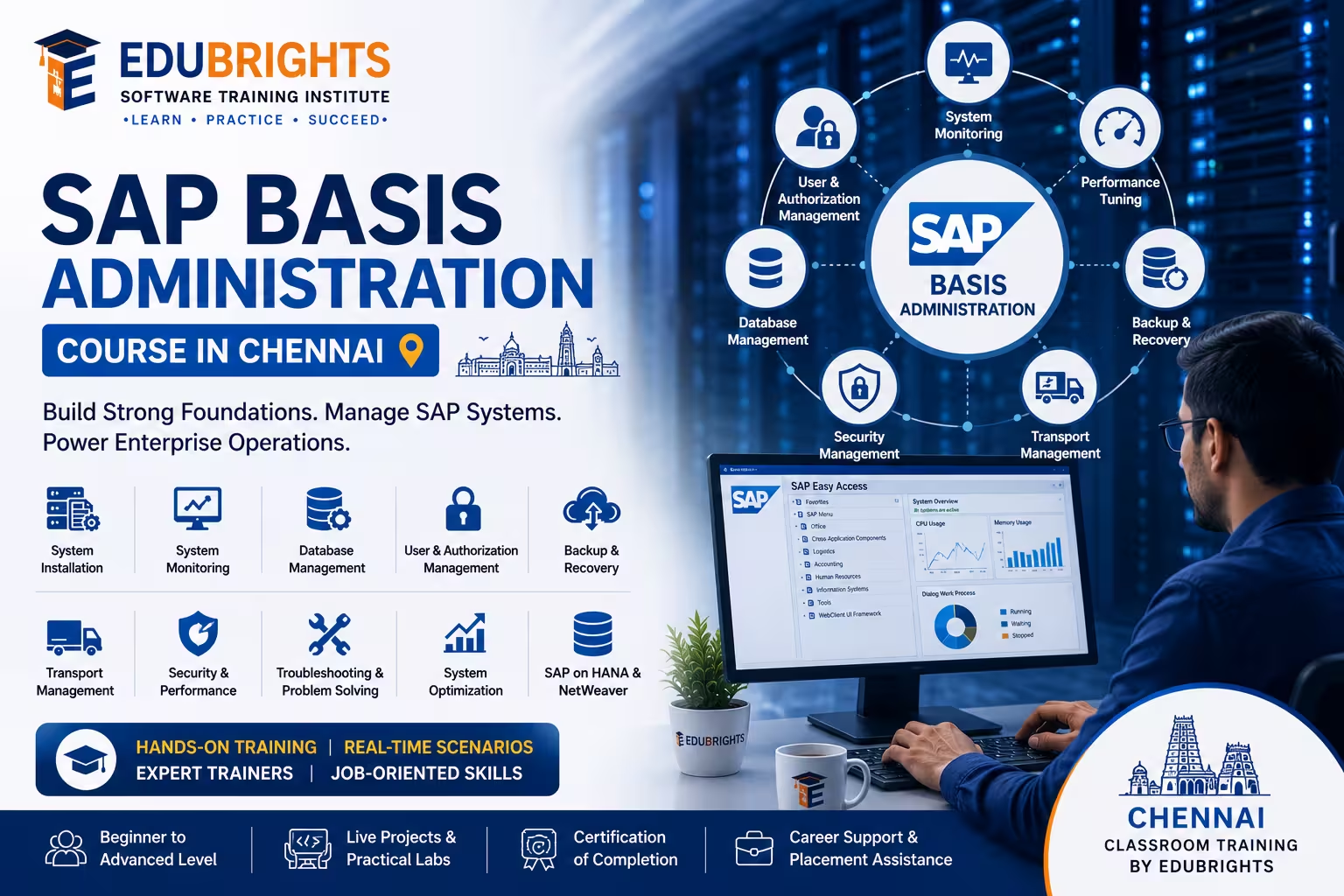
Learn the core concepts of SAP BASIS, including system architecture, administration, monitoring, user management, and system operations.
2. Manage SAP System Installation and Configuration
Gain hands-on experience in SAP system installation, configuration, client administration, transport management, and landscape management.
3. Monitor and Optimize SAP Performance
Develop skills to monitor system health, troubleshoot issues, manage workloads, perform performance tuning, and ensure system availability.
4. Prepare for Real-World SAP BASIS Administration Roles
Work on practical scenarios involving SAP upgrades, patch management, backups, disaster recovery, and system security administration.
Popular Techniques Covered in This Course
SAP BASIS Architecture
SAP Installation and Configuration
User and Authorization Management
SAP Transport Management System (TMS)
Client Administration
SAP System Monitoring
Performance Tuning and Optimization
Backup and Recovery Management
SAP Kernel and Patch Management
SAP Security and System Administration
Get Hands-on Knowledge about Real-Time Projects
Project 1
Project 1: SAP System Installation and Configuration
Install and configure an SAP environment, including application servers, database connectivity, and system parameters.
Project 2
Project 2: SAP Landscape and Transport Management
Configure a multi-system SAP landscape and manage transport requests between development, quality, and production systems.
Project 3
Project 3: SAP User and Security Administration
Implement user roles, authorization profiles, password policies, and security controls for enterprise SAP environments.
Project 4
Project 4: SAP Performance Monitoring and Optimization
Analyze system bottlenecks, monitor workloads, optimize memory usage, and improve SAP application performance.
Project 5
Project 5: SAP Backup and Disaster Recovery Planning
Design and implement backup, recovery, and disaster recovery procedures to ensure business continuity and system availability.
Key Features
Edubrights offers SAP BASIS ADMINISTRATION – SYSTEM MANAGEMENT in virtual mode with expert trainers. Here are the key features,
40 Hours Course Duration
100% Job Oriented Training
Industry Expert Faculties
Free Demo Class Available
Completed 500+ Batches
Certification Guidance
Curriculum
Module 1: Introduction to SAP Basis
- SAP Basis overview: the technical foundation of SAP systems
- SAP system landscape: development, quality, and production environments
- SAP architecture: application server, message server, and database layer
- SAP GUI: connecting to SAP systems and navigating transactions
Module 2: SAP System Installation and Landscape
- SAP installation overview: SWPM and pre-installation requirements
- SAP system landscape design: three-system and two-system landscapes
- SAP NetWeaver architecture: AS ABAP and AS Java components
- System profiles: instance profile, default profile, and start profile
Module 3: User and Authorization Management
- User master records: creating and maintaining user accounts
- Roles and profiles: single roles, composite roles, and profile generation
- SU01, PFCG, and SU10: key authorisation management transactions
- Authorisation concepts: authorisation objects, fields, and values
Module 4: SAP Transport Management
- Transport Management System (TMS): configuration and landscape setup
- Transport requests: creating, releasing, and importing transports
- Transport routes: configuring consolidation and delivery routes
- Transport monitoring: tracking transport status and import queues
Module 5: SAP Background Jobs and Scheduling
- Background processing: job classes, steps, and scheduling
- SM36 and SM37: defining and monitoring background jobs
- Periodic jobs: daily, weekly, and event-driven scheduling
- Job monitoring and error analysis in SM37
Module 6: SAP Performance Monitoring
- SAP Work Process overview: dialog, background, update, and spool
- SM50 and SM66: work process monitoring and management
- ST05 and ST12: SQL trace and ABAP trace for performance analysis
- Early Watch Alert: proactive performance monitoring with SAP Solution Manager
Module 7: SAP System Administration
- Spool management: output management and printer configuration
- Client administration: client copy, export, and import procedures
- System refresh: copying production data to non-production systems
- SAP kernel upgrade: steps and considerations for kernel patching
Module 8: Capstone Project and Assessment
- SAP landscape configuration: TMS setup and transport route definition
- User and authorisation management exercise
- Background job scheduling and performance monitoring simulation
- Final assessment and course certification
Receive Training From Our Skilled and Effective Trainers
Learn from Experienced SAP Basis Professionals
Gain practical expertise from experienced SAP Basis consultants with hands-on experience managing enterprise SAP ECC, SAP S/4HANA, SAP NetWeaver, SAP HANA, and hybrid cloud landscapes across banking, manufacturing, retail, healthcare, automotive, telecommunications, energy, and public sector organizations. Learn real-world SAP Basis administration, system monitoring, upgrades, migrations, and technical support methodologies used by global enterprises.
Industry Exposure with Enterprise SAP Basis Administration Projects
Our trainers have successfully delivered SAP Basis implementation and administration projects involving SAP system installation, SAP landscape configuration, system refresh, client administration, transport management, SAP kernel upgrades, SAP HANA administration, performance tuning, system monitoring, backup & recovery, high availability, disaster recovery, and SAP cloud migration projects. Learn industry best practices followed by leading SAP consulting and enterprise organizations.
Simple, Practical & Business-Oriented Teaching Approach
Core SAP Basis concepts are taught through structured lessons, live demonstrations, enterprise administration scenarios, troubleshooting exercises, performance optimization techniques, transport management workflows, system maintenance activities, and interactive business case studies. This practical approach helps both beginners and working professionals confidently understand SAP technical administration and system operations.
Hands-On Real-Time SAP Basis Projects
Develop job-ready expertise through guided labs and enterprise projects covering SAP ECC, SAP S/4HANA, SAP NetWeaver, SAP HANA Database, Software Provisioning Manager (SWPM), Software Update Manager (SUM), Transport Management System (TMS), user & authorization administration, background job scheduling, client copy, system monitoring, work process analysis, performance tuning, SAP kernel patching, backup & recovery, system refresh, cloud deployment, and end-to-end SAP Basis administration projects.
Updated with the Latest SAP Basis Technologies
Our curriculum is continuously updated with the latest SAP S/4HANA, SAP NetWeaver, SAP HANA, SAP Basis on AWS, Microsoft Azure, Google Cloud Platform (GCP), SAP cloud administration, high availability architecture, disaster recovery strategies, SAP Solution Manager, SAP Focused Run, automation tools, security best practices, and modern enterprise SAP infrastructure standards. This ensures learners develop practical, certification-ready, and industry-relevant SAP Basis skills that are highly valued by global organizations.
Succeed Our Resourceful Certification
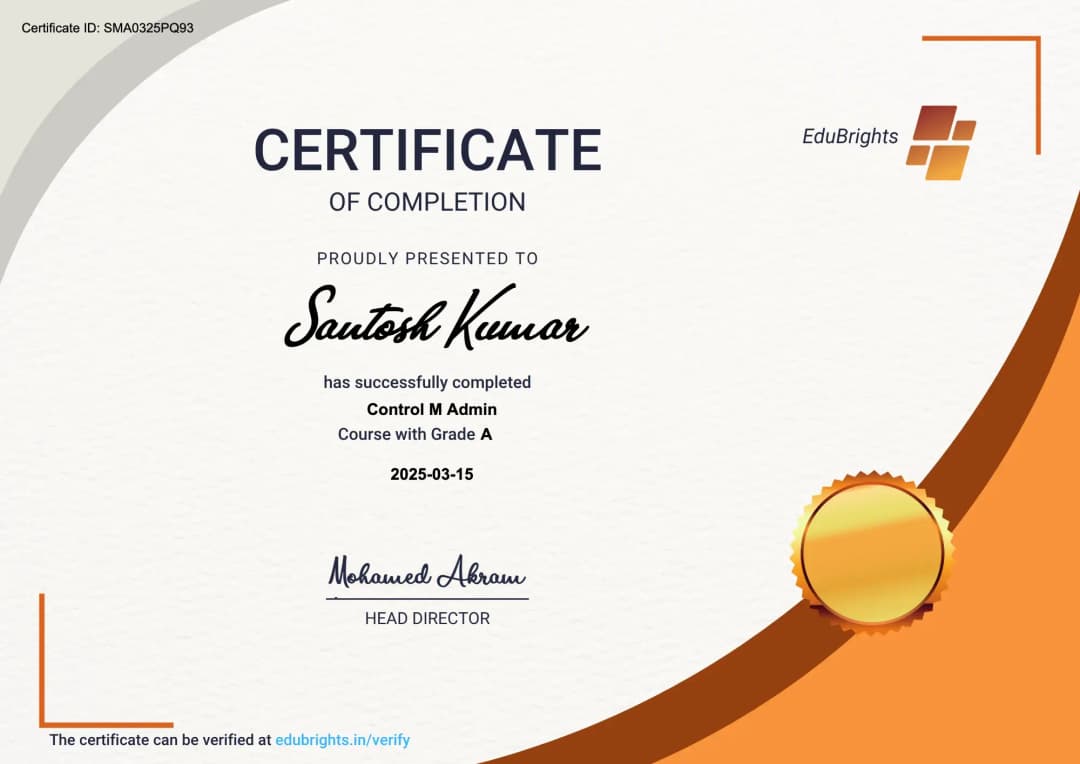
The Certified SAP BASIS Administration and System Management Professional certification validates expertise in SAP system administration, monitoring, security, transport management, performance optimization, and system maintenance. It demonstrates the ability to manage SAP landscapes, troubleshoot technical issues, and maintain enterprise SAP environments. This certification enhances career opportunities in SAP administration, infrastructure management, and technical consulting.
Course FAQs
1. What is SAP Basis Administration?
SAP Basis Administration is the technical administration layer responsible for managing SAP systems, including installation, configuration, monitoring, security, performance, maintenance, and troubleshooting. It provides the technical foundation required to keep SAP environments stable and available.
2. What are the main responsibilities of an SAP Basis Administrator?
An SAP Basis Administrator manages SAP system installation, configuration, user administration, transport management, monitoring, background jobs, performance tuning, backups, upgrades, patches, and security. The role also includes troubleshooting technical issues across SAP landscapes.
3. What is SAP system architecture?
SAP system architecture defines how the application server, database, communication components, and user interface work together. Understanding this architecture is essential for installing, configuring, monitoring, and troubleshooting SAP environments.
4. What is an SAP application server?
An SAP application server provides the runtime environment where SAP application processes are executed. It contains work processes and communicates with the database and other SAP components to process user requests.
5. What is the SAP Message Server?
The SAP Message Server manages communication between application servers within an SAP system. It also supports logon load balancing by distributing user connections among available application server instances.
6. What is the SAP Dispatcher?
The SAP Dispatcher receives requests from users and distributes them to available work processes. It acts as an intermediary between communication requests and the SAP work-process architecture.
7. What are SAP work processes?
SAP work processes execute different categories of application tasks. Common types include Dialog, Background, Update, Spool, and Enqueue work processes.
8. What is a Dialog Work Process?
A Dialog Work Process handles interactive requests generated by SAP users. It processes transaction requests and returns the results to the user's SAP session.
9. What is a Background Work Process?
A Background Work Process executes jobs that run without continuous user interaction. Background processing is commonly used for scheduled reports, data processing, interfaces, and other long-running tasks.
10. What is an Update Work Process?
An Update Work Process processes database changes triggered by SAP transactions. Separating update processing from dialog processing helps improve transaction handling and system workload management.
11. What is a Spool Work Process?
A Spool Work Process handles output requests generated by SAP applications. Spool administration includes managing output requests, print processing, and related SAP printing infrastructure.
12. What is a Spool Work Process?
A Spool Work Process handles SAP output requests associated with printing and other output processing. Basis administrators can monitor spool requests and troubleshoot output-related problems.
13. What is an Enqueue Work Process?
The Enqueue Work Process manages SAP's logical locking mechanism. SAP locks help prevent conflicting transactions from simultaneously changing the same business data.
14. What is SAP system installation?
SAP system installation involves preparing the required operating system and database environment, installing SAP software components, configuring system parameters, and performing post-installation activities. The exact procedure depends on the SAP product and supported release.
15. What is Software Provisioning Manager (SWPM)?
Software Provisioning Manager (SWPM) is an SAP tool used for software provisioning activities. Depending on the supported scenario, it can be used for installation, system copies, and other provisioning-related operations.
16. What are SAP system profiles?
SAP system profiles contain parameters that control the technical behavior of SAP instances and systems. Common profile types include the Default Profile, Instance Profile, and Start Profile.
17. What is the difference between a Default Profile and an Instance Profile?
The Default Profile contains parameters that can apply to multiple instances in an SAP system. An Instance Profile contains parameters specific to an individual SAP application-server instance.
18. What is client administration in SAP?
An SAP client is a logically independent unit within an SAP system. Client administration includes activities such as client creation, configuration, protection, copying, deletion, and post-copy processing.
19. What is an SAP client copy?
A client copy transfers selected client-dependent data from one SAP client to another. It can be used when creating test environments, refreshing client data, or preparing specific system scenarios.
20. What is SAP user administration?
SAP user administration involves creating, modifying, locking, unlocking, and maintaining user accounts. It also includes assigning roles and authorizations according to the user's required access.
21. What is transaction SU01?
SU01 is used for maintaining individual SAP user master records. Basis administrators can use it to create users, change user information, lock or unlock accounts, and maintain user-related assignments.
22. What is transaction SU10?
SU10 provides mass maintenance capabilities for SAP users. It can be used when similar user-management activities need to be performed for multiple users.
23. What is PFCG in SAP Basis?
PFCG is the SAP transaction used for role maintenance and authorization management. It allows administrators to create and maintain roles, authorization data, menus, and generated authorization profiles.
24. What are authorization objects in SAP?
Authorization objects define the fields used during authorization checks. Roles can contain authorization objects with configured values that determine which activities and data a user can access.
25. What is the difference between a single role and a composite role?
A single role contains menu and authorization information for a particular access requirement. A composite role groups multiple single roles so related access can be assigned to a user together.
26. What is SAP Transport Management System (TMS)?
SAP Transport Management System (TMS) is used to organize, execute, and monitor transports between SAP systems. It supports transport routes, import queues, transport monitoring, quality assurance, and transport workflows.
27. What is a transport request?
A transport request is a container that records changes intended to be moved between SAP systems. It can contain development objects, configuration changes, and other transportable objects depending on the request type.
28. What is a transport route?
A transport route defines the path through which transport requests move between SAP systems. Proper route configuration helps control how changes flow from development through quality systems and eventually to production.
29. What is STMS?
STMS is the primary transaction for accessing SAP Transport Management System functions. It can be used to configure transport domains, manage transport routes, view import queues, and perform transport-related activities.
30. What is a transport domain?
A transport domain groups SAP systems under a common transport-management configuration. It establishes the technical framework used by TMS for communication and transport administration.
31. How can SAP transport activities be monitored?
Transport activities can be monitored through transport logs, import queues, import history, export history, and TMS monitoring functions. SAP also provides alert-monitoring capabilities for identifying transport-related issues.
32. What is SAP background job management?
Background job management involves creating, scheduling, releasing, monitoring, and troubleshooting jobs that run without direct user interaction. Transactions such as SM36 and SM37 are commonly used for job administration.
33. What is SM36?
SM36 is used to define and schedule background jobs. Administrators can specify job steps, scheduling conditions, start criteria, and other execution settings.
34. What is SM37?
SM37 is used to monitor SAP background jobs. It provides information about job status, execution details, job logs, runtime information, and spool output.
35. What are common SAP background job statuses?
Common job statuses include Scheduled, Released, Ready, Active, Finished, and Cancelled. These statuses help administrators determine whether a job is waiting, running, completed, or terminated.
36. What is SAP system monitoring?
SAP system monitoring involves checking application servers, work processes, system logs, users, locks, updates, jobs, database activity, and system resources. SAP provides several administration transactions for these activities, including SM21, SM50, SM51, SM66, ST22, and ST03.
37. What is transaction SM50?
SM50 displays the work processes running on an SAP application-server instance. Administrators can use it to investigate process states, long-running requests, and work-process utilization.
38. What is transaction SM51?
SM51 provides an overview of SAP application servers in the system. It allows administrators to view available instances and access technical administration information.
39. What is transaction SM21?
SM21 is used to analyze the SAP system log. It helps administrators investigate technical events, warnings, errors, and other system-level messages.
40. What is transaction ST22?
ST22 is used to analyze ABAP runtime errors, commonly known as short dumps. The dump provides technical information that can help administrators and developers identify the cause and execution context of an error.
41. What is SAP performance monitoring?
SAP performance monitoring evaluates system workload, response times, work-process utilization, database activity, memory consumption, and other technical indicators. Performance monitoring helps identify potential bottlenecks before they affect system operations.
42. What is SAP performance tuning?
SAP performance tuning involves identifying and resolving technical bottlenecks affecting system response and resource utilization. Depending on the issue, tuning may involve SAP parameters, database performance, application processing, memory, work processes, or operating-system resources.
43. What is SAP memory management?
SAP memory management controls how memory resources are allocated and used by SAP processes. Basis administrators monitor memory consumption and analyze memory-related issues to maintain system stability.
44. What is SAP spool administration?
SAP spool administration manages output requests generated by SAP applications. Basis administrators can monitor spool requests, configure output devices, troubleshoot printing problems, and manage spool-related data.
45. What is SAP kernel management?
SAP kernel management involves maintaining the executable technical components of an SAP system. Kernel administration can include version verification, patch application, compatibility checks, testing, and controlled deployment.
46. What are SAP Support Packages and patches?
SAP Support Packages provide corrections and updates for SAP software components. Basis administrators plan, test, import, and monitor these updates according to the organization's maintenance and change-management procedures.
47. What is SAP backup and recovery management?
SAP backup and recovery management protects application and database information against system failures or data loss. It includes backup planning, backup monitoring, recovery procedures, database coordination, and recovery testing.
48. What is SAP system security administration?
SAP system security administration includes user management, roles, authorizations, authentication, password policies, access controls, and protection of sensitive technical accounts. SAP documentation recommends reviewing and protecting standard users such as SAP*, DDIC, EARLYWATCH, TMSADM, and SAPCPIC according to the applicable system version and security requirements.
49. What practical projects can be covered in SAP Basis Administration training in Chennai?
Practical projects can include SAP System Installation and Configuration, Client Administration and Copy, User and Role Administration, Transport Management Configuration, Background Job and System Monitoring, Performance Troubleshooting, and Backup and Recovery Management. These projects provide hands-on exposure to common SAP Basis administration activities.
50. What technical skills can I gain from SAP Basis Administration training in Chennai?
SAP Basis Administration training can help develop skills in SAP architecture, system installation, SWPM, system profiles, client administration, user management, SU01, SU10, PFCG, authorizations, TMS, STMS, transport routes, background jobs, SM36, SM37, system monitoring, SM50, SM51, SM21, ST22, performance tuning, spool administration, kernel maintenance, patch management, backup and recovery, troubleshooting, and SAP security administration.
Get Training Quote for Free
Testimonials
Hear What our Students say
"Transform your life through Education, hear it from our Alumni"

6 LPA
Fathima
Student
Software Engineer
"Transform your life through Education, hear it from our Alumni"

8 LPA
Rahul
Student
Data Scientist
"Transform your life through Education, hear it from our Alumni"

8 LPA
Siddharth
NIELSON IQ
Data Analyst