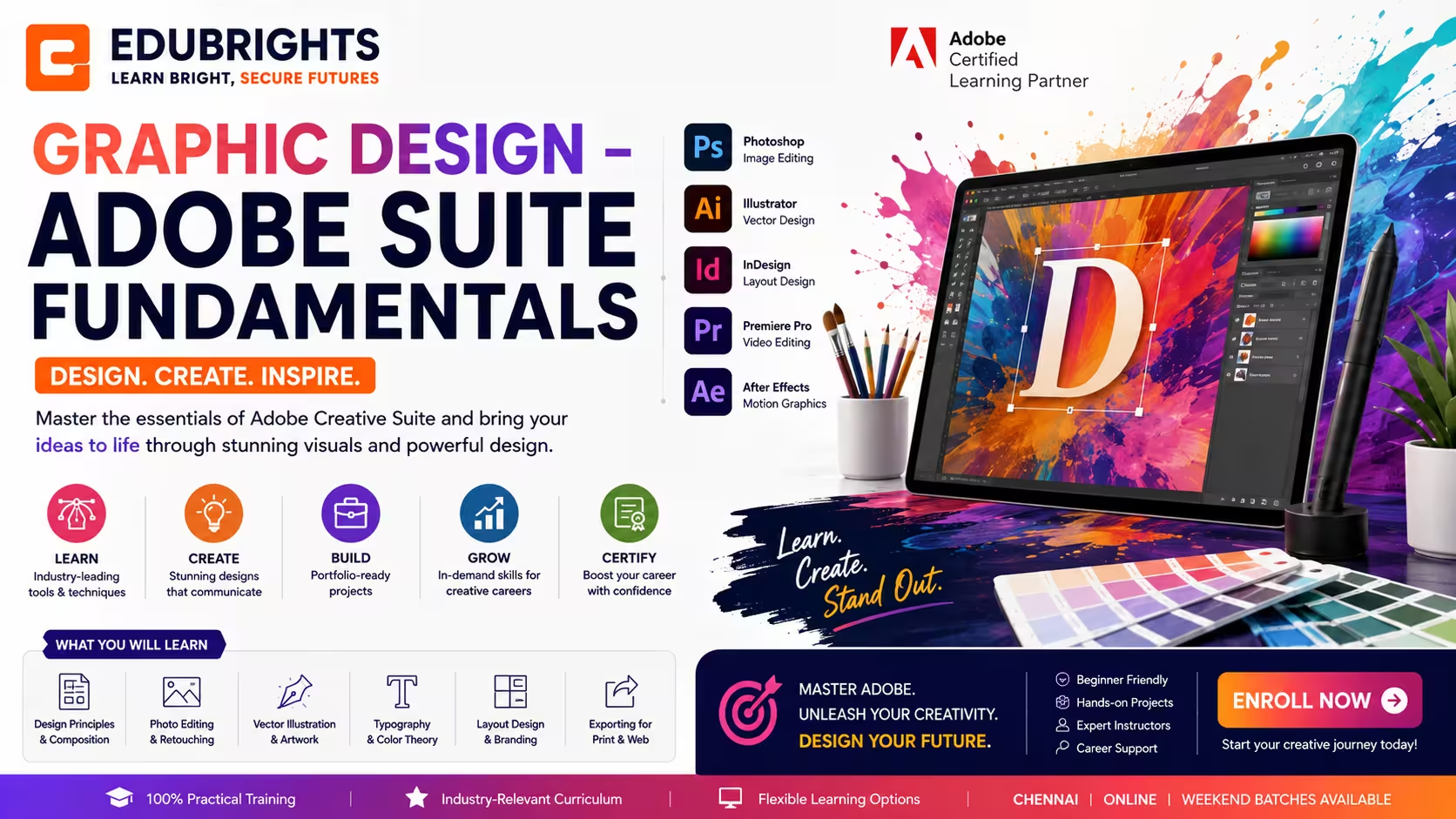
Course Objectives
1. What will I learn in the Graphic Design – Adobe Suite Fundamentals course?
You will learn the fundamentals of graphic design using Adobe Photoshop, Illustrator, and InDesign. The course covers image editing, vector design, layout creation, typography, and visual communication techniques used in professional design projects.
2. Why should I learn Adobe Suite fundamentals?
Adobe Creative Suite tools are widely used in the design, marketing, media, and advertising industries. Learning these tools helps you create professional-quality graphics and build a strong foundation for a creative career.
3. How does this course support my career growth?
This course develops practical design skills, creative thinking, and software proficiency. It is suitable for students, freshers, job seekers, entrepreneurs, and working professionals who want to enter the graphic design field or improve their visual communication skills.
4. Will I gain practical experience during the training?
Yes. The training includes hands-on projects such as posters, social media creatives, brochures, logos, and marketing materials. You will practice using Adobe tools to create real-world design outputs.
5. What skills are required to become a Graphic Designer?
Develop practical skills in visual design, image editing, vector illustration, branding, layout creation, typography, and creative problem-solving.
Popular Techniques Covered in This Course
Design Fundamentals
Color Theory
Typography Basics
Adobe Photoshop
Adobe Illustrator
Adobe InDesign
Image Editing
Vector Illustration
Layout Design
Portfolio Creation
Get Hands-on Knowledge about Real-Time Projects
Project 1
1. Brand Identity Design Project
Create a complete brand identity including a professional logo, business card, color palette, and brand guidelines using Adobe Illustrator and Photoshop.
Project 2
2. Social Media Marketing Design Project
Design engaging social media posts, promotional banners, and advertising creatives for a business using Adobe Photoshop and Illustrator.
Project 3
3. Corporate Brochure Design Project
Develop a professional brochure with structured layouts, typography, and branded graphics using Adobe InDesign for print and digital distribution.
Project 4
4. Product Advertisement Project
Create high-quality promotional posters, flyers, and product advertisements by combining image editing, typography, and creative design techniques.
Project 5
5. Graphic Design Portfolio Project
Build a professional design portfolio showcasing branding, marketing materials, illustrations, and print designs created throughout the course.
Key Features
Edubrights offers GRAPHIC DESIGN – ADOBE SUITE FUNDAMENTALS Training in virtual mode with expert trainers. Here are the key features,
40 Hours Course Duration
100% Job Oriented Training
Industry Expert Faculties
Free Demo Class Available
Completed 500+ Batches
Certification Guidance
Curriculum
Module 1: Introduction to Graphic Design
- Design principles: balance, contrast, alignment, repetition, and proximity
- Colour theory: colour wheel, harmony, psychology, and brand colour usage
- Typography fundamentals: typeface categories, pairing, and hierarchy
- Design workflow: brief, concept, execution, and delivery process
Module 2: Adobe Photoshop Essentials
- Photoshop interface: workspace, panels, and tool overview
- Selections and masking: marquee, lasso, magic wand, and quick mask
- Layer management: groups, blending modes, and adjustment layers
- Photo retouching: healing brush, clone stamp, and frequency separation
Module 3: Adobe Illustrator Essentials
- Vector vs raster: understanding when to use each format
- Pen tool mastery: creating precise paths and anchor points
- Shape builder and pathfinder: combining and subtracting shapes
- Typography in Illustrator: creating text effects and logo treatments
Module 4: Adobe InDesign Essentials
- InDesign interface: master pages, guides, and grids
- Text frames and paragraph styles for consistent typography
- Image placement and linking in InDesign layouts
- Exporting: print-ready PDF and digital PDF settings
Module 5: Brand Identity Design
- Logo design process: research, sketching, and digital execution
- Brand guidelines: colour palette, typography, and logo usage rules
- Business card, letterhead, and brand stationery design
- Mockup presentation: showcasing brand identity in realistic contexts
Module 6: Print and Layout Design
- Brochure and flyer design: grid systems and visual hierarchy
- Magazine and editorial layout: multi-page document design
- Print specifications: bleed, trim, safe zone, and colour modes (CMYK)
- Packaging design fundamentals: dielines and 3D mockup presentation
Module 7: Digital and Social Media Design
- Social media graphic templates: consistent brand presence across platforms
- Web banner design: static and animated HTML5 banners
- Presentation design: PowerPoint and Google Slides design principles
- Digital asset export: web-optimised formats and resolution settings
Module 8: Capstone Project and Assessment
- Complete brand identity project: logo, colour palette, and guidelines
- Multi-page print layout: brochure or magazine spread design
- Social media template set and digital asset export package
- Final assessment and course certification
Receive Training From Our Skilled and Effective Trainers
Experience in the Industry Learn from professional graphic designers who have created brand identities, print materials, and digital assets for agencies, startups, and established brands across FMCG, technology, and retail sectors.
Backgrounds at the Top Our graphic design trainers have worked at award-winning design studios and in-house creative teams delivering brand identity, packaging, editorial, and digital design projects at a professional level.
Clear & Effective Teaching Design principles, colour theory, typography, Photoshop, Illustrator, InDesign, brand identity, print production, and digital design are explained with real project examples and practical design critique.
Hands-On Learning Focus Students build complete brand identities, design multi-page print layouts, create social media templates, and export professional design assets through structured project-based creative labs.
Up-to-Date Knowledge Trainers keep content current with the latest Adobe Creative Cloud releases, generative AI design tools, current design trends, and evolving graphic design industry best practices.
Earn an Industry-Recognized Graphic Design – Adobe Suite Fundamentals Certification
Successfully completing the Graphic Design – Adobe Suite Fundamentals Course in Chennai demonstrates your ability to create professional graphics, branding materials, digital artwork, marketing designs, and print layouts using Adobe Creative Cloud applications.

Course FAQs
1. Who can join the Graphic Design – Adobe Suite Fundamentals course?
This course is suitable for students, freshers, job seekers, entrepreneurs, marketing professionals, content creators, and anyone interested in graphic design. No prior design experience is required to join the course.
2. Are there any prerequisites for learning graphic design?
No. The course starts from the basics and introduces design concepts in a beginner-friendly manner. Basic computer knowledge is sufficient to begin learning Adobe Photoshop, Illustrator, and InDesign.
3. How long does it take to complete the Graphic Design training?
The duration depends on the training schedule and learning format. Most learners complete the course within a few weeks while working on practical design assignments and creative projects.
4. Will I get hands-on training with Adobe software?
Yes. Practical learning is a major part of the course. You will use Adobe Photoshop, Illustrator, and InDesign to create graphics, edit images, design layouts, and produce professional-quality creative materials.
5. What topics are covered in the course?
The course covers design principles, color theory, typography, photo editing, vector graphics, logo design, brochure design, social media creatives, print layouts, and portfolio development using Adobe tools.
6. Is this course suitable for beginners?
Yes. The course is designed for beginners and explains both design concepts and software tools step by step. Learners gradually move from basic editing and design tasks to complete creative projects.
7. What career opportunities are available after learning graphic design?
Graphic design skills are useful in advertising agencies, digital marketing companies, media houses, print and publishing firms, e-commerce businesses, startups, and freelance creative services.
8. Does the course include practical projects?
Yes. Learners work on projects such as posters, social media graphics, flyers, brochures, logos, and promotional materials. These projects help build practical skills and a professional design portfolio.
9. Can I use these skills for freelancing or business promotion?
Absolutely. The course teaches design skills that can be used for freelance work, personal branding, social media marketing, business promotions, and creating visual content for clients or organizations.
10. Is graphic design an in-demand skill?
Yes. Businesses, brands, and organizations constantly require visual content for marketing, advertising, websites, social media, and print materials. Skilled graphic designers remain valuable across many industries.
11. Is Graphic Design a good career choice?
Yes. Skilled graphic designers are in demand across advertising agencies, media companies, digital marketing firms, publishing houses, and corporate organizations.
12. Will I build a professional portfolio?
Yes. Learners develop a portfolio containing branding, marketing, illustration, and layout projects to showcase their creative skills.
13. Can beginners become professional graphic designers?
Yes. With consistent practice, creative thinking, and hands-on project experience, beginners can develop the skills required for professional graphic design careers.
Get Training Quote for Free
Testimonials
Hear What Our Students Say
"Transform your life through Education, hear it from our Alumni"

8 LPA
Rahul
Student
Data Scientist
"Transform your life through Education, hear it from our Alumni"

8 LPA
Siddharth
NIELSON IQ
Data Analyst
"Transform your life through Education, hear it from our Alumni"

6 LPA
Fathima
Student
Software Engineer