Course Objectives
1. What is CSS?
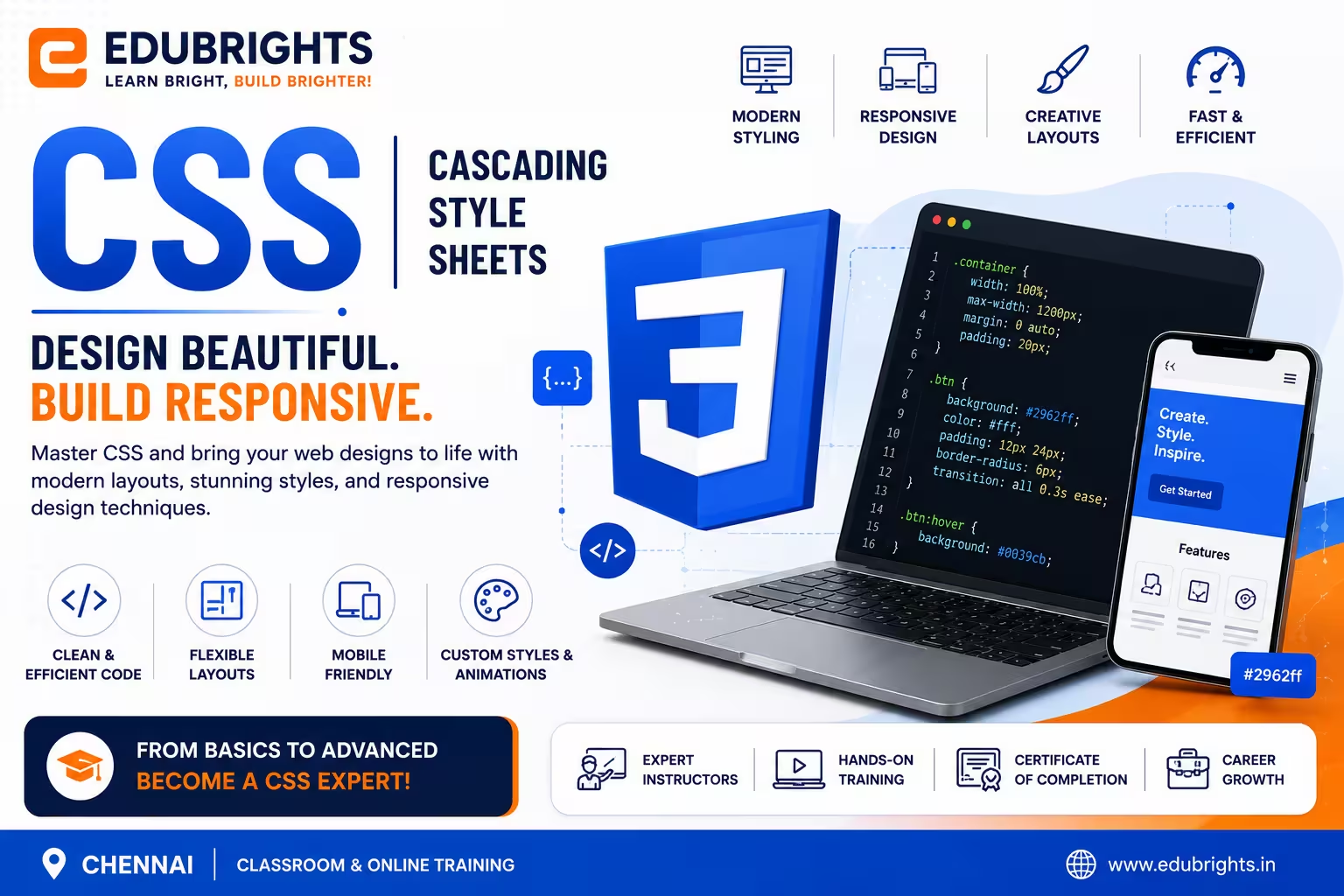
Answer: CSS (Cascading Style Sheets) is a stylesheet language used to control the appearance, layout, colors, fonts, spacing, and responsiveness of HTML web pages.
2. What are the different types of CSS?
Answer: The three types of CSS are Inline CSS, Internal CSS, and External CSS.
3. What is the difference between Flexbox and CSS Grid?
Answer: Flexbox is mainly used for one-dimensional layouts (rows or columns), while CSS Grid is used for two-dimensional layouts with rows and columns.
4. What are media queries?
Answer: Media queries allow developers to create responsive websites by applying different CSS styles based on screen size, resolution, or device type.
5. Who should learn CSS?
Answer: Students, web designers, front-end developers, UI developers, full-stack developers, software engineers, and anyone interested in web development.
Popular Techniques Covered in This Course
1.HTML5
2.CSS3
3.JavaScript (ES6+)
4.JavaScript Frameworks
5.Version Control
6.State Management
7.Responsive Web Design
8.Accessibility
9.Build Tools and Automation
10.Testing and Debugging
Get Hands-on Knowledge about Real-Time Projects
Project 1
Project 1: Responsive Business Website
Build a fully responsive business website with navigation, services, contact forms, and mobile-friendly layouts using HTML and CSS.
Project 2
Project 2: Personal Portfolio Website
Design a professional portfolio website with responsive sections, project galleries, animations, and contact information.
Project 3
Project 3: E-Commerce Landing Page
Create a modern online shopping homepage featuring banners, product cards, responsive grids, and promotional sections.
Project 4
Project 4: Admin Dashboard UI
Develop a responsive dashboard interface with navigation menus, cards, charts, tables, and interactive layouts using CSS Grid and Flexbox.
Project 5
Project 5: Restaurant Website Design
Design a complete restaurant website with menus, image galleries, booking forms, responsive layouts, and attractive animations.
Key Features
Edubrights offers CSS Training in virtual mode with expert trainers. Here are the key features,
40 Hours Course Duration
100% Job Oriented Training
Industry Expert Faculties
Free Demo Class Available
Completed 500+ Batches
Certification Guidance
Curriculum
Module 1: Introduction to CSS
- What is CSS?
- Importance of CSS in Web Development
- CSS Versions and Evolution
- Setting Up a CSS Environment
- Ways to Apply CSS (Inline, Internal, External)
Module 2: CSS Basics and Selectors
- Syntax and Structure of CSS
- CSS Rules, Properties, and Values
- Types of Selectors (Universal, Element, Class, ID, Grouping)
- Pseudo-classes and Pseudo-elements
- Attribute Selectors
Module 3: CSS Box Model
- Understanding the Box Model
- Content, Padding, Border, and Margin
- Box Sizing and Overflow
- Outline vs. Border
Module 4: CSS Layout and Positioning
- Display Property (Block, Inline, Inline-Block, Flex, Grid)
- Positioning (Static, Relative, Absolute, Fixed, Sticky)
- Float and Clear Properties
- lexbox Layout
- CSS Grid Layout
Module 5: Typography and Fonts in CSS
- Font Families and Web-Safe Fonts
- Font Styling (Size, Weight, Line Height)
- Text Properties (Alignment, Spacing, Decoration, Transform)
- Google Fonts and Custom Fonts
Module 6: Colors, Backgrounds, and Borders
- CSS Color Values and Formats
- Background Images and Properties
- Border Styles and Properties
- Box Shadows and Effects
Module 7: Responsive Design
- Media Queries and Breakpoints
- Fluid Layout Techniques
- Viewport Meta Tag
- Mobile-First Design Principles
Module 8: CSS Transitions and Animations
- CSS Transitions Basics
- Keyframe Animations
- Animation Properties and Timing Functions
- Practical Animation Examples
Module 9: Advanced CSS Features
- CSS Variables (Custom Properties)
- CSS Functions (calc, var, etc.)
- Specificity and Inheritance
- CSS Combinators and Advanced Selectors
Module 10: CSS Frameworks and Preprocessors
- Introduction to CSS Frameworks (Bootstrap, Tailwind CSS)
- Overview of CSS Preprocessors (SASS, LESS)
- Using Variables, Mixins, and Nesting in Preprocessors
Module 11: CSS Best Practices and Optimization
- Writing Maintainable CSS
- Avoiding Common Pitfalls
- CSS Minification and Performance Optimization
- Using Browser Developer Tools for Debugging
Module 12: Project Work
- Building a Responsive Website Using CSS
- Applying Flexbox and Grid Layouts
- Implementing Animations and Transitions
- Ensuring Cross-Browser Compatibility
Receive Training From Our Skilled and Effective Trainers
Experience in the Industry Gain knowledge from experts with practical CSS project experience in a variety of sectors.
Backgrounds at the Top Prominent corporations such as HCL, TCS, Accenture, and Cognizant employed trainers.
Clear & Effective Teaching Excellent communication and real-world examples simplify complex subjects.
Hands-On Learning Focus Students can apply their abilities in real-world situations with the use of case studies and real-time projects.
Up-to-Date Knowledge Trainers stay current with the latest tools, techniques and best practices.
Certified CSS Web Design Professional (CCWDP)
Our institution’s CSS certification program equips learners with essential skills to style and design responsive, visually appealing websites using modern CSS techniques. The course covers core concepts including selectors, layouts, animations, and responsive design, preparing students for real-world web development challenges. Upon completion, certification validates your proficiency, enhancing your career prospects in frontend development and UI design

Course FAQs
1. What are best practices for maintaining scalable and maintainable HTML/CSS code?
Use semantic HTML elements, modular CSS architectures like BEM or SMACSS, CSS preprocessors (Sass/LESS), minimize specificity, enforce naming conventions, and use version control and code reviews to keep code organized and reusable
2. What is front-end development?
Front-end development involves creating the visual and interactive parts of a website or web application using HTML, CSS, and JavaScript to ensure a responsive, user-friendly experience
3. What technologies are essential for front-end developers in 2025?
HTML5, CSS3, JavaScript (including ES6+), modern frameworks like React, Vue, or Angular, API integration, and knowledge of SEO best practices
4. Do I need prior coding experience to join a front-end development course?
Most comprehensive courses are beginner-friendly and require no prior coding experience. They start with fundamentals and gradually move to advanced topics with hands-on projects.
5. How important are projects in front-end training?
Projects are crucial. Building real-world websites and applications (e.g., e-commerce clones, portfolio sites) helps solidify concepts, build your portfolio, and prepare you for job interviews.
6. What tools and technologies are covered in typical front-end courses?
Common tools include code editors (VS Code, Sublime), Git/GitHub for version control, browser developer tools, and frameworks/libraries like React, Bootstrap, and sometimes TypeScript.
7. What are the career prospects after completing front-end development training?
You can work as a Front-End Developer, UI Developer, Web Designer, or move into full-stack development with additional backend skills.
8. How does front-end development relate to SEO and website performance?
Good front-end practices improve website speed, responsiveness, accessibility, and semantic structure, all of which positively impact SEO and user experience.
9. Are there certifications available after completing front-end courses?
Yes, many courses provide certificates upon completion, which can be valuable for job applications and demonstrating your skills.
10. Can I learn front-end development online or is classroom training better?
Both modes are effective. Online courses offer flexibility, while classroom or live instructor-led training provides direct interaction and immediate feedback.
11. Will I build real websites?
Yes. You will create multiple responsive websites and professional web pages during the course.
12. Does the course cover responsive design?
Yes. The course includes Flexbox, CSS Grid, media queries, and mobile-first responsive design techniques.
13. Can freshers get a job after learning CSS?
Yes. CSS is a core front-end development skill that helps freshers qualify for entry-level web development positions.
14. Does the course include placement support?
Yes. Many training providers offer resume building, portfolio guidance, mock interviews, and placement assistance.
15. Why should I learn CSS?
CSS is one of the most important web technologies for creating modern, responsive, and user-friendly websites. It is a must-have skill for front-end and full-stack developers.
Get Training Quote for Free
Testimonials
Hear What Our Students Say
"Transform your life through Education, hear it from our Alumni"

6 LPA
Fathima
Student
Software Engineer
"Transform your life through Education, hear it from our Alumni"

8 LPA
Rahul
Student
Data Scientist
"Transform your life through Education, hear it from our Alumni"

8 LPA
Siddharth
NIELSON IQ
Data Analyst