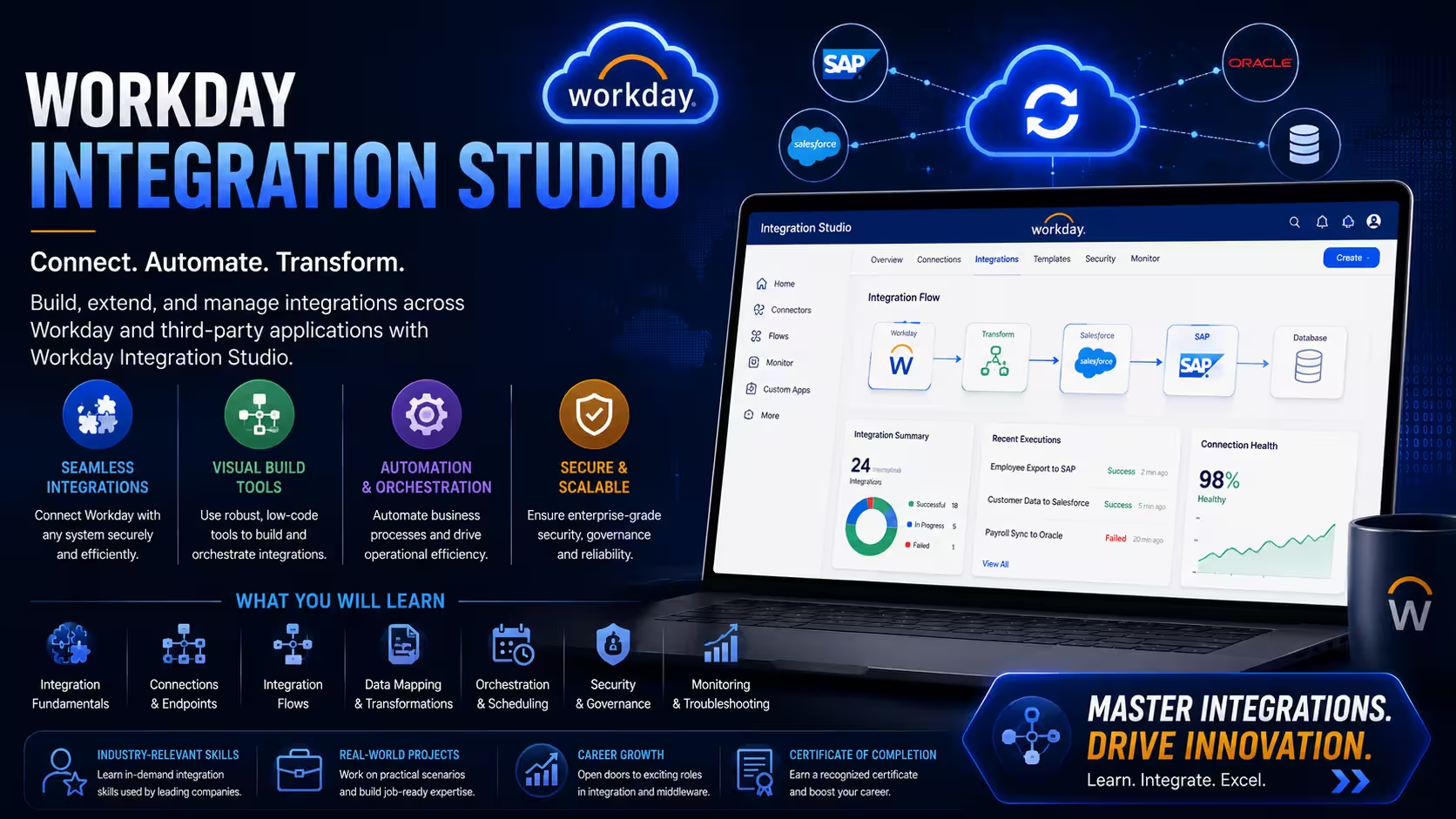
Course Objectives
1. What is Workday Studio and how is it used in enterprise integrations?
Learn the fundamentals of Workday Studio, integration architecture, and enterprise application connectivity.
2. Why are integrations important in the Workday ecosystem?
Understand how Workday exchanges data with payroll, ERP, CRM, finance, and third-party systems.
3. Which integration technologies are used in Workday Studio?
Gain knowledge of XML, XSLT, Web Services, REST APIs, SOAP APIs, EIB, and Core Connectors.
4. What skills are required to become a Workday Integration Developer?
Develop expertise in integration design, data transformation, error handling, and deployment processes.
Popular Techniques Covered in This Course
Workday Studio Fundamentals
Workday Integration Architecture
Enterprise Interface Builder (EIB)
Core Connectors
Integration Troubleshooting
Data Mapping
Workday Web Services (WWS)
REST API Integration
SOAP Web Services
XSLT Development
Get Hands-on Knowledge about Real-Time Projects
Project 1
1. Employee Data Integration Project
Goal: Integrate employee information between Workday and an external HR application. Key Skills: Workday Studio, XML, Data Mapping, Web Services. Tasks: Extract employee data from Workday Transform data into required format Send data to external systems Validate integration results
Project 2
2. Payroll System Integration
Goal: Transfer employee payroll information from Workday to a payroll processing system. Key Skills: EIB, Workday Studio, APIs, Data Transformation. Tasks: Extract payroll data Create transformation logic Configure secure file transfer Automate payroll data delivery
Project 3
3. REST API Integration Project
Goal: Connect Workday with a third-party application using REST APIs. Key Skills: REST API, JSON, Authentication, Integration Studio. Tasks: Consume external APIs Process JSON responses Configure authentication methods Exchange data between systems
Project 4
4. Workday Financial Data Integration
Goal: Synchronize financial information between Workday and external ERP systems. Key Skills: Workday Web Services, XML, Studio Development. Tasks: Extract financial records Transform transaction data Validate integration output Schedule automated execution
Project 5
5. End-to-End Enterprise Integration Solution
Goal: Build a complete enterprise integration using Workday Studio. Key Skills: Studio Development, APIs, Error Handling, Deployment. Tasks: Design integration architecture Build integration workflows Implement exception handling Deploy and monitor integrations
Key Features
Edubrights offers WORKDAY INTEGRATION (STUDIO) Training in virtual mode with expert trainers. Here are the key features,
40 Hours Course Duration
100% Job Oriented Training
Industry Expert Faculties
Free Demo Class Available
Completed 500+ Batches
Certification Guidance
Curriculum
Module 1: Introduction to Workday Integration Studio
- Overview of Workday integration architecture and tools
- Introduction to Integration Studio and Workday Studio
- Key integration patterns used in Workday implementations
- Setting up the Workday Studio development environment
Module 2: Workday Web Services and APIs
- Overview of Workday SOAP and REST web services
- Understanding Workday API versions and WSDL structure
- Configuring API authentication: OAuth 2.0 and ISU credentials
- Managing Workday API request and response handling
Module 3: Core Connector Configuration
- Introduction to Workday Core Connectors
- Configuring payroll, benefit, and HR core connectors
- Managing connector field mapping and transformation
- Scheduling and monitoring core connector runs
Module 4: Enterprise Interface Builder (EIB)
- Introduction to Enterprise Interface Builder for data exchange
- Configuring EIB inbound and outbound integrations
- Managing file transport: SFTP, cloud storage, and HTTP
- Handling EIB data transformation and field mapping
Module 5: Workday Studio Integration Development
- Building custom integrations using Workday Studio
- Understanding integration assembly components and sequences
- Configuring data transformation using XSLT and XPath
- Managing integration parameters and launch conditions
Module 6: Document Transformation and Mapping
- Designing canonical data models for Workday integrations
- Configuring XML and JSON data mapping and transformation
- Managing complex data structure transformations
- Handling multi-record and hierarchical data mapping
Module 7: Error Handling and Exception Management
- Configuring integration error handling and alerting
- Managing integration retry logic and failure recovery
- Setting up integration monitoring and notification alerts
- Debugging integration errors using Workday logs
Module 8: Workday Integration Security
- Configuring integration system users and security policies
- Managing domain and business process security for integrations
- Setting up OAuth clients for API-based integrations
- Auditing integration activity and access logs
Module 9: Integration Testing and Validation
- Designing integration test plans and test scenarios
- Executing integration tests in sandbox environments
- Validating data accuracy and transformation output
- Managing regression testing for integration changes
Module 10: Deployment and Integration Governance
- Managing integration deployment across Workday tenants
- Integration versioning and change management practices
- Documentation standards for Workday integrations
- Integration performance monitoring and best practices
Receive Training From Our Skilled and Effective Trainers
Experience in the Industry Learn from certified WORKDAY INTEGRATION (STUDIO) professionals with hands-on industry experience.
Backgrounds at the Top Our trainers hold relevant certifications and have worked on real-world implementations.
Clear & Effective Teaching All core concepts of WORKDAY INTEGRATION (STUDIO) are explained with practical examples.
Hands-On Learning Focus Students gain practical experience through structured labs and projects.
Up-to-Date Knowledge Trainers keep content current with the latest platform releases and best practices.
About Our Course Certification*
Our institution offers a recognized WORKDAY INTEGRATION (STUDIO) certification that validates your ability to design and prototype professional user interfaces efficiently. This certification enhances your design portfolio and prepares you for collaborative projects in real-world environments. Gain practical skills through hands-on training and assessments.

Course FAQs
1. What is Workday Studio?
Workday Studio is an Eclipse-based integration development tool used to build complex integrations between Workday and external applications.
2. Who should learn Workday Integration Studio?
Workday professionals, integration developers, middleware engineers, Java developers, and technical consultants.
3. Is coding required for Workday Studio?
Basic knowledge of XML, XSLT, APIs, and integration concepts is helpful for developing integrations.
4. What is the difference between EIB and Workday Studio?
EIB is used for simple integrations, while Studio is designed for complex enterprise-level integrations.
5. What are Core Connectors in Workday?
Core Connectors are prebuilt integration frameworks that simplify data exchange with external systems.
6. Does Workday Studio support REST APIs?
Yes, Studio can consume and expose REST-based services for integration scenarios.
7. What file formats are commonly used in integrations?
XML, JSON, CSV, TXT, and other structured data formats.
8. What is Workday Web Services (WWS)?
WWS provides SOAP-based APIs for accessing and updating Workday data.
9. Can Workday Studio integrate with SAP, Oracle, and Salesforce?
Yes, Workday Studio supports integrations with multiple enterprise applications.
10. Is Workday Integration a high-demand skill?
Yes, organizations implementing Workday frequently hire Integration Consultants and Studio Developers.
11. What industries use Workday integrations?
IT, Banking, Healthcare, Manufacturing, Retail, Education, and Consulting sectors.
12. What jobs can I get after learning Workday Studio?
You can pursue roles such as Workday Integration Consultant, Studio Developer, Technical Analyst, and Integration Engineer.
Get Training Quote for Free
Testimonials
Hear What Our Students Say
"Transform your life through Education, hear it from our Alumni"

8 LPA
Siddharth
NIELSON IQ
Data Analyst
"Transform your life through Education, hear it from our Alumni"

6 LPA
Fathima
Student
Software Engineer
"Transform your life through Education, hear it from our Alumni"

8 LPA
Rahul
Student
Data Scientist