Course Objectives
1. What exactly Windows PowerShell training cover?
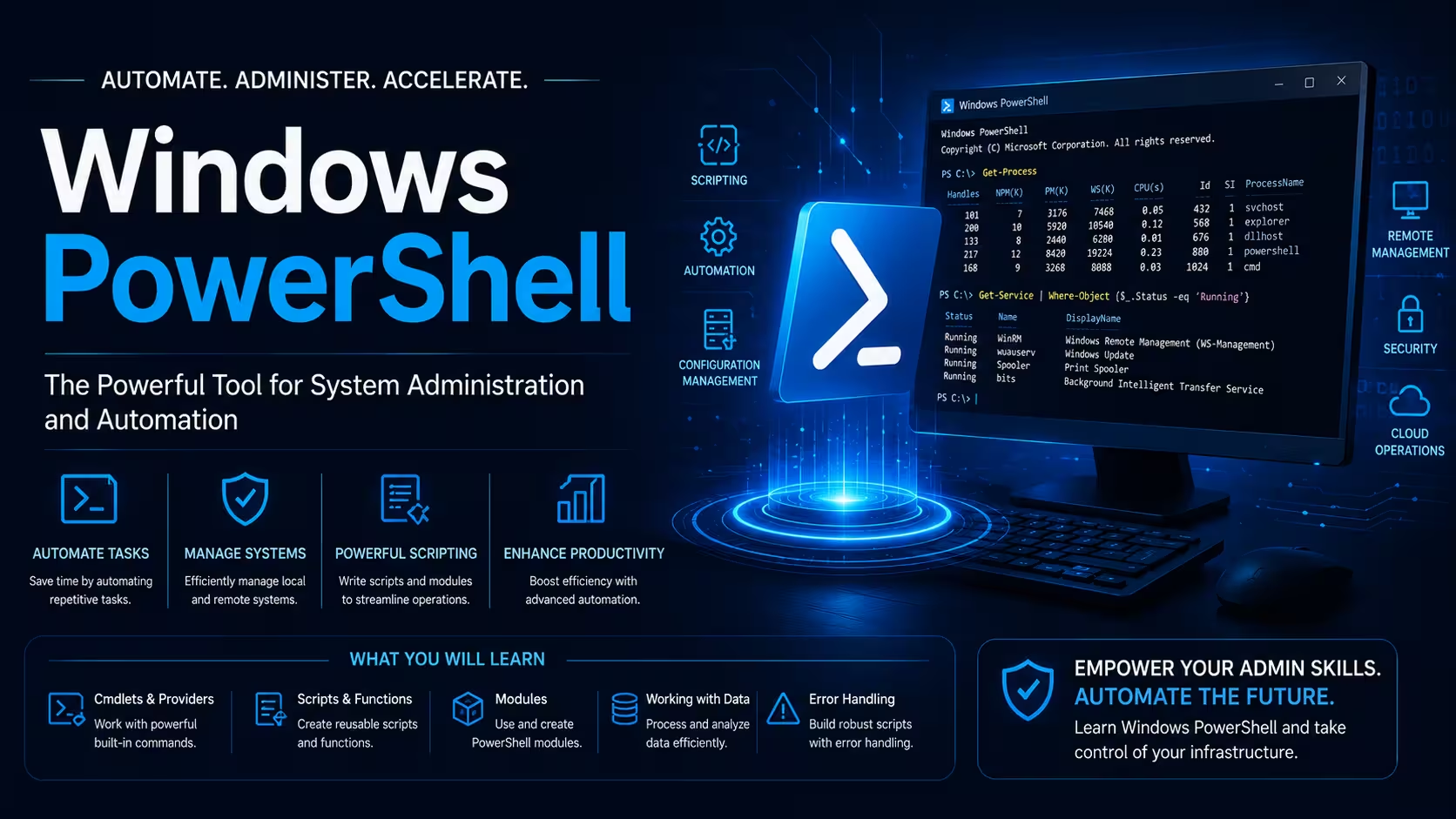
Windows PowerShell training covers scripting, automation, and system management for Windows environments. It teaches cmdlets, pipelines, modules, remoting, and error handling for efficient IT operations. Learners master file handling, registry management, WMI queries, and Desired State Configuration (DSC). The course emphasizes practical automation of admin tasks across servers and clients.
2. What are the main objectives of the Windows PowerShell course for your development skills?
The course builds scripting proficiency to automate repetitive Windows administration tasks effectively. Objectives include mastering cmdlets, functions, remoting, and DSC for configuration management. It enhances troubleshooting, security scripting, and integration with cloud services to boost IT productivity. You'll develop skills for real-world DevOps and sysadmin roles.
3. How do you generate reports for management?
You will write PowerShell scripts to collect data from Active Directory, servers, and event logs and export professional reports in CSV, HTML, or Excel format.
4. How do you handle Windows Server administration?
You will automate server configuration, patch management, and security settings to support infrastructure teams in Chennai’s IT companies.
Popular Techniques Covered in This Course
1.Pipeline object processing
2.Advanced function development
3.Remoting and session management
4.DSC configuration authoring
5.Error handling and logging
6.Module creation and packaging
7.WMI/CIM system queries
8.REST API integration
9.Credential security management
10.Cross-platform scripting
Get Hands-on Knowledge about Real-Time Projects
Project 1
1. Automated Server Inventory System
- Collect system information (OS, CPU, RAM, disk usage) - Generate HTML reports with system details - Email summary reports to administrators - Schedule execution via Task Scheduler
Project 2
2. User Account Management Tool
- Bulk user creation from CSV file - Set password policies and mailbox quotas - Generate user reports with last logon dates - Export inactive accounts for cleanup
Project 3
3: Automated Backup and File Management
Create scripts to back up critical folders, clean temporary files, and organize documents based on business rules in a corporate environment.
Project 4
4: Windows Server Configuration and Compliance
Automate server hardening, security policy application, and compliance checks for an IT services company following industry standards.
Project 5
5: API Integration and Reporting Tool
Develop a complete PowerShell tool that pulls data from REST APIs, processes it, and generates management-ready reports for operations teams.
Key Features
Edubrights offers Windows PowerShell training in virtual mode with expert trainers. Here are the key features.
40 Hours Course Duration
100% Job Oriented Training
Industry Expert Faculties
Free Demo Class Available
Completed 500+ Batches
Certification Guidance
Curriculum
Module 1: Introduction to PowerShell
- PowerShell history and versions (PowerShell 5.1 vs PowerShell 7+)
- ISE and VS Code integration for development
- Execution policies and security basics
Module 2: PowerShell Fundamentals
- Command syntax and parameter binding
- Help system usage and discovery cmdlets (Get-Help, Get-Command)
- Pipeline processing and object flow
Module 3: Working with Objects and Data
- Object properties, methods, and formatting (Format-Table, Export-Csv)
- Filtering with Where-Object and Select-Object
- Sorting and grouping data
Module 4: Variables and Data Types
- Variable scopes and types (strings, arrays, hashtables)
- Type conversion and casting operators
- Environment and automatic variables
Module 5: Control Structures
- Conditional statements (if, switch)
- Loop constructs (for, foreach, while, do-until)
- Break, continue, and return statements
Module 6: Functions and Advanced Scripting
- Function parameters and advanced features (ValidateSet, PipelineBinding)
- Script modules creation and import
- Error handling (Try-Catch-Finally, Throw)
Module 7: File System and Registry Management
- Path handling, Get-ChildItem, file operations
- Registry provider navigation and modification
- Working with XML, JSON, and CSV files
Module 8: PowerShell Remoting
- Enable-PSRemoting and WinRM configuration
- Invoke-Command and Enter-PSSession
- Session management and just-enough-administration (JEA)
Module 9: Processes, Services, and Jobs
- Get-Process, Stop-Process, service management
- Background jobs (Start-Job) and scheduled tasks
- WMI/CIM cmdlets for system queries
Module 10: Security and Credentials
- Secure credential storage (Get-Credential)
- Script signing and code signing certificates
- Constrained language mode and execution policies
Module 11: Desired State Configuration (DSC)
- DSC configuration syntax and compilation
- Local and remote configuration application
- Resource modules and custom resources
Module 12: PowerShell Modules and Galleries
- Finding and installing modules (PowerShellGet)
- Creating custom modules and manifests
- Role-based access with Just Enough Administration
Module 13: Logging and Debugging
- Write-Output, Write-Verbose, Write-Error usage
- Debugging techniques (Set-PSBreakpoint, Debug mode)
- Transcript logging and event logging
Module 14: Cross-Platform PowerShell
- PowerShell Core 7+ features and differences
- Working with REST APIs (Invoke-RestMethod)
- Integration with Azure and cloud services
Receive Training From Our Skilled and Effective Trainers
Experience in the Industry Gain knowledge from experts with practical Windows PowerShell project experience in a variety of sectors.
Backgrounds at the Top Prominent corporations such as HCL, TCS, Accenture, and Cognizant employ trainers.
Clear & Effective Teaching Excellent communication and real-world examples simplify complex subjects.
Hands-On Learning Focus Students can apply their abilities in real-world situations with the use of case studies and real-time projects.
Up-to-Date Knowledge Trainers stay current with the latest tools, techniques, and best practices.
Succeed Our Resourceful Certification
Our institution provides industry-recognized Windows PowerShell certification validating automation and scripting expertise. Complete hands-on projects demonstrate real-world proficiency to employers. Certification enhances career prospects in sysadmin and DevOps roles significantly

Course FAQs
1. What is Windows PowerShell?
Command-line shell and scripting language built on .NET for Windows system administration and automation.
2. Is PowerShell only for Windows?
No, PowerShell Core 7+ is cross-platform, running on Linux, macOS, and Windows.
3. What are cmdlets in PowerShell?
Lightweight .NET classes that expose specific functionality as commands (Get-Process, Set-Service).
4. How do I enable PowerShell remoting?
Use Enable-PSRemoting -Force command after configuring WinRM service.
5. Can PowerShell replace batch files?
Yes, PowerShell offers object-oriented pipelines, making it far more powerful than batch scripting.
6. What is the PowerShell execution policy?
Security feature controlling script execution (Restricted, AllSigned, RemoteSigned, Unrestricted).
7. How do I handle errors in PowerShell scripts?
Use Try-Catch-Finally blocks and $ErrorActionPreference variable.
8. What is Desired State Configuration (DSC)?
PowerShell configuration management platform using declarative syntax.
9. Can PowerShell manage Azure resources?
Yes, through Az PowerShell modules and Azure CLI integration.
10. Is PowerShell useful for DevOps?
Essential for infrastructure as code, CI/CD pipelines, and cloud automation.
11. Is this course suitable for freshers?
Yes. Many freshers join and successfully build automation careers after this training.
12. Do you cover Active Directory and remote management?
Yes. These are core parts of the course with hands-on practice.
Get Training Quote for Free
Testimonials
Hear What Our Students Say
"Transform your life through Education, hear it from our Alumni"

6 LPA
Fathima
Student
Software Engineer
"Transform your life through Education, hear it from our Alumni"

8 LPA
Rahul
Student
Data Scientist
"Transform your life through Education, hear it from our Alumni"

8 LPA
Siddharth
NIELSON IQ
Data Analyst