Course Objectives
1. What exactly VISUAL STUDIO CODE (VS Code) training cover?
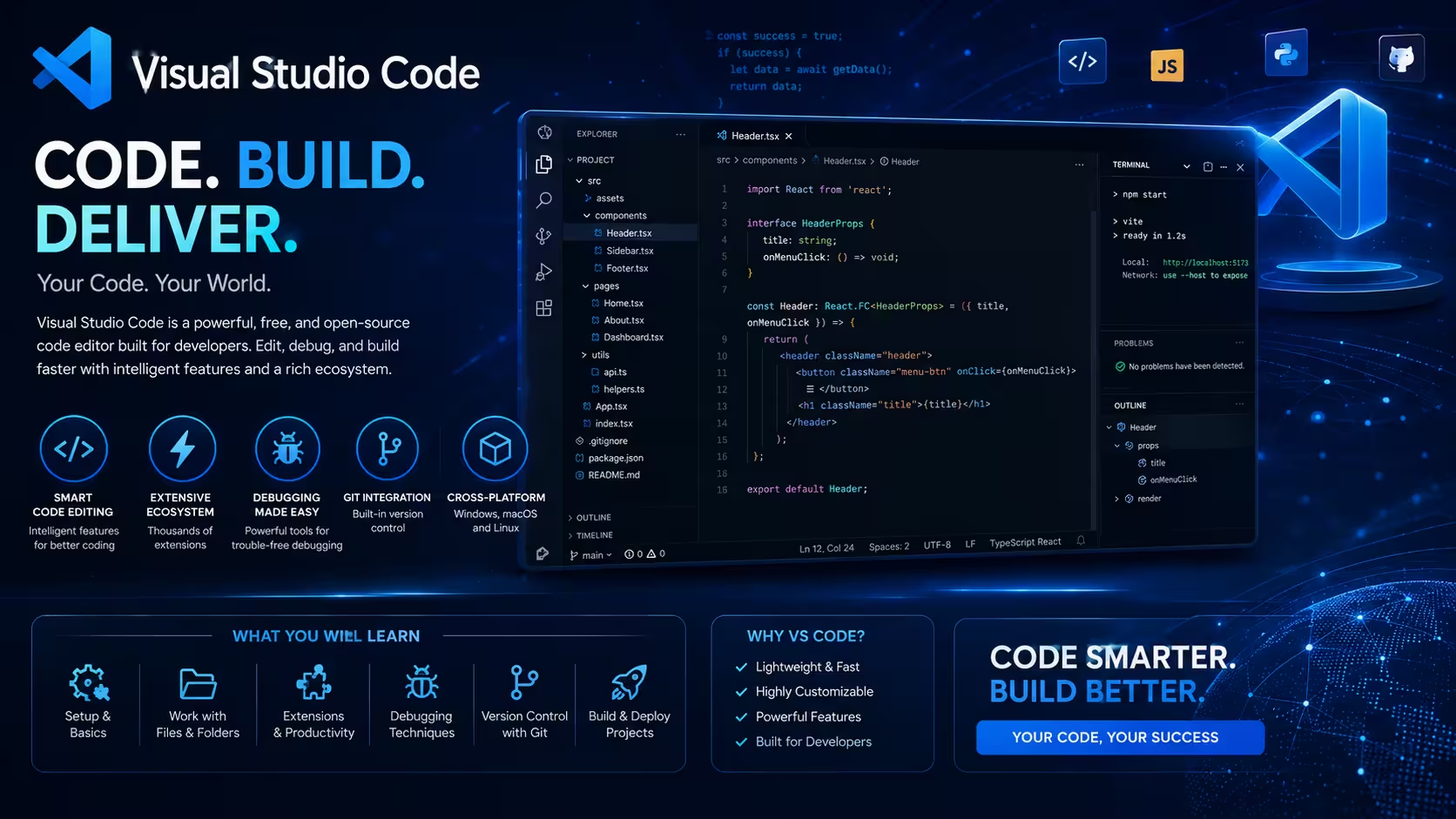
- VS Code training teaches you how to efficiently use Visual Studio Code, a powerful and versatile code editor.
- It covers installation, interface navigation, extensions, debugging, Git integration, and workspace customization to boost your coding productivity.
2. What are the main objectives of the Vs code course for my development skills ?
The course aims to enhance your coding efficiency by mastering VS Code’s features, streamlining your development workflow, improving debugging skills, and integrating essential tools and extensions for a smoother coding experience.
3. How does VS Code simplify version control and team collaboration?
Learn Git integration, branch management, code reviews, merge conflict resolution, and GitHub workflows directly inside VS Code
4. How can developers build, test, and deploy applications from a single environment?
Use integrated terminals, task automation, debugging tools, and deployment extensions to streamline the complete development lifecycle.
Popular Techniques Covered in This Course
1.Basic Computer and Command Line Skills
2.Familiarity with Programming Languages (e.g., JavaScript, Python)
3.Understanding of Code Editors and IDEs
4.Version Control Basics (Git)
5.Debugging Concepts
6.Extension Installation and Management
7.Workspace and Project Organization
8.Terminal Usage
9.Collaboration Tools
10.Testing and Debugging
11.Performance Optimization
12.Soft Skills
Get Hands-on Knowledge about Real-Time Projects
Project 1
1. Full-Stack Web Development Workspace Setup
Create a professional development environment for HTML, CSS, JavaScript, React, and Node.js projects.
Project 2
2. Python Automation Development Environment
Configure VS Code for Python scripting, debugging, virtual environments, and automation workflows.
Project 3
3. GitHub Collaboration Project
Manage repositories, branches, pull requests, and version control operations directly within VS Code.
Project 4
4. Cloud Application Development Lab
Build, test, and deploy applications using VS Code integrations for cloud platforms and containers.
Project 5
5. Enterprise Developer Productivity Toolkit
Create a fully customized VS Code environment with extensions, snippets, automation tools, and team standards.
Key Features
Edubrights offers VISUAL STUDIO CODE (VS Code) Training in virtual mode with expert trainers. Here are the key features,
40 Hours Course Duration
100% Job Oriented Training
Industry Expert Faculties
Free Demo Class Available
Completed 500+ Batches
Certification Guidance
Curriculum
Module 1: Introduction to VS Code
- Overview and benefits of VS Code
- Installation and setup
- User interface basics
Module 2: Editing and Navigation
- File management and multi-cursor editing
- Code navigation and search features
- IntelliSense and code completion
Module 3: Extensions and Customization
- Installing and managing extensions
- Customizing themes and settings
- Snippets and keybindings
Module 4: Debugging and Testing
- Debugging basics and breakpoints
- Using the integrated debugger
- Running and managing tests
Module 5: Version Control Integration
- Git basics in VS Code
- Commit, push, pull, and branching workflows
- Resolving merge conflicts
Module 6: Workspace and Project Management
- Multi-root workspaces
- Tasks and automation
- Remote development and containers
Module 7: Advanced Features and Productivity Tips
- Live Share for collaboration
- Using the terminal inside VS Code
- Performance optimization
Module 8: Hands-On Project and Assessment
- Setting up a real-world project
- Applying learned features
- Final assessment and best practices
Receive Training From Our Skilled and Effective Trainers
Experience in the Industry Gain knowledge from experts with practical VS CODE project experience in a variety of sectors.
Backgrounds at the Top Prominent corporations such as HCL, TCS, Accenture, and Cognizant employed trainers.
Clear & Effective Teaching Excellent communication and real-world examples simplify complex subjects.
Hands-On Learning Focus Students can apply their abilities in real-world situations with the use of case studies and real-time projects.
Up-to-Date Knowledge Trainers stay current with the latest tools, techniques and best practices.
Succeed Our Resourceful Certification
Our institution offers a recognized VS Code certification that validates your expertise in using Visual Studio Code for efficient software development. This certification enhances your professional profile and equips you with practical skills to accelerate coding productivity. Gain hands-on experience and prove your proficiency through our structured training and assessments.

Course FAQs
1. What is Visual Studio Code?
VS Code is a free, open-source code editor developed by Microsoft, known for its speed, extensibility, and support for multiple programming languages.
2. Which programming languages does VS Code support?
VS Code supports JavaScript, TypeScript, Python, Java, C++, and many more via extensions.
3. Can I debug code directly in VS Code?
Yes, VS Code has a built-in debugger that supports multiple languages and frameworks.
4. How do extensions enhance VS Code?
Extensions add language support, themes, debuggers, and tools to tailor VS Code to your workflow.
5. Is VS Code suitable for beginners?
Absolutely, VS Code’s intuitive interface and rich ecosystem make it ideal for developers of all levels.
6. How can teams standardize their development environment using VS Code?
Teams can share settings, profiles, recommended extensions, and workspace configurations to maintain consistency.
7. Does VS Code support remote development?
Yes. Developers can work with remote servers, containers, cloud environments, and browser-based development workspaces.
8. How does integrated debugging reduce development time?
Developers can identify and fix errors directly within the editor without switching between multiple tools.
9. Can VS Code be used for DevOps and cloud engineering tasks?
Yes. It supports cloud services, automation scripts, infrastructure-as-code tools, and deployment workflows.
10. How does VS Code help improve code quality?
Features such as linting, formatting, refactoring tools, and automated testing integrations help maintain clean and reliable code.
11. What are workspaces in VS Code?
Workspaces allow developers to manage multiple projects, folders, settings, and development environments from a single interface.
12. How do professional developers increase productivity in VS Code?
By leveraging keyboard shortcuts, custom snippets, automation tasks, extensions, Git workflows, and debugging tools.
Get Training Quote for Free
Testimonials
Hear What Our Students Say
"Transform your life through Education, hear it from our Alumni"

6 LPA
Fathima
Student
Software Engineer
"Transform your life through Education, hear it from our Alumni"

8 LPA
Siddharth
NIELSON IQ
Data Analyst
"Transform your life through Education, hear it from our Alumni"

8 LPA
Rahul
Student
Data Scientist