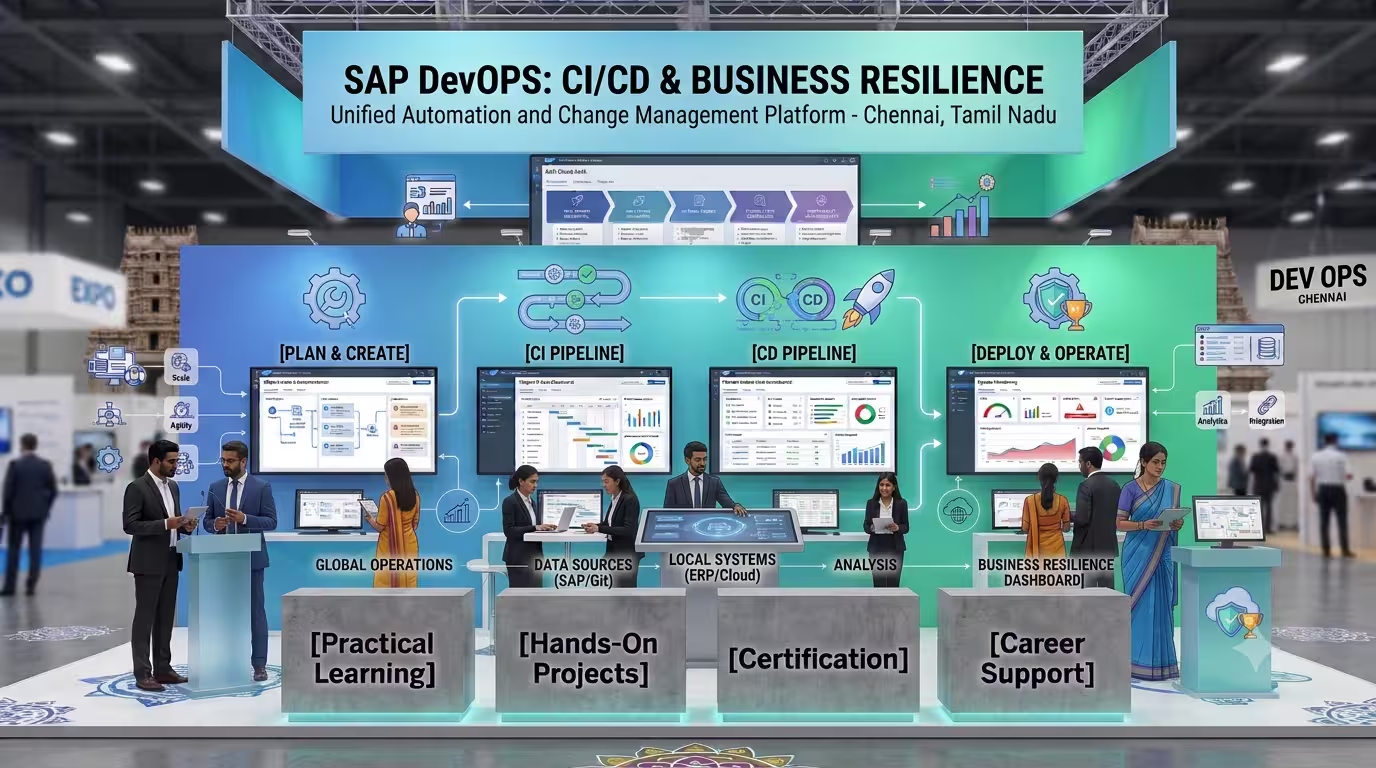
Course Objectives
1. Implement Modern DevOps Philosophies in SAP
Understand how to apply traditional agile software practices, automated testing models, and collaborative feedback loops within both SAP Cloud environments and standard ABAP systems.
2. Orchestrate Automated CI/CD Pipelines
Learn to build, configure, and maintain automated build/deployment pipelines utilizing SAP Cloud SDK, Project "Piper" libraries, Jenkins, and GitHub Actions.
3. Master Automated Quality & Testing Gates
Integrate comprehensive static code analysis tools like abapGit and automated unit test profiles directly into deployment pipelines to block flawed code before it reaches production.
4. Manage Multi-Environment Cloud Transports
Gain end-to-end operational knowledge of automating cloud deployments across SAP Cloud Transport Management Service (TMS) and SAP Business Technology Platform (BTP) sub-accounts.
Popular Techniques Covered in This Course
1: Automated Pipeline Orchestration (Project "Piper")
2: Multi-Repository Version Control via abapGit
3: BTP Command Line Interface (CLI) Scripting
4: Containerization for SAP Microservices
5: Cloud Transport Management System (cTMS) Setup
6: Static Code Analysis Integration (ATC & SonarQube)
7: automated Unit Testing Framework Execution
8: API Management & Automated Mocking
9: Cross-Platform Webhook System Design
10: Environment Monitoring & Alert Telemetry
Get Hands-on Knowledge about Real-Time Projects
Project 1
Project 1: Multi-Branch CAP Model CI/CD Pipeline
Build an automated GitHub Actions pipeline for an SAP Cloud Application Programming (CAP) model that triggers automatic linting, builds, and cloud deployments to a BTP Cloud Foundry space upon every main-branch push
Project 2
Project 2: On-Premise ABAP Code Serialization via abapGit & Jenkins
Establish an automation bridge that captures source code from a local ABAP development system, pushes it to an enterprise Git repository, and routes it through a Jenkins test check.
Project 3
Project 3: Cloud Transport Orchestration via SAP cTMS
Design an integrated release flow where developers write applications locally, and successful pipeline verifications programmatically queue secure transports across Dev, QA, and Production target clouds
Project 4
Project 4: Enterprise DevSecOps Pipeline with Automated Quality Gates
Create a secure release structure that runs automated ABAP Test Cockpit (ATC) scans and security vulnerability checks, failing the pipeline automatically if major flaws are discovered.
Project 5
Project 5: Containerized Mock Testing Matrix for Distributed Fiori Apps
Construct a pipeline that launches temporary, lightweight Docker container instances containing pre-built API mock states to safely test a custom SAP Fiori app interface before final deployment.
Key Features
Edubrights offers SAP DevOps with CI/CD Training in virtual mode with expert trainers. Here are the key features,
40 Hours Course Duration
100% Job Oriented Training
Industry Expert Faculties
Free Demo Class Available
Completed 500+ Batches
Certification Guidance
Curriculum
Module 1: Introduction to SAP DevOps
- DevOps concepts and principles
- SAP DevOps landscape: Tools, processes, culture
- CI/CD in SAP context
- SAP DevOps for ABAP, BTP, and Fiori
- DevOps maturity model for SAP
Module 2: SAP Source Code Management
- abapGit for ABAP version control
- Git fundamentals for SAP developers
- GitHub and GitLab integration
- Branching strategies for SAP projects
- Code review and pull request workflows
Module 3: SAP CI/CD Service on BTP
- SAP Continuous Integration and Delivery service
- Pipeline configuration and stages
- ABAP pipeline steps
- Fiori/SAPUI5 pipeline steps
- BTP multi-target application pipeline
Module 4: Jenkins for SAP
- Jenkins setup for SAP projects
- Jenkinsfile and declarative pipelines
- ABAP test cockpit integration
- Fiori deployment from Jenkins
- Pipeline monitoring and notifications
Module 5: ABAP Test Driven Development
- ABAP Unit test framework
- Test class and test method creation
- Mock objects and test doubles
- ABAP Test Cockpit (ATC)
- Code quality metrics and reporting
Module 6: Static Code Analysis
- ABAP Test Cockpit checks
- Custom ATC check variants
- Code Inspector integration
- SonarQube for ABAP
- Code quality gates in CI/CD
Module 7: Transport Management Automation
- CTS+ for cloud-enabled transport
- SAP Cloud Transport Management service
- Automated transport in CI/CD pipelines
- Transport release and import automation
- Multi-system transport strategies
Module 8: BTP Application DevOps
- Multi-target application (MTA) build
- cf CLI for Cloud Foundry deployment
- Kubernetes-based deployment on BTP
- BTP subaccount provisioning automation
- Infrastructure as Code for BTP
Module 9: Fiori and UI5 DevOps
- SAPUI5 build with UI5 tooling
- Fiori app automated testing (wdi5)
- Deployment to ABAP and BTP
- Versioning and release management
- Performance testing in pipeline
Module 10: Monitoring and Observability
- SAP Cloud ALM for operations
- Application logging and tracing
- Dynatrace integration with SAP
- Alert management in DevOps
- Incident management integration
Module 11: DevOps Culture and Organization
- DevOps team structure for SAP
- SAP CoE DevOps model
- Change management for DevOps adoption
- KPIs for SAP DevOps: DORA metrics
- Continuous improvement practices
Module 12: Real-Time Projects and Case Studies
- ABAP CI/CD pipeline setup
- BTP application DevOps implementation
- End-to-end SAP DevOps cycle
- Certification and interview preparation
Receive Training From Our Skilled and Effective Trainers
Experience in the Industry Gain knowledge from experts with hands-on SAP DevOps and CI/CD project experience in S/4HANA and BTP development programs.
Backgrounds at the Top Prominent corporations such as HCL, TCS, SAP Labs, and Accenture employ our SAP DevOps trainers.
Clear & Effective Teaching Excellent communication and real-world examples simplify complex CI/CD pipeline design and DevOps automation.
Hands-On Learning Focus Students apply skills using live SAP BTP and Jenkins environments with real ABAP and Fiori CI/CD pipeline projects.
Up-to-Date Knowledge Trainers stay current with SAP CI/CD service, abapGit, BTP deployment tools, and latest DevOps industry practices.
Succeed Our Resourceful Certification
Our institution offers a recognized SAP DevOps with CI/CD certification that validates your ability to design and prototype professional user interfaces efficiently. This certification enhances your design portfolio and prepares you for collaborative projects in real-world environments. Gain practical skills through hands-on training and assessments.

Course FAQs
1. What is SAP Datasphere?
SAP Datasphere is a cloud-based data service that helps organizations integrate, model, govern, and share business data from different sources. It supports enterprise data warehousing and analytics while preserving business context across connected systems.
2. What are the main components of SAP Datasphere?
SAP Datasphere includes capabilities for data integration, data modeling, spaces, connections, data governance, and analytics consumption. Key tools include Data Builder, Business Builder, the Data Integration Monitor, and analytic models.
3. What are spaces in SAP Datasphere?
Spaces are secure environments where users acquire, prepare, model, and manage data. They help separate data and responsibilities by department, project, or business function, with controlled sharing between spaces. citeturn498182search3
4. What is the difference between a space administrator and a data modeler?
A space administrator manages space settings, resources, users, and connections according to assigned permissions. A data modeler creates and maintains data objects such as tables, views, and analytic models within the spaces they can access.
5. What is SAP Datasphere Data Builder?
Data Builder is the modeling environment used to create and manage data objects. It supports importing source data, creating tables and views, building data flows, and preparing models for analytical consumption.
6. What is Business Builder in SAP Datasphere?
Business Builder provides business-oriented modeling capabilities for representing data in terms familiar to business users. Its purpose is to make business entities and relationships easier to understand and consume for analytical use cases.
7. What are connections in SAP Datasphere?
Connections define how SAP Datasphere accesses external systems, databases, applications, and other data sources. Available connection types and features depend on the source system and the supported integration method. citeturn498182search5
8. How does SAP Datasphere connect to SAP S/4HANA?
SAP Datasphere can connect to supported SAP S/4HANA Cloud and on-premise systems to access business data. Depending on the source and requirements, integration may use imported entities, remote tables, replication flows, or other supported connectivity options.
9. How does SAP Datasphere integrate with SAP BW?
SAP Datasphere can use supported connections to SAP BW and SAP BW/4HANA environments to access data and existing data models. SAP BW Bridge can also help organizations use selected SAP BW capabilities in a cloud-based data warehousing architecture.
10. What is a remote table in SAP Datasphere?
A remote table provides access to data from a connected source system without necessarily storing a complete physical copy in SAP Datasphere. Depending on the connection and configuration, the data can be federated from the source or replicated into SAP Datasphere. citeturn498182search0
11. What is data federation in SAP Datasphere?
Data federation allows SAP Datasphere to access data from a remote source when it is needed rather than always maintaining a local copy. It can reduce data duplication, although performance depends on source-system capacity, network conditions, and query design.
12. What is data replication in SAP Datasphere?
Data replication copies data from a source system into a target location in SAP Datasphere. It can improve access performance and support scenarios where data needs to be stored locally for further processing or analytics.
13. What is the difference between data federation and replication?
Federation accesses data from the source system, while replication stores a copy in the target environment. The choice depends on factors such as freshness requirements, performance, source-system load, storage, and supported connection features.
14. What is a replication flow in SAP Datasphere?
A replication flow copies data assets from a supported source to a target and can support initial and delta loads. It also provides options for selecting objects and applying supported projection or filtering operations. citeturn498182search4
15. What is a transformation flow in SAP Datasphere?
A transformation flow processes data that is already available in SAP Datasphere and writes the transformed results to a target table. It supports operations such as filtering, joins, aggregation, calculated columns, and other available transformation capabilities. citeturn498182search1
16. What is a data flow in SAP Datasphere?
A data flow provides an ETL approach for extracting data from supported sources, transforming it, and loading it into local tables. Its available sources, targets, and transformations depend on the supported connection and environment.
17. What is the difference between data flows, replication flows, and transformation flows?
Data flows support ETL processing from connected sources into local tables. Replication flows focus on copying data and can support delta processing, while transformation flows focus on transforming data already held in SAP Datasphere. citeturn498182search1
18. What is an initial load?
An initial load transfers the starting dataset from a source into the target environment. It establishes the baseline data required before subsequent incremental or delta processing can take place.
19. What is delta loading in SAP Datasphere?
Delta loading transfers changes made since a previous successful load instead of reloading the entire dataset. It can reduce processing time and data movement when the source connection and replication method support change tracking.
20. What is Change Data Capture (CDC)?
Change Data Capture identifies inserts, updates, or deletions in source data so that downstream systems can process changes incrementally. CDC support depends on the source system, connection type, and replication configuration.
21. How can CSV files be imported into SAP Datasphere?
Supported CSV files can be imported to create local tables for data preparation and modeling. Before loading, it is important to validate column names, data types, delimiters, encoding, and data quality.
22. What are local tables in SAP Datasphere?
Local tables store data within the SAP Datasphere environment rather than relying solely on a remote source. They can be used as targets for data loading and as sources for views, transformations, and analytical models.
23. What is a graphical view in SAP Datasphere?
A graphical view allows modelers to combine and transform data using a visual modeling interface. Depending on the available operators, it can support joins, projections, filters, calculated columns, and aggregations.
24. What is an SQL view in SAP Datasphere?
An SQL view allows experienced modelers to define data logic using SQL. It is useful for implementing joins, expressions, filters, and other transformations that benefit from SQL-based modeling.
25. What is the difference between a join and an association?
A join combines records from related data sources based on a specified condition. An association defines a relationship between data entities that can be used by supported modeling and consumption scenarios without necessarily joining all related data immediately.
26. What are facts and dimensions in SAP Datasphere?
Facts contain measurable business data, such as sales amounts, quantities, or costs. Dimensions provide descriptive context, such as customer, product, date, region, or organizational unit, for analyzing those measures.
27. What is an analytic model in SAP Datasphere?
An analytic model organizes facts, dimensions, measures, and attributes for analytical consumption. It exposes selected business data for use by tools such as SAP Analytics Cloud and other supported clients. citeturn498182search3
28. What are measures and attributes in an analytic model?
Measures represent values that can be analyzed or aggregated, such as revenue, quantity, and margin. Attributes provide descriptive information about business entities, such as product name, customer category, or region.
29. What are hierarchies in SAP Datasphere?
Hierarchies organize related dimension members into levels, such as country, state, and city, or company, department, and team. They enable users to navigate data from summary levels to more detailed levels in supported analytical tools.
30. How does SAP Datasphere integrate with SAP Analytics Cloud?
SAP Analytics Cloud can consume supported analytic models from SAP Datasphere for reporting and dashboard development. This allows business users to explore modeled data and create visualizations using measures, dimensions, filters, and other analytical features.
31. What is the role of SAP HANA Cloud in SAP Datasphere?
SAP HANA Cloud provides database technology used by SAP Datasphere for supported data storage and processing scenarios. The underlying database capabilities help support data modeling, querying, and analytical workloads.
32. What is data quality management in SAP Datasphere?
Data quality management involves identifying and addressing missing values, duplicate records, inconsistent formats, invalid codes, and other data problems. Modelers can apply suitable transformation and validation rules to improve the reliability of analytical data.
33. How is data governance managed in SAP Datasphere?
Data governance involves managing data ownership, access, definitions, lineage, quality, and permitted usage. Organizations can establish governance practices through roles, permissions, modeling standards, documentation, and controlled sharing.
34. How does SAP Datasphere manage user access and security?
Access is managed through assigned roles, scoped privileges, space membership, and permissions on relevant resources. Administrators should follow least-privilege principles so users receive only the access needed for their responsibilities.
35. What is cross-space sharing in SAP Datasphere?
Cross-space sharing allows authorized modelers to make supported data objects available to other spaces. This enables teams to reuse tables, views, and analytic models while maintaining control over access to the original objects. citeturn498182search2
36. What is a task chain in SAP Datasphere?
A task chain organizes data integration tasks into a sequence that can be executed together. It can help coordinate recurring data loads and processing activities, depending on the supported task types and configuration.
37. How can data integration jobs be monitored in SAP Datasphere?
The Data Integration Monitor provides visibility into supported data integration tasks and their execution status. Monitoring helps identify failed runs, review available logs, and investigate issues affecting replication or data loading.
38. How can performance be improved in SAP Datasphere?
Performance can be improved by reducing unnecessary data movement, selecting only required columns, applying appropriate filters, and optimizing joins and calculations. Choosing between federation and replication based on workload requirements can also help.
39. How does SAP Datasphere support enterprise reporting?
SAP Datasphere combines data from supported source systems and organizes it into reusable models for reporting. These models can provide consistent business definitions and analytical structures for dashboards, management reports, and operational analysis.
40. How does SAP Datasphere support data integration across SAP and non-SAP systems?
SAP Datasphere provides supported connections for various SAP and non-SAP sources. Data can be accessed or moved through remote tables, data flows, replication flows, and other available integration options, depending on the connection type. citeturn498182search5
41. What is the difference between ETL and ELT in data warehousing?
ETL stands for Extract, Transform, Load, where data is transformed before being loaded into the target. ELT stands for Extract, Load, Transform, where data is loaded first and transformed within the target environment or processing platform.
42. Can Python be used in SAP Datasphere data transformation?
Python scripting is available in certain supported data transformation scenarios, subject to the capabilities and restrictions of the relevant flow type. It can help implement specialized data-processing logic when built-in transformation operators are insufficient.
43. How can SAP Datasphere support data migration projects?
SAP Datasphere can be used to connect to supported source systems, load data, transform structures, and validate results for analytical use cases. Migration planning should include source mapping, data-quality checks, reconciliation, security, and performance testing.
44. How is data reconciliation performed in SAP Datasphere projects?
Data reconciliation compares source and target results to confirm that records and values have been transferred and processed correctly. Typical checks include row counts, totals, key-field validation, duplicate detection, and comparison of important business measures.
45. How does SAP Datasphere support business data modeling?
SAP Datasphere lets modelers organize data into reusable entities, views, relationships, and analytic models. Clear business names, consistent definitions, documented relationships, and reusable modeling patterns help improve maintainability.
46. What are common troubleshooting steps for SAP Datasphere data loads?
Start by checking the task status, available error messages, connection settings, source permissions, and data type compatibility. Then review transformation logic, source availability, resource limits, and relevant execution logs before rerunning the process.
47. How does SAP Datasphere support reporting across multiple business departments?
Organizations can create separate spaces for business areas such as finance, sales, procurement, or human resources. Approved data objects can be shared and reused across spaces to support consistent reporting while preserving access controls.
48. How does SAP Datasphere support SAP S/4HANA analytics?
SAP Datasphere can access supported SAP S/4HANA data and model it for analytical consumption. The integration design should consider available source interfaces, data freshness, business semantics, security, and whether federation or replication best fits the use case.
49. What practical projects can be covered in SAP Datasphere training in Chennai?
Practical projects can include Sales Data Integration and Dashboard Development, Finance Data Modeling and Reporting, SAP S/4HANA Data Replication, Multi-Source Data Transformation, and Enterprise Analytics Model Development. These exercises can help learners practice connecting data sources, building models, validating results, and preparing data for analytics.
50. What technical skills can I gain from SAP Datasphere training in Chennai?
The training can help learners develop skills in SAP Datasphere architecture, spaces and access management, connections, remote tables, data federation, replication flows, transformation flows, data flows, SQL and graphical views, analytic models, facts and dimensions, SAP Analytics Cloud integration, data governance, performance optimization, monitoring, and troubleshooting. Practical exercises can also build experience in data integration, modeling, validation, and enterprise reporting.
Get Training Quote for Free
Testimonials
Hear What our Students say
"Transform your life through Education, hear it from our Alumni"

6 LPA
Fathima
Student
Software Engineer
"Transform your life through Education, hear it from our Alumni"

8 LPA
Rahul
Student
Data Scientist
"Transform your life through Education, hear it from our Alumni"

8 LPA
Siddharth
NIELSON IQ
Data Analyst