Course Objectives
What will I learn in this SAP BW course?
You'll learn how organizations configure and use SAP BW to run core business processes, covering master data, transactions, and reporting so you understand both the how and the why behind each step.
What hands-on skills will I gain from SAP BW training?
You'll get hands-on experience with industry-relevant SAP BW tools and workflows through guided exercises, so you learn by doing rather than just reading theory.
How does this course prepare me for real-world SAP BW work?
The course is designed around how SAP BW is actually applied to solve real-world problems in professional settings, not just textbook scenarios.
Will I work on real projects during the SAP BW course?
Yes, the course includes real-time projects and case studies that reinforce SAP BW concepts through practice, giving you portfolio-ready work by the end.
How does this course help with certification and job interviews?
The course is structured to help you prepare for relevant SAP BW certifications and interviews, covering the concepts and terminology employers and exam boards expect.
Popular Techniques Covered in This Course
Master data setup and maintenance in SAP BW
Configuring business processes and transaction workflows
Navigating core modules and transaction screens
Generating and customizing business reports
Managing organizational structures and user roles
Handling period-end and month-end processing
Troubleshooting transactional errors
Integrating SAP BW with upstream and downstream systems
Supporting user training and change management
Certification-aligned exam preparation
Get Hands-on Knowledge about Real-Time Projects
Project 1
SAP BW Fundamentals Project
A guided, hands-on project where you apply the core concepts and basic tools of SAP BW to a simple task — designed to build confidence with the fundamentals before moving on to advanced work.
Project 2
Real-World SAP BW Case Study
Work through a real-world scenario that mirrors how SAP BW is used on the job, practicing the workflows, decisions, and troubleshooting professionals rely on day to day.
Project 3
SAP BW Configuration & Setup Exercise
Configure and set up a working SAP BW environment from scratch, applying what you've learned in a structured, hands-on format with guidance from your trainer.
Project 4
SAP BW Integration & Automation Challenge
Tackle a practical, open-ended problem involving SAP BW integration or automation, working through troubleshooting, optimization, and best practices the way you would in a real professional environment.
Project 5
SAP BW Capstone Project
Bring together everything you've learned into one comprehensive, portfolio-ready project that demonstrates your end-to-end SAP BW skills to potential employers.
Key Features
This SAP BW program offers comprehensive hands-on training to prepare you for industry demands.
40 Hours Course Duration
100% Job Oriented Training
Industry Expert Faculties
Free Demo Class Available
Completed 500+ Batches
Certification Guidance
Curriculum
Module 1: Introduction to SAP BW
- Overview and evolution of SAP BW
- Industry landscape, use cases, and business value
- Career paths and job roles related to SAP BW
Module 2: Core Concepts and Terminology
- Key modules, screens, and terminology in SAP BW
- Master data structures and organizational hierarchies
- How SAP BW fits into a broader enterprise systems landscape
Module 3: Environment Setup and Configuration
- Setting up a working SAP BW environment
- Initial configuration and system requirements
- Navigating the core interface and tools
Module 4: Architecture and Key Components
- Understanding the underlying architecture of SAP BW
- Key modules, components, and how they interact
- Data flow and system design considerations
Module 5: Hands-On Tools and Techniques
- Practical, hands-on use of core SAP BW tools
- Step-by-step configuration and customization
- Common workflows used in real projects
Module 6: Data Management and Administration
- Creating and maintaining master and transactional data
- User roles, authorizations, and access management
- Data cleansing, archiving, and housekeeping practices
Module 7: Integration with Related Systems
- Connecting SAP BW with other enterprise systems
- APIs, interfaces, and data exchange methods
- Common integration patterns and challenges
Module 8: Automation and Workflow Optimization
- Automating repetitive tasks within SAP BW
- Streamlining workflows for efficiency
- Tools and techniques for process optimization
Module 9: Security, Compliance and Best Practices
- Role-based access control and segregation of duties
- Audit trails and compliance reporting
- Data protection guidelines specific to SAP BW
Module 10: Troubleshooting and Performance Tuning
- Identifying and resolving common SAP BW issues
- Performance tuning and optimization techniques
- Monitoring and diagnostic approaches
Module 11: Real-World Case Studies and Projects
- Applying SAP BW to practical, real-world scenarios
- Working through guided, project-based exercises
- Learning from common industry implementation patterns
Module 12: Certification Preparation and Capstone Project
- Consolidating skills through a capstone project
- Exam-focused review of key SAP BW concepts
- Interview preparation and next steps for your career
Receive Training From Our Skilled and Effective Trainers
Experience in the Industry Gain expertise from SAP BW professionals who have applied their skills on live projects across corporate, product, and consulting environments, bringing practical, real-world context into every SAP BW session.
Backgrounds at the Top Our SAP BW trainers bring hands-on industry experience, having worked on real SAP BW projects for organizations across various industries before moving into training.
Clear & Effective Teaching Core SAP BW concepts, tools, and workflows are explained using real project examples and practical scenarios, so you understand not just the theory but how SAP BW is actually used on the job.
Hands-On Learning Focus Students get structured, hands-on practice with SAP BW through guided exercises, mini-projects, and lab work designed to build practical, job-ready skills.
Up-to-Date Knowledge Trainers keep the SAP BW curriculum current with the latest tools, versions, and industry best practices, so what you learn stays relevant to how SAP BW is used today.
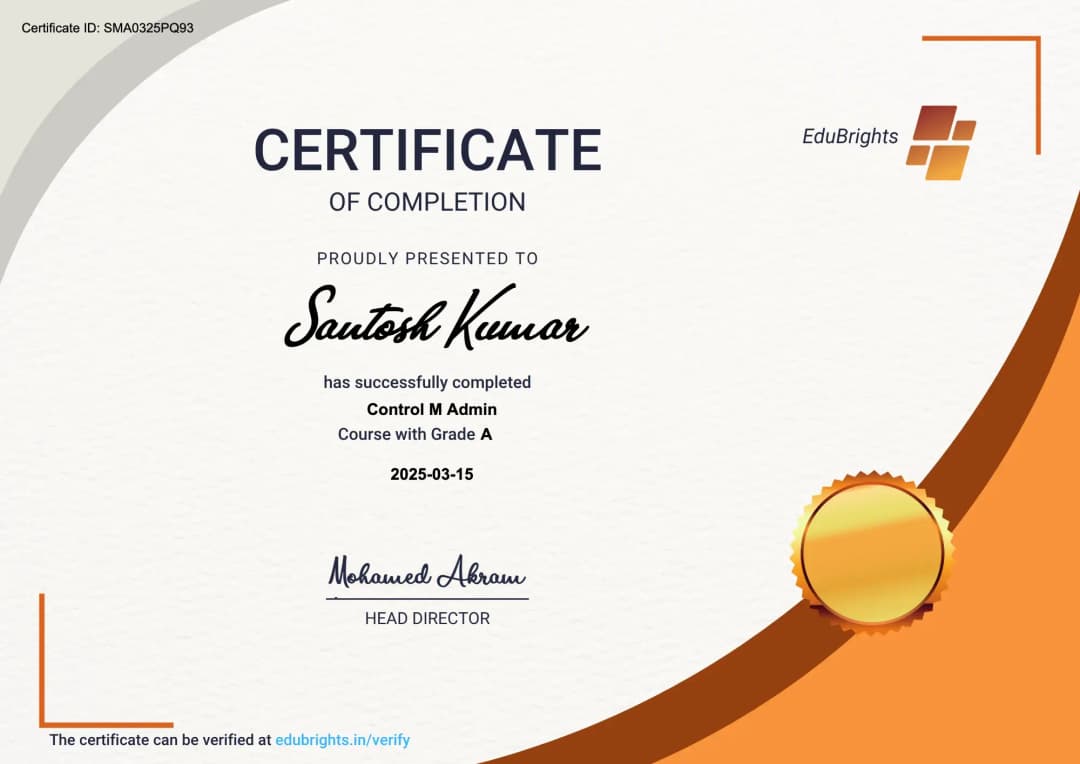
Certified SAP BW Professional
Our certification validates your expertise in SAP BW. Gain practical skills to apply SAP BW confidently in real-world projects. Ideal for professionals and freshers looking to strengthen their SAP BW career profile.
Course FAQs
1. What is SAP BW?
SAP BW (Business Warehouse) is SAP’s data warehousing and analytics platform used to collect, integrate, transform, and analyze business data. It helps organizations consolidate information from SAP and non-SAP systems for reporting and decision-making.
2. What is SAP BW used for?
SAP BW is used for enterprise data warehousing, reporting, analytics, data integration, and business performance analysis. It can bring data from different operational systems into a centralized analytical environment.
3. What is the architecture of SAP BW?
SAP BW architecture consists of components responsible for data extraction, transformation, storage, modeling, querying, and reporting. The architecture provides a structured flow from source systems through data acquisition and transformation to analytical consumption.
4. What are the main components of SAP BW?
Important SAP BW components include source systems, DataSources, transformations, Data Transfer Processes, InfoObjects, InfoProviders, CompositeProviders, Open ODS Views, ADSOs, and BW queries. These components work together to manage and deliver analytical data.
5. What is an InfoObject in SAP BW?
An InfoObject is a reusable metadata object used to represent business characteristics or key figures. Characteristics can represent values such as customer, material, or company, while key figures represent measurable values such as revenue or quantity.
6. What is a characteristic in SAP BW?
A characteristic represents a descriptive business dimension used to analyze data. Examples include customer, material, region, company code, fiscal year, and sales organization.
7. What is a key figure in SAP BW?
A key figure represents a measurable value used in analytical reporting. Examples include sales amount, quantity, cost, profit, and number of transactions.
8. What is master data in SAP BW?
Master data contains relatively stable business information associated with characteristics. Depending on the BW design, master data can include attributes, texts, and hierarchies used to enrich analytical reporting.
9. What is transactional data in SAP BW?
Transactional data represents business events or measurable activities such as sales transactions, purchases, financial postings, or inventory movements. This data is generally associated with characteristics and key figures for analysis.
10. What is an InfoProvider?
An InfoProvider is an object or structure that provides data for reporting and analytical queries in SAP BW. Different InfoProvider types can be used depending on whether the requirement involves persistent storage, virtual access, or combined data modeling.
11. What is an Advanced DataStore Object (ADSO)?
An Advanced DataStore Object (ADSO) is a central data storage and modeling object in modern SAP BW environments. It can support data acquisition, staging, harmonization, reporting, and data integration scenarios.
12. What is a CompositeProvider?
A CompositeProvider is a semantic data model that combines data from multiple BW providers. It can use operations such as union and join to create a consolidated reporting structure.
13. What is an Open ODS View?
An Open ODS View provides a flexible way to consume data without necessarily creating a traditional persistent BW data store for every source. It can be used to expose external or existing data structures for analytical scenarios.
14. What is a DataSource in SAP BW?
A DataSource defines how data is extracted from a source system and made available for transfer into SAP BW. It contains metadata describing the fields and extraction structure of the source data.
15. What is data extraction in SAP BW?
Data extraction is the process of retrieving data from source systems and transferring it into the BW environment. Sources may include SAP applications, databases, flat files, APIs, and other enterprise systems.
16. What is a transformation in SAP BW?
A transformation defines how source fields are mapped and converted into target structures. It can perform field mappings, conversions, formulas, routines, lookups, and other transformation logic.
17. What is a Data Transfer Process (DTP)?
A Data Transfer Process controls the movement of data between supported BW objects. It can define source and target objects, filters, processing options, error handling, and data-transfer behavior.
18. What is an InfoPackage?
An InfoPackage is used in applicable SAP BW data-loading scenarios to control how data is requested from a source system. It can define selections, scheduling, and extraction parameters for supported data-loading processes.
19. What is full data load in SAP BW?
A full load transfers the complete data set that meets the defined extraction criteria. It is commonly used for initial data acquisition or when the target system needs to be completely populated.
20. What is delta loading in SAP BW?
Delta loading transfers only new or changed records after an initial load. Delta mechanisms reduce unnecessary data movement and can improve the efficiency of recurring extraction processes.
21. What is data staging in SAP BW?
Data staging is the process of bringing source data into intermediate BW structures before it is transformed and consumed for reporting. It can improve data-quality management, traceability, and controlled processing.
22. What is data modeling in SAP BW?
Data modeling defines how business data is structured for storage, integration, and reporting. It includes selecting InfoObjects and providers and establishing relationships, transformations, and semantic structures.
23. What is a star schema in SAP BW?
A star schema organizes analytical data around a central fact structure connected to descriptive dimensions. It provides a conceptual foundation for separating measurable business values from characteristics used for analysis.
24. What is an analytical query in SAP BW?
An analytical query defines how data is presented and analyzed by business users. It can contain characteristics, key figures, filters, structures, variables, hierarchies, and calculations.
25. What are variables in SAP BW queries?
Variables allow users to enter or select values dynamically when executing a query. They can be used for filters, key figures, hierarchies, dates, and other query parameters.
26. What are restricted key figures?
A restricted key figure is a key figure limited to specific characteristic values or conditions. It allows reports to calculate measures for a defined business subset.
27. What are calculated key figures?
Calculated key figures are measures derived using formulas or calculations based on existing key figures. They can be used for ratios, percentages, margins, variances, and other analytical calculations.
28. What are hierarchies in SAP BW?
Hierarchies organize characteristic values into structured levels. For example, an organizational hierarchy can group company, region, business unit, and department values for drill-down reporting.
29. What is an aggregation in SAP BW?
Aggregation summarizes data at a defined level of detail. Aggregated information can be used to improve analytical performance in appropriate BW architectures and reporting scenarios.
30. What is data cleansing in SAP BW?
Data cleansing identifies and corrects issues such as inconsistent values, duplicates, invalid records, missing information, and incorrect mappings. Clean data improves the reliability of reporting and downstream analytics.
31. How is master data maintained in SAP BW?
Master data can be loaded from source systems and maintained through appropriate BW processes. Attributes, texts, and hierarchies can be updated according to business and source-system requirements.
32. How does SAP BW integrate with SAP source systems?
SAP BW can integrate with SAP source systems using supported extraction technologies and interfaces. Depending on the architecture, data can be transferred from applications such as SAP S/4HANA and other SAP systems for analytical processing.
33. How can SAP BW integrate with non-SAP systems?
SAP BW can receive data from non-SAP systems using supported database connections, files, APIs, interfaces, and integration technologies. This allows organizations to combine enterprise data from multiple platforms.
34. What are APIs and interfaces in SAP BW integration?
APIs and interfaces provide mechanisms for exchanging information between SAP BW and external applications or systems. They can support automated data transfer and integration without relying exclusively on manual file-based processes.
35. What is process automation in SAP BW?
Process automation reduces manual intervention in recurring BW operations such as data loading, processing, monitoring, and reporting workflows. Automated chains and scheduled processes can help standardize repetitive tasks.
36. What are process chains in SAP BW?
Process chains automate and sequence BW processes. A chain can execute activities such as data loading, transformations, activations, and subsequent processing in a predefined order.
37. How does scheduling work in SAP BW?
Scheduling allows BW processes to execute automatically at predefined times or according to dependencies. Scheduling can be used for recurring data loads, process chains, reporting preparation, and housekeeping activities.
38. What is role-based access control in SAP BW?
Role-based access control assigns users permissions according to their business or technical responsibilities. It helps restrict access to BW applications, data, administration functions, and reporting content.
39. What is analysis authorization in SAP BW?
Analysis authorizations control which analytical data a user can access. They can restrict reporting access based on characteristics such as company, region, sales organization, or other business dimensions.
40. What is segregation of duties in SAP BW security?
Segregation of duties separates sensitive responsibilities between different users or roles. For example, organizations may separate development, administration, data loading, and business reporting responsibilities to reduce security and compliance risks.
41. What is audit logging in SAP BW?
Audit logging records selected user or system activities for monitoring and compliance purposes. Logs can help administrators investigate access events, operational issues, and other relevant activities.
42. What is data archiving in SAP BW?
Data archiving moves older or less frequently required data to suitable archival storage according to organizational policies. It can help manage database growth while retaining historical information where required.
43. What is housekeeping in SAP BW?
Housekeeping involves maintaining the BW environment by managing logs, temporary data, obsolete objects, old requests, and other technical artifacts. Regular housekeeping can support system stability and efficient resource utilization.
44. How is performance tuning performed in SAP BW?
Performance tuning involves identifying slow data loads, inefficient transformations, expensive queries, database bottlenecks, and resource-intensive processes. Optimization may involve improving data models, reducing unnecessary processing, optimizing queries, and reviewing system resources.
45. How can SAP BW query performance be improved?
Query performance can be improved by designing efficient data models, restricting unnecessary data retrieval, optimizing filters and calculations, and using appropriate storage or aggregation strategies. Performance analysis should identify the actual bottleneck before changes are implemented.
46. How are SAP BW errors troubleshot?
Troubleshooting typically involves checking process logs, data-load requests, transformation errors, DTP status, process-chain logs, query behavior, and system diagnostics. The goal is to identify whether the problem originates from source data, configuration, transformation logic, authorization, or system performance.
47. What are common SAP BW data-load errors?
Common issues include invalid source values, failed transformations, missing master-data mappings, incorrect data types, authorization failures, duplicate records, and source-system connectivity problems. Error handling and detailed monitoring help identify and correct these issues.
48. How does SAP BW support reporting and business analytics?
SAP BW organizes integrated business data into structures that can be queried and analyzed. Organizations can use BW queries and reporting tools to examine areas such as finance, procurement, inventory, sales, and operational performance.
49. What practical projects can be covered in SAP BW training?
Practical work can include an SAP BW Fundamentals Project, SAP BW Case Study, BW Configuration and Setup Exercise, BW Integration and Automation Challenge, and SAP BW Capstone Project. These projects provide practice with configuration, data management, integration, troubleshooting, optimization, and end-to-end BW workflows.
50. What technical skills can I gain from SAP BW training?
SAP BW training can help develop skills in BW architecture, InfoObjects, master and transactional data, DataSources, data extraction, transformations, DTPs, data modeling, ADSOs, CompositeProviders, queries, reporting, integration, process automation, process chains, security, authorizations, data cleansing, archiving, troubleshooting, and performance tuning. These areas align with the technical topics and learning modules published on the SAP BW course page.
Get Training Quote for Free
Testimonials
Hear What Our Students Say
"Transform your life through Education, hear it from our Alumni"

8 LPA
Rahul
Student
Data Scientist
"Transform your life through Education, hear it from our Alumni"

6 LPA
Fathima
Student
Software Engineer
"Transform your life through Education, hear it from our Alumni"

8 LPA
Siddharth
NIELSON IQ
Data Analyst