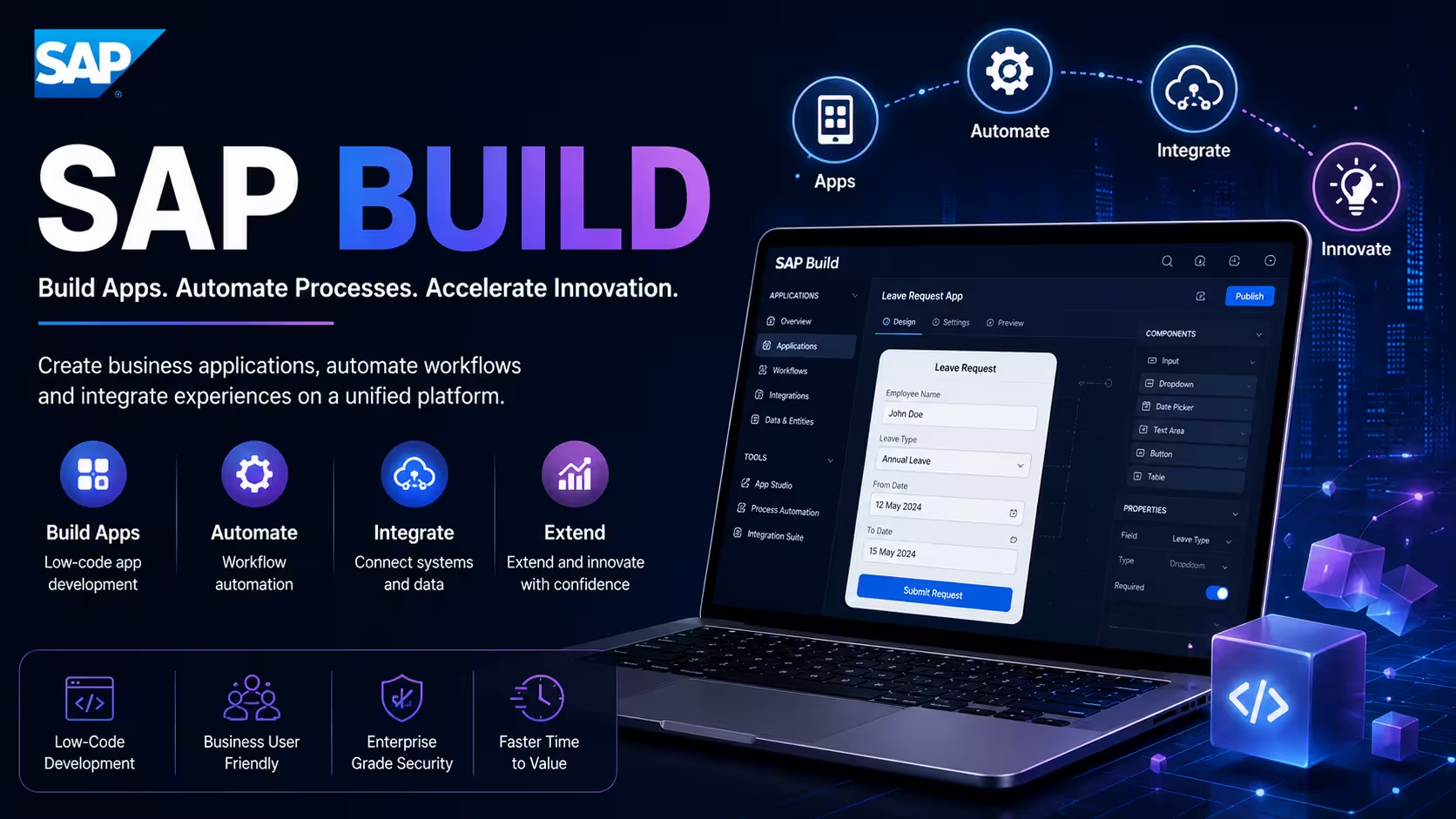
Course Objectives
1. Learn No-Code and Low-Code Application Development
Understand how to create business applications quickly using SAP Build without extensive coding knowledge.
2. Master Process Automation and Workflow Design
Learn how to automate business tasks, approvals, and workflows to improve productivity and reduce manual effort.
3. Create Business Apps and Digital Solutions
Gain hands-on experience in building applications, forms, dashboards, and business processes using SAP Build tools.
4. Work on Real-World Automation Projects
Apply your skills through practical projects that solve common business challenges and improve operational efficiency.
Popular Techniques Covered in This Course
SAP Build Fundamentals
No-Code Application Development
Low-Code Development Techniques
Workflow Automation
Business Process Automation
SAP Build Apps
SAP Build Process Automation
User Experience Design
Application Deployment and Management
Form Creation and Management
Get Hands-on Knowledge about Real-Time Projects
Project 1
Project 1: Employee Leave Management Application
Build a user-friendly application that allows employees to apply for leave and managers to approve requests online.
Project 2
Project 2: Purchase Approval Workflow
Create an automated workflow for purchase requests, approvals, notifications, and status tracking.
Project 3
Project 3: Customer Feedback Management System
Develop an application to collect, analyze, and manage customer feedback for business improvement.
Project 4
Project 4: Asset Tracking Solution
Design a digital system for tracking company assets, maintenance schedules, and ownership details. Design a digital system for tracking company assets, maintenance schedules, and ownership details.
Project 5
Project 5: Vendor Registration Portal
Build a self-service portal that enables vendors to submit information, upload documents, and track approval status.
Key Features
Edubrights offers SAP Build in virtual mode with expert trainers. Here are the key features,
40 Hours Course Duration
100% Job Oriented Training
Industry Expert Faculties
Free Demo Class Available
Completed 500+ Batches
Certification Guidance
Curriculum
Module 1: Introduction to SAP Build
- Overview of SAP Build low-code/no-code platform
- SAP Build components: Build Apps, Build Process Automation, Build Work Zone
- SAP Build architecture on SAP BTP
- Citizen developer and fusion development concepts
- SAP Build implementation methodology
Module 2: SAP Build Apps
- Build Apps visual editor
- UI components and layouts
- Data binding and variables
- Logic flows and conditions
- Integration with SAP backend via OData
Module 3: Build Apps Advanced Features
- Custom component creation
- JavaScript in Build Apps
- Offline capability
- Authentication and security
- Publishing apps to mobile and web
Module 4: SAP Build Process Automation (Workflows)
- Process automation studio
- Workflow design: Tasks, gateways, events
- Form-based human tasks
- Automation steps and actions
- Decision tables and business rules
Module 5: SAP Build Process Automation (RPA)
- Robotic Process Automation in Build
- Bot development and recorder
- Desktop automation scenarios
- Screen scraping and UI automation
- Bot deployment and monitoring
Module 6: SAP Build Work Zone
- Work Zone Standard and Advanced
- Site creation and page configuration
- Content channels and workspaces
- Integration of SAP Fiori apps
- External application integration
Module 7: Build Work Zone – Advanced
- Workspace creation and management
- Knowledge management and documents
- Notifications and feed
- Mobile experience
- Community and collaboration features
Module 8: Integration with SAP Systems
- OData service consumption
- SAP S/4HANA integration in Build Apps
- SuccessFactors integration
- Ariba and Concur integration
- API management for Build
Module 9: Governance and Security
- Build governance framework
- Application lifecycle management
- Role-based access in Build
- Data privacy in citizen developer apps
- App review and approval process
Module 10: Build and AI
- Joule integration in Build
- AI-generated app templates
- Intelligent process automation
- Predictive decisions in workflows
- AI form recognition
Module 11: SAP Build Administration
- Tenant and subscription management
- User and license management
- Build lobby and content management
- Monitoring and analytics
- SAP BTP administration for Build
Module 12: Real-Time Projects and Case Studies
- HR self-service app with Build Apps
- Invoice approval automation with BPA
- End-to-end Build platform deployment
- Certification and interview preparation
Receive Training From Our Skilled and Effective Trainers
Experience in the Industry
Gain expertise from SAP Build professionals with hands-on experience delivering enterprise low-code application development, workflow automation, and digital transformation projects using SAP Build Apps, SAP Build Process Automation, and SAP Build Work Zone across multiple industries.
Backgrounds at the Top
Our SAP Build trainers have worked with leading organizations such as SAP Labs, Accenture, TCS, HCLTech, Capgemini, Infosys, Deloitte, and global SAP consulting partners, implementing enterprise applications, business process automation, and SAP BTP solutions.
Clear & Effective Teaching
Core SAP Build concepts—including SAP Build Apps, SAP Build Process Automation, SAP Build Work Zone, SAP BTP, low-code/no-code development, workflow automation, business rules, forms, REST API integration, SAP Integration Suite, and enterprise application development—are explained through live demonstrations, real-world business scenarios, and practical implementation examples.
Hands-On Learning Focus
Students gain structured hands-on experience by building enterprise applications, designing automated workflows, creating approval processes, integrating SAP and third-party systems, developing responsive user interfaces, and completing real-world SAP Build implementation projects through guided lab sessions and industry-based case studies.
Up-to-Date Knowledge
Our trainers continuously update the SAP Build curriculum with the latest SAP BTP innovations, SAP Build Apps, Process Automation, Work Zone, AI-assisted development features, intelligent automation capabilities, and industry best practices, ensuring learners develop practical, certification-ready, and job-oriented SAP Build skills.
You will succeed with our recognized certification
The SAP Build Professional Certification validates your skills in no-code and low-code application development, workflow automation, and business process optimization. It demonstrates your ability to create digital business solutions using SAP Build tools. This certification helps you prepare for careers in application development, automation, and digital transformation projects.

Course FAQs
1. What is SAP Build?
SAP Build is a low-code and no-code development and automation platform available on SAP Business Technology Platform (BTP). It helps organizations create business applications, automate workflows, and develop digital workplace experiences.
2. What are the main components of SAP Build?
The main components covered in SAP Build training are SAP Build Apps, SAP Build Process Automation, and SAP Build Work Zone. These components support application development, workflow automation, robotic process automation, and digital workplace management.
3. What is SAP Build Apps?
SAP Build Apps is a visual application development environment used to create web and mobile business applications. It allows developers to design user interfaces, configure application logic, connect data sources, and publish applications.
4. What is the SAP Build Apps visual editor?
The visual editor provides a graphical environment for designing application screens and layouts. Developers can add UI components, configure properties, create navigation, and connect application logic without writing extensive code.
5. What are UI components in SAP Build Apps?
UI components are interface elements used to create application screens. Examples include buttons, input fields, lists, tables, forms, containers, and other visual controls.
6. What is data binding in SAP Build Apps?
Data binding connects user interface components with application data or variables. It allows information displayed or entered by users to remain connected to the application's underlying data and logic.
7. What are variables in SAP Build Apps?
Variables store values that an application uses while it is running. They can manage user inputs, application states, API responses, calculations, and other dynamic application requirements.
8. What are logic flows in SAP Build Apps?
Logic flows define how an application behaves when specific events occur. They can handle button clicks, validate inputs, perform calculations, call APIs, update variables, and control application navigation.
9. How are conditions implemented in SAP Build Apps?
Conditions allow applications to execute different actions based on specified values or business rules. They can support data validation, conditional navigation, visibility controls, and decision-making within application logic.
10. How does SAP Build Apps integrate with SAP systems?
SAP Build Apps can connect with SAP systems using supported APIs and OData services. These integrations can enable applications to retrieve, display, create, or update business information from connected systems.
11. What is OData service consumption in SAP Build Apps?
OData service consumption allows an application to communicate with backend services that expose business data through OData. It can support operations such as retrieving records, creating entries, updating information, and processing business data.
12. What is custom component creation in SAP Build Apps?
Custom components allow developers to create reusable application elements when standard components do not meet specific requirements. They can improve consistency and reduce repeated development across multiple application screens.
13. How is JavaScript used in SAP Build Apps?
JavaScript can support advanced application logic and custom development scenarios. It provides additional flexibility when visual logic alone does not meet a particular application requirement.
14. What is offline capability in SAP Build Apps?
Offline capability allows supported applications to continue operating in situations where network connectivity is limited or unavailable. Applications must be designed with appropriate local data handling and synchronization behavior for the intended offline scenario.
15. How is authentication implemented in SAP Build Apps?
Authentication verifies user identities before granting access to protected applications or backend resources. SAP Build applications can use supported authentication and security mechanisms based on the configured application architecture.
16. How can SAP Build Apps be published?
SAP Build Apps can be prepared for supported web and mobile deployment environments. Publishing involves configuring the application, deployment settings, authentication requirements, and the target runtime environment.
17. What is SAP Build Process Automation?
SAP Build Process Automation is used to automate business processes through workflows, decisions, forms, and automation capabilities. It can connect human tasks with system actions to reduce repetitive manual work.
18. What is Process Automation Studio?
Process Automation Studio provides the development environment for designing and managing automation solutions. Developers can create workflows, forms, business rules, decisions, and automation steps according to business requirements.
19. What are workflows in SAP Build Process Automation?
Workflows define the sequence of activities required to complete a business process. They can include human tasks, automated actions, gateways, events, approvals, notifications, and system integrations.
20. What are tasks in SAP Build Process Automation?
Tasks represent individual activities within a workflow. They can be assigned to users for manual processing or connected to automated actions that perform system-based operations.
21. What are gateways in SAP Build Process Automation?
Gateways control workflow execution according to defined conditions or process requirements. They can support alternative paths, parallel processing, and conditional execution within a business workflow.
22. What are events in SAP Build Process Automation?
Events trigger or influence workflow execution. They can represent process initiation, messages, timers, or other configured conditions that cause workflow activities to start or continue.
23. What are form-based human tasks?
Form-based human tasks require users to enter, review, or approve information during a workflow. Forms can collect the business data needed for approvals, validations, requests, and other decision points.
24. What are automation actions in SAP Build Process Automation?
Automation actions perform predefined application or system activities as part of a business process. They can reduce manual effort by connecting workflow steps with supported applications, services, and data sources.
25. What are decision tables in SAP Build Process Automation?
Decision tables represent business rules in a structured tabular format. They evaluate defined input conditions and return outcomes that influence workflow execution or business-process decisions.
26. What is Robotic Process Automation in SAP Build?
Robotic Process Automation (RPA) automates repetitive activities involving applications, user interfaces, or desktop operations. SAP Build Process Automation provides capabilities for creating, executing, and managing supported automation scenarios.
27. What is a bot in SAP Build Process Automation?
A bot is an automated software process designed to perform predefined activities. Bots can handle repetitive tasks such as interacting with applications, entering information, and processing data according to configured automation logic.
28. What is the SAP Build automation recorder?
The automation recorder helps capture supported user-interface interactions that can be incorporated into automation flows. It can reduce development effort when creating automations for repetitive desktop or application activities.
29. What is screen scraping in SAP Build RPA?
Screen scraping involves extracting information from an application interface when structured APIs or direct integrations are not available for a particular scenario. It can be used in UI-based automation when configured appropriately.
30. How are RPA bots deployed and monitored?
Bots are deployed according to the configured automation environment and execution requirements. Monitoring helps administrators track execution status, identify failures, and analyze automation performance.
31. What is SAP Build Work Zone?
SAP Build Work Zone provides a centralized digital workplace for accessing applications, content, information, and business services. It can bring SAP and external applications together into a unified user experience.
32. What is the difference between SAP Build Work Zone Standard and Advanced?
SAP Build Work Zone editions provide different capabilities depending on the selected edition and configuration. The course covers site creation, workspace management, content organization, collaboration, and application integration scenarios.
33. How are sites created in SAP Build Work Zone?
Sites provide structured digital experiences for users. Administrators can configure pages, navigation, applications, content, and other elements to create a centralized workplace for specific business groups.
34. What are pages in SAP Build Work Zone?
Pages organize applications, content, and information within a Work Zone site. They can be configured to present relevant business resources in a structured and user-friendly format.
35. What are content channels in SAP Build Work Zone?
Content channels provide mechanisms for bringing supported applications and content into a Work Zone environment. They help administrators organize and distribute relevant enterprise resources to users.
36. How can SAP Fiori applications be integrated with Work Zone?
SAP Fiori applications can be exposed through Work Zone to provide users with a centralized access point for business applications. The integration can combine SAP applications with relevant enterprise content and services.
37. How does Work Zone integrate with external applications?
Work Zone can integrate supported external applications and services into the digital workplace. This allows users to access relevant SAP and non-SAP resources from a centralized experience.
38. What is knowledge management in SAP Build Work Zone?
Knowledge management helps organizations organize and provide access to business documents and information. It can support document-based collaboration, content discovery, and information sharing within the digital workplace.
39. What are notifications and feeds in Work Zone?
Notifications provide users with information about relevant activities or events, while feeds can support updates and collaboration. These capabilities help users stay informed about business activities within the Work Zone environment.
40. How does SAP Build integrate with SAP S/4HANA?
SAP Build can integrate with SAP S/4HANA through supported APIs, OData services, and integration capabilities. These connections can support custom applications, employee self-service, approval workflows, and business-process automation.
41. How can SAP Build integrate with SAP SuccessFactors?
SAP Build applications and automation solutions can connect with supported SAP SuccessFactors services and APIs. This can enable scenarios such as employee self-service, HR workflows, approval processes, and employee-data applications.
42. How can SAP Build integrate with SAP Ariba and SAP Concur?
SAP Build solutions can use supported integration mechanisms to connect with SAP Ariba and SAP Concur. These integrations can support procurement requests, expense processes, approvals, and other enterprise workflows.
43. What is API management in SAP Build?
API management provides controlled access to backend services and APIs used by applications and automations. It can support API security, access control, monitoring, and governance across connected systems.
44. What is governance in SAP Build?
Governance establishes policies and controls for developing, deploying, and managing applications and automations. It helps organizations manage citizen development, application standards, security, lifecycle processes, and compliance requirements.
45. What is role-based access in SAP Build?
Role-based access assigns permissions according to a user's responsibilities. It helps ensure users can access only the applications, features, data, and administrative functions relevant to their assigned roles.
46. How does SAP Build support application lifecycle management?
Application lifecycle management covers development, testing, deployment, maintenance, monitoring, and controlled updates. SAP Build administration and governance capabilities can help organizations manage applications throughout their lifecycle.
47. How is AI used in SAP Build?
SAP Build can incorporate AI capabilities into application development and business-process automation. The course curriculum covers Joule integration, AI-generated application templates, intelligent process automation, predictive workflow decisions, and AI-based form recognition.
48. What is Joule integration in SAP Build?
Joule integration brings SAP's AI assistant capabilities into supported SAP environments and workflows. In SAP Build scenarios, it can assist with AI-supported development and business-process experiences where the capabilities are available.
49. What practical projects are covered in SAP Build training in Chennai?
The Edubrights SAP Build course lists projects such as an Employee Leave Management Application, Purchase Approval Workflow, Customer Feedback Management System, Asset Tracking Solution, and Vendor Registration Portal. The curriculum also includes an HR self-service application, invoice approval automation, and end-to-end Build platform deployment.
50. What technical skills can learners develop through SAP Build training in Chennai?
Learners can develop skills in SAP Build Apps, visual UI development, data binding, variables, logic flows, OData integration, JavaScript, application security, workflow design, business rules, RPA, SAP Build Work Zone, API integration, governance, lifecycle management, AI-assisted development, administration, deployment, and monitoring. These topics align with the technical curriculum published on the Edubrights SAP Build Course in Chennai page.
Get Training Quote for Free
Testimonials
Hear What our Students say
"Transform your life through Education, hear it from our Alumni"

8 LPA
Rahul
Student
Data Scientist
"Transform your life through Education, hear it from our Alumni"

6 LPA
Fathima
Student
Software Engineer
"Transform your life through Education, hear it from our Alumni"

8 LPA
Siddharth
NIELSON IQ
Data Analyst