Course Objectives
1. What exactly Linux Systems Administration training cover?
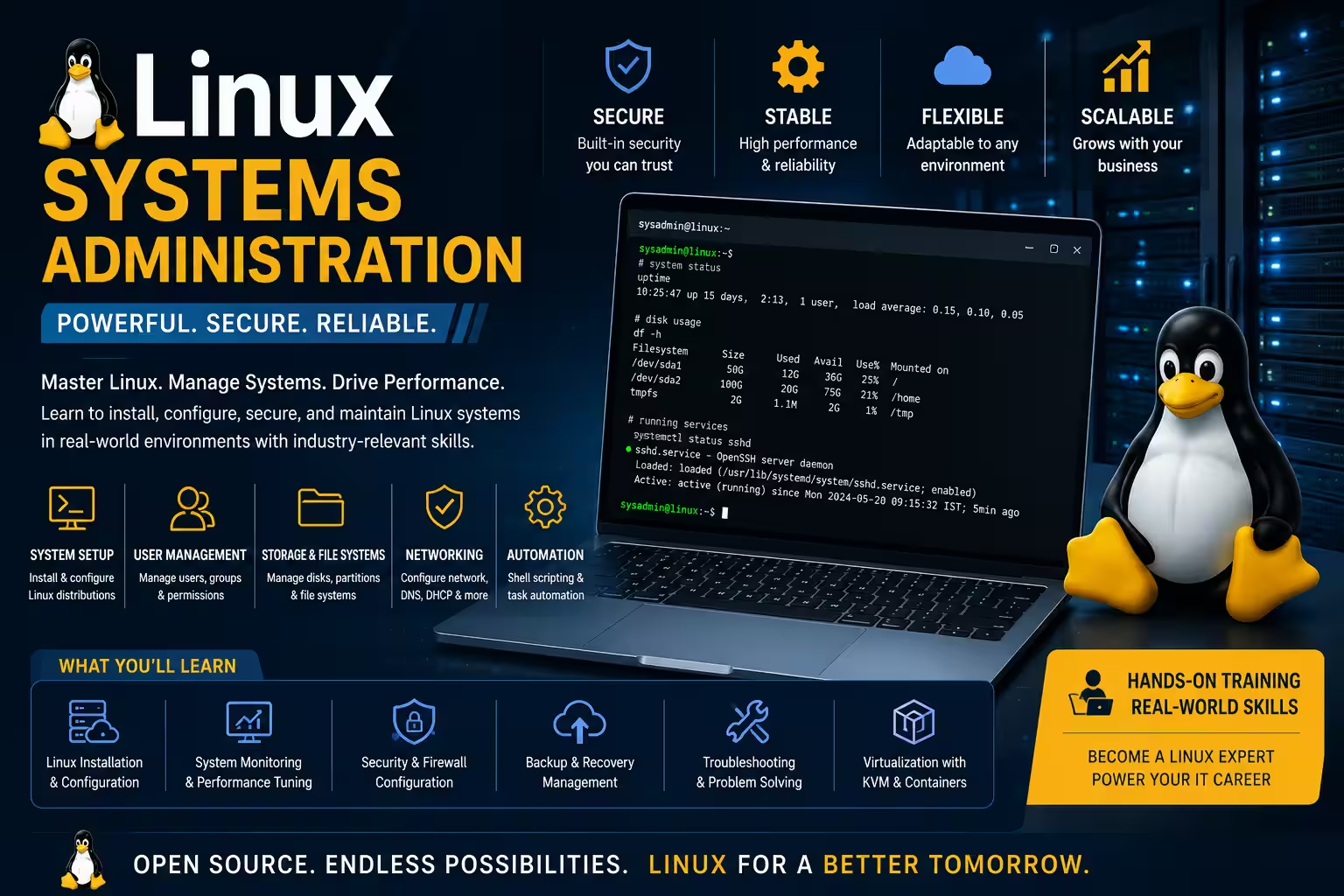
Linux System Administration training covers essential skills for managing and operating Linux servers. It includes system setup, user and group management, filesystem handling, security configurations, networking, and automation. The course equips learners to maintain server stability, security, and performance. Practical hands-on experience with common Linux tools and commands is emphasized.
2. What are the main objectives of the Linux Systems Administration course for my development skills ?
The course aims to develop your ability to install, configure, and maintain Linux operating systems efficiently. It focuses on enhancing your skills in system monitoring, troubleshooting, securing Linux environments, and automating routine tasks with scripting. You will build proficiency in managing networks and implementing best security practices to support enterprise IT infrastructure.
3. What practical skills will I gain from this training?
You will learn Linux installation, user and group management, file system administration, shell scripting, process management, networking, security hardening, package management, server configuration, monitoring, backups, and troubleshooting using real-world scenarios.
4. Does this course include real-time projects?
Yes. The training includes practical server administration labs, enterprise Linux deployments, security configuration, automation tasks, backup management, and infrastructure management projects.
5. How will this course help my career?
After completing this course, you can pursue careers as a Linux System Administrator, Linux Engineer, DevOps Engineer, Cloud Support Engineer, Infrastructure Engineer, Technical Support Engineer, System Engineer, Server Administrator, or IT Operations Engineer.
Popular Techniques Covered in This Course
1.Shell scripting and automation
2.Network configuration and troubleshooting
3.System monitoring and logging
4.User and permission management
5.Security hardening and firewall configuration
6.Package and repository management
7.Backup and disaster recovery
8.Service and daemon management
9.Virtualization and container basics
10.Configuration management tools (Ansible, Puppet)
Get Hands-on Knowledge about Real-Time Projects
Project 1
1. Enterprise Linux Server Deployment
Install and configure a production-ready Linux server with user accounts, security policies, storage management, and remote administration.
Project 2
2. Apache Web Server Configuration
Deploy and manage an Apache web server with virtual hosts, SSL configuration, log management, and security hardening.
Project 3
3. Linux Backup & Disaster Recovery Solution
Design an automated backup strategy using shell scripts, cron jobs, and recovery procedures for enterprise servers.
Project 4
4. Linux Network Services Administration
Configure SSH, DNS, FTP, Samba, NFS, firewall rules, and remote access services for secure enterprise networking.
Project 5
5. Server Monitoring & Automation Project
Develop shell scripts to monitor CPU, memory, disk usage, running services, and automatically generate system health reports.
Key Features
Edubrights offers Linux Systems Administration Training in virtual mode with expert trainers. Here are the key features.
40 Hours Course Duration
100% Job Oriented Training
Industry Expert Faculties
Free Demo Class Available
Completed 500+ Batches
Certification Guidance
Curriculum
Module 1: Introduction to Linux
- History and evolution of Linux
- Linux architecture and kernel overview
- Popular Linux distributions (Ubuntu, CentOS, Red Hat)
Module 2: Linux Installation and Configuration
- Installing Linux OS and choosing partition schemes
- Boot loaders: GRUB and LILO configuration
- Configuring system boot and runlevels
Module 3: Linux File System and Permissions
- Directory structure and file system hierarchy
- File types, ownership, permissions (chmod, chown)
- Hard links vs. soft links
- Access Control Lists (ACL)
Module 4: User and Group Management
- Creating, modifying, and deleting users and groups
- Managing user permissions and sudo access
- Password policies and authentication methods
Module 5: Package Management
- Using RPM, YUM, DNF, and APT for software installation
- Repository management and software updates
Module 6: Linux Shell and Scripting
- Basics of the Bash shell
- Writing scripts with variables, loops, and conditionals
- Automating tasks with cron and at jobs
Module 7: Process and Service Management
- Viewing and controlling processes (ps, top, kill)
- Managing systemd services and daemons
- Scheduling and monitoring jobs
Module 8: Networking Fundamentals
- Understanding IP configuration, subnetting, and routing
- Setting up DNS, DHCP, hostname, and network interfaces
- Managing firewall using iptables and firewalld
Module 9: Security and Hardening
- SELinux and AppArmor basics
- Firewall configuration and security policies
- Secure SSH configuration and key management
Module 10: Disk and Storage Management
- Partitioning disks and managing LVM
- Mounting file systems and configuring fstab
- RAID concepts and setup
Module 11: System Monitoring and Troubleshooting
- Monitoring system logs (journalctl, syslog)
- Performance tuning and resource management
- Diagnosing boot and hardware issues
Module 12: Remote Access and File Sharing
- Setting up SSH and SCP
- Configuring NFS and Samba for file sharing
Module 13: Virtualization Basics
- Introduction to KVM, containers, and virtual machines
- Installing and configuring virtual guests
Module 14: Backup and Recovery
- Backup strategies and tools
- Restoring data and disaster recovery plans
Module 15: Automation and Configuration Management
- Introduction to Ansible and Puppet for automation
- Writing playbooks and managing configuration
Receive Training From Our Skilled and Effective Trainers
Experience in the Industry Gain knowledge from experts with practical Linux Systems Administration project experience in a variety of sectors.
Backgrounds at the Top Prominent corporations such as HCL, TCS, Accenture, and Cognizant employ trainers.
Clear & Effective Teaching Excellent communication and real-world examples simplify complex subjects.
Hands-On Learning Focus Students can apply their abilities in real-world situations with the use of case studies and real-time projects.
Up-to-Date Knowledge Trainers stay current with the latest tools, techniques, and best practices.
Become a Certified Linux Systems Administration Professional
Validate your expertise in Linux system administration, server management, networking, security, shell scripting, storage administration, troubleshooting, and enterprise infrastructure management.

Course FAQs
1. What is Linux System Administration?
It’s the process of managing, configuring, and maintaining Linux servers and systems to ensure optimal performance and security.
2. Why learn Linux System Administration?
Linux powers a majority of servers worldwide, so mastering it opens many IT job opportunities.
3. What skills do I need to start?
Basic command-line knowledge, understanding of networking fundamentals, and willingness to learn scripting.
4. What Linux distributions are covered?
Common distributions like Ubuntu, CentOS, Debian, and Red Hat.
5. What job roles can I get after certification?
Linux system administrator, support engineer, DevOps engineer, cloud administrator, and more.
6. Is scripting part of the course?
Yes, bash scripting and automation are core parts of the syllabus.
7. How long is the Linux System Administration course?
Typically 3 to 6 months depending on the training program’s intensity.
8. Are there hands-on labs?
Yes, practical exercises and projects are essential.
9. Is prior programming experience required?
Not mandatory, but helpful for scripting parts.
10. Can I work remotely with this skill?
Yes, many companies hire remote Linux administrators.
11. What job roles can I apply for after completing this course?
You can apply for Linux Administrator, System Administrator, Infrastructure Engineer, DevOps Engineer, Cloud Support Engineer, Linux Support Engineer, Server Administrator, and IT Operations Engineer roles.
12. Will I learn troubleshooting?
Yes. You'll diagnose system issues, analyze logs, optimize performance, and resolve common Linux administration problems.
13. Does the course include placement assistance?
Yes. We provide resume preparation, interview guidance, mock interviews, career mentoring, and placement support.
14. Are practical labs included?
Yes. Every module includes hands-on exercises, live server administration labs, automation tasks, and enterprise administration projects.
15. Why choose this Linux Systems Administration course in Chennai?
Our Linux training in Chennai offers expert trainers, industry-oriented curriculum, practical server labs, real-time projects, certification guidance, interview preparation, and placement assistance to help you build a successful career in Linux and Cloud Administration.
Get Training Quote for Free
Testimonials
Hear What Our Students Say
"Transform your life through Education, hear it from our Alumni"

6 LPA
Fathima
Student
Software Engineer
"Transform your life through Education, hear it from our Alumni"

8 LPA
Rahul
Student
Data Scientist
"Transform your life through Education, hear it from our Alumni"

8 LPA
Siddharth
NIELSON IQ
Data Analyst