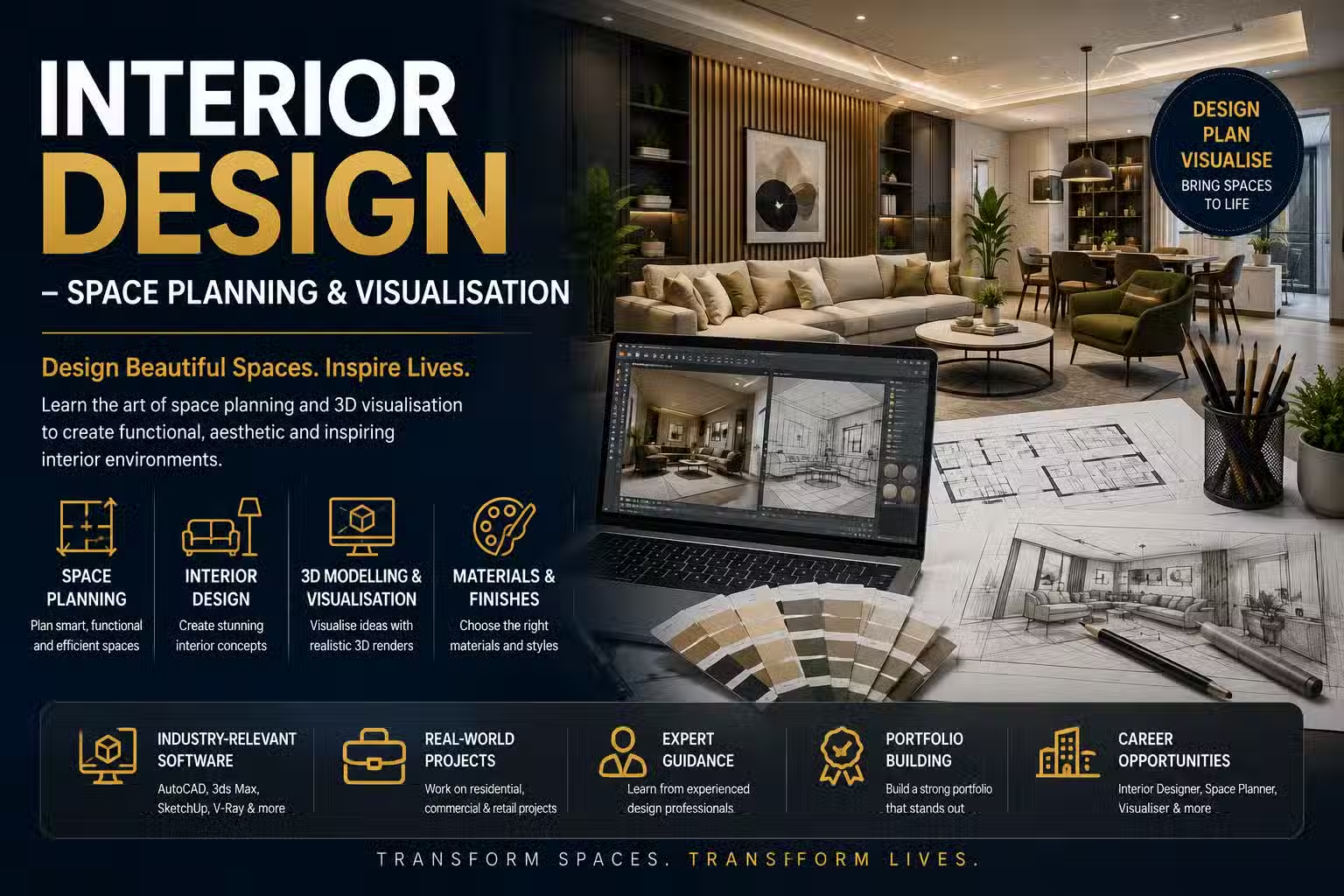
Course Objectives
1. What will you learn in the Interior Design – Space Planning & Visualisation course?
You will learn how to design functional and aesthetically appealing interior spaces using professional space planning techniques and visualization tools. The course covers design principles, residential and commercial interiors, furniture planning, color theory, lighting design, material selection, 2D drafting, 3D modeling, rendering, and client presentation techniques.
2. How does this course prepare you for real-world Interior Design projects?
The course provides hands-on experience in designing homes, offices, retail stores, restaurants, hotels, and commercial spaces. You will learn to create floor plans, mood boards, 3D visualizations, material layouts, lighting concepts, and complete interior design proposals for clients.
3. What practical skills will you develop during the training?
You will gain expertise in space planning, furniture layout, interior styling, AutoCAD drafting, SketchUp modeling, 3D visualization, rendering, color coordination, lighting design, material selection, and presentation techniques.
4. How will real-time projects improve your Interior Design skills?
You will work on practical projects involving residential interiors, office layouts, retail store design, hospitality spaces, kitchen planning, living room visualization, and complete interior design presentations using industry-standard software.
5. What career opportunities can you pursue after learning Interior Design – Space Planning & Visualisation?
This course prepares you for roles such as Interior Designer, Space Planner, Interior Visualizer, 3D Interior Designer, Residential Interior Designer, Commercial Interior Designer, Furniture Designer, Design Consultant, CAD Designer, and Freelance Interior Designer.
Popular Techniques Covered in This Course
Interior Design Fundamentals and Design Principles
Space Planning and Furniture Layout
Residential and Commercial Interior Design
Color Theory and Material Selection
Lighting Design and Interior Styling
AutoCAD for Interior Drafting
SketchUp and 3D Interior Modeling
Rendering and Interior Visualization
Client Presentation and Mood Board Creation
Interior Design Project Planning and Best Practices
Get Hands-on Knowledge about Real-Time Projects
Project 1
Project 1: Residential Apartment Interior Design
Design a complete apartment including living room, bedroom, kitchen, and dining spaces with furniture layouts, lighting, materials, and 3D visualization.
Project 2
Project 2: Modern Office Space Planning
Create an efficient office layout with workstations, meeting rooms, reception areas, lighting, and ergonomic furniture planning.
Project 3
Project 3: Retail Store Interior Design
Develop an attractive retail store layout focusing on customer flow, product display, lighting, branding, and visual merchandising.
Project 4
Project 4: Luxury Restaurant Interior
Design a restaurant interior with seating layouts, ambience lighting, decorative elements, ceiling concepts, and realistic 3D renders.
Project 5
Project 5: Interior Visualization Portfolio
Build a professional portfolio featuring floor plans, 3D models, rendered images, mood boards, and presentation sheets for multiple interior projects.
Key Features
Edubrights offers Interior Design – Space Planning & Visualisation Training in virtual mode with expert trainers. Here are the key features,
40 Hours Course Duration
100% Job Oriented Training
Industry Expert Faculties
Free Demo Class Available
Completed 500+ batches
Certification Guidance
Curriculum
Module 1: Introduction to Interior Design
- Interior design fundamentals: space, form, light, colour, and texture
- Interior design styles: contemporary, Scandinavian, industrial, and traditional
- Design brief: understanding client requirements and project scope
- Interior design workflow: concept, schematic, design development, and delivery
Module 2: Space Planning
- Floor plan reading: understanding architectural drawings and scales
- Space planning principles: traffic flow, zoning, and furniture placement
- AutoCAD for interior design: drawing floor plans and elevations
- Space planning software: SketchUp and RoomSketcher overview
Module 3: Colour and Materials
- Colour theory for interiors: warm, cool, and neutral colour schemes
- Material specification: flooring, wall finishes, and ceiling materials
- Fabric and textile selection: upholstery, curtains, and soft furnishings
- Material boards: creating physical and digital specification boards
Module 4: Furniture and Fixture Selection
- Furniture scale and proportion: selecting appropriately sized pieces
- Ergonomics: human-centred design for comfort and usability
- Custom furniture briefing: specifying bespoke pieces for projects
- Fixture and fitting specification: lighting, plumbing, and hardware
Module 5: Lighting Design
- Natural light: maximising daylighting through window placement and treatments
- Artificial lighting layers: ambient, task, and accent lighting
- Lighting calculation: lumen requirements for different room types
- Lighting specification: fixture selection and electrical layout planning
Module 6: 3D Visualisation
- SketchUp modelling: creating 3D interior layouts from floor plans
- V-Ray or Enscape rendering: producing photorealistic interior renders
- Material and texture application in 3D visualisation
- Presentation boards: combining renders, material boards, and floor plans
Module 7: Project Documentation and Presentation
- Design presentation: mood boards, concept boards, and material palettes
- Construction drawings: detailed drawings for contractor handover
- Project management: timeline, budget tracking, and contractor coordination
- Client presentation skills: presenting design concepts effectively
Module 8: Capstone Project and Assessment
- Complete interior design project: living space or commercial interior
- Floor plan, material specification, and lighting design
- 3D render and presentation board for client-ready design proposal
- Final assessment and course certification
Receive Training From Our Skilled and Effective Trainers
Experience in the Industry Gain expertise from professional interior designers who have designed residential homes, commercial offices, retail spaces, and hospitality interiors from concept through to construction handover.
Backgrounds at the Top Our interior design trainers have worked at interior design studios and architectural firms delivering award-winning residential and commercial interior projects across luxury, retail, and corporate sectors.
Clear & Effective Teaching Design principles, space planning, colour and materials, furniture selection, lighting design, 3D visualisation with SketchUp, project documentation, and client presentation are explained with real interior design project examples.
Hands-On Learning Focus Students plan spaces, specify materials, create mood boards, produce 3D renders, document designs, and build client-ready presentation packages through structured hands-on interior design project labs.
Up-to-Date Knowledge Trainers keep content current with the latest interior design trends, AI-powered space planning and rendering tools, sustainable material choices, and evolving interior design industry best practices.
Professional Interior Design – Space Planning & Visualisation Certification
The Professional Interior Design – Space Planning & Visualisation Certification validates your expertise in planning, designing, and visualizing residential and commercial interiors.

Course FAQs
1. What is Interior Design?
Answer: Interior Design is the process of planning, designing, and enhancing interior spaces to improve functionality, aesthetics, comfort, and user experience.
2. What is Space Planning?
Answer: Space Planning involves organizing furniture, circulation, and room layouts to maximize functionality, comfort, and efficient use of available space.
3. What is Interior Visualization?
Answer: Interior Visualization is the creation of realistic 3D images and renderings that help clients visualize interior spaces before construction or renovation.
4. Which software is commonly used in Interior Design?
Answer: Popular software includes AutoCAD, SketchUp, 3ds Max, V-Ray, Lumion, Revit, Adobe Photoshop, and other visualization tools.
5. Why is lighting important in Interior Design?
Answer: Lighting enhances functionality, creates ambience, highlights design features, improves aesthetics, and influences the overall mood of a space.
6. Which industries hire Interior Designers?
Answer: Architecture firms, construction companies, interior design studios, real estate companies, hospitality businesses, retail brands, and furniture manufacturers hire Interior Designers.
7. Is this course suitable for beginners?
Answer: Yes. The course starts with interior design fundamentals before progressing to advanced space planning and visualization techniques.
8. Does the course include practical projects?
Answer: Yes. The course includes hands-on projects involving residential, commercial, retail, office, and hospitality interior design.
9. Do I need drawing experience before joining?
Answer: No. The course teaches both design concepts and software tools from the beginner level.
10. Why should professionals learn Interior Design?
Answer: Interior Design is a growing industry with increasing demand for professionals who can create functional, visually appealing, and sustainable interior environments.
Get Training Quote for Free
Testimonials
Hear What Our Students Say
"Transform your life through Education, hear it from our Alumni"

6 LPA
Fathima
Student
Software Engineer
"Transform your life through Education, hear it from our Alumni"

8 LPA
Rahul
Student
Data Scientist
"Transform your life through Education, hear it from our Alumni"

8 LPA
Siddharth
NIELSON IQ
Data Analyst