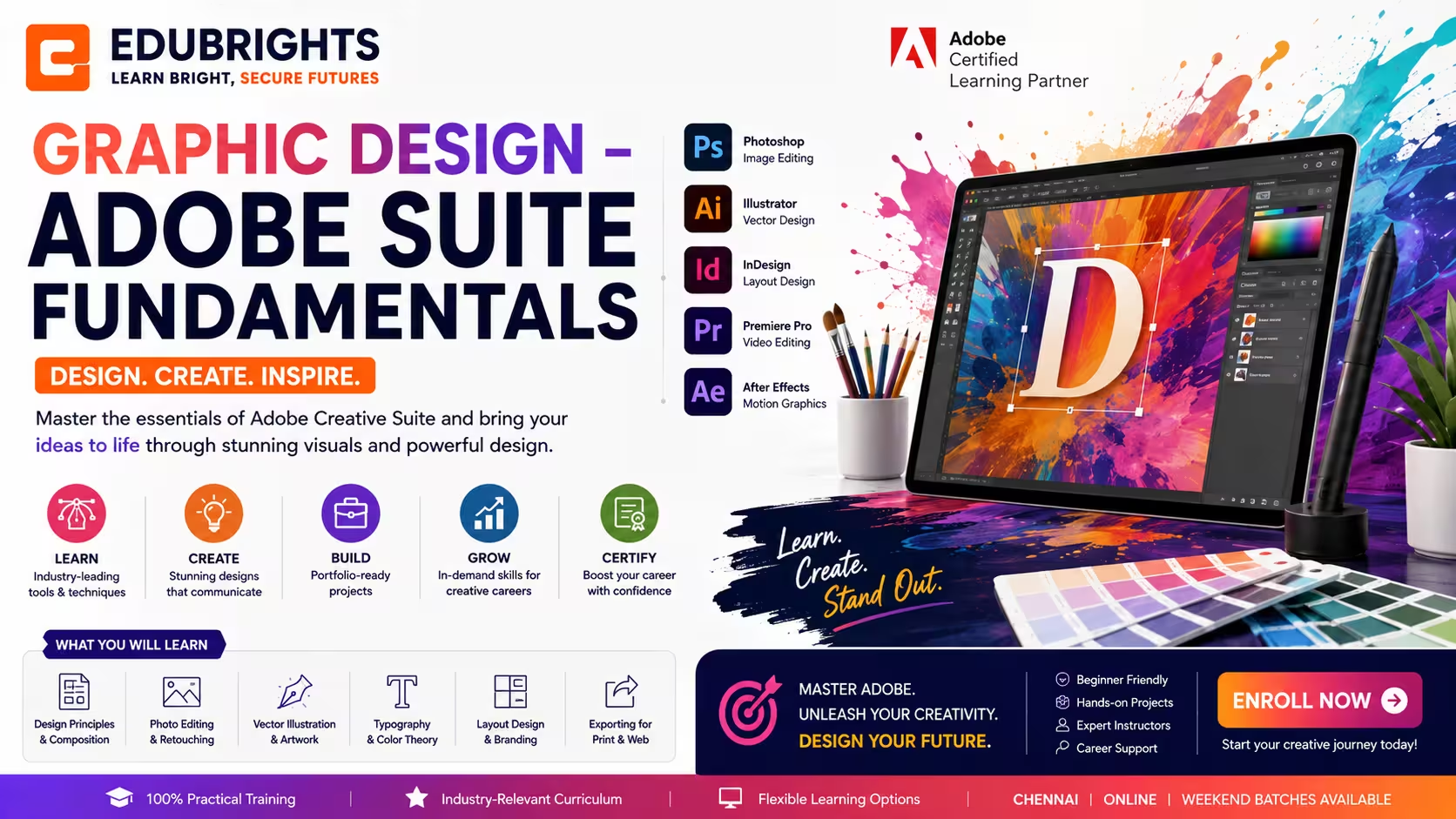
Course Objectives
1. What will I learn by taking the Graphic Design – Adobe Suite Fundamentals course in Bangalore?
You'll build a solid understanding of the core concepts, terminology, and fundamentals of Graphic Design – Adobe Suite Fundamentals, giving you a strong foundation to build on.
2. What hands-on skills will I gain from the Graphic Design – Adobe Suite Fundamentals training?
You'll get hands-on experience with industry-relevant Graphic Design – Adobe Suite Fundamentals tools and workflows through guided exercises, so you learn by doing rather than just reading theory.
3. How does the Graphic Design – Adobe Suite Fundamentals course prepare me for real-world work?
The Graphic Design – Adobe Suite Fundamentals course is designed around how Graphic Design – Adobe Suite Fundamentals is actually applied to solve real-world problems in professional settings, not just textbook scenarios.
4. What practical, job-ready skills will I build during Graphic Design – Adobe Suite Fundamentals training in Bangalore?
You'll develop the practical skills needed to confidently work with Graphic Design – Adobe Suite Fundamentals on the job, so you're ready to contribute from day one in a Graphic Design – Adobe Suite Fundamentals role.
5. Will I work on real projects during the Graphic Design – Adobe Suite Fundamentals course?
Yes, the Graphic Design – Adobe Suite Fundamentals course includes real-time projects and case studies that reinforce concepts through practice, giving you portfolio-ready work by the end.
6. How does the Graphic Design – Adobe Suite Fundamentals course help with certification and job interviews?
The Graphic Design – Adobe Suite Fundamentals course is structured to help you prepare for relevant certifications and interviews, covering the concepts and terminology employers and exam boards expect.
Popular Techniques Covered in This Course
Design Fundamentals
Color Theory
Typography Basics
Adobe Photoshop
Adobe Illustrator
Adobe InDesign
Image Editing
Vector Illustration
Layout Design
Portfolio Creation
Get Hands-on Knowledge about Real-Time Projects
Project 1
1. Brand Identity Design Project
Create a complete brand identity including a professional logo, business card, color palette, and brand guidelines using Adobe Illustrator and Photoshop.
Project 2
2. Social Media Marketing Design Project
Design engaging social media posts, promotional banners, and advertising creatives for a business using Adobe Photoshop and Illustrator.
Project 3
3. Corporate Brochure Design Project
Develop a professional brochure with structured layouts, typography, and branded graphics using Adobe InDesign for print and digital distribution.
Project 4
4. Product Advertisement Project
Create high-quality promotional posters, flyers, and product advertisements by combining image editing, typography, and creative design techniques.
Project 5
5. Graphic Design Portfolio Project
Build a professional design portfolio showcasing branding, marketing materials, illustrations, and print designs created throughout the course.
Key Features
Edubrights offers GRAPHIC DESIGN – ADOBE SUITE FUNDAMENTALS Training in virtual mode with expert trainers. Here are the key features,
40 Hours Course Duration
100% Job Oriented Training
Industry Expert Faculties
Free Demo Class Available
Completed 500+ Batches
Certification Guidance
Curriculum
Module 1: Introduction to Graphic Design
- Design principles: balance, contrast, alignment, repetition, and proximity
- Colour theory: colour wheel, harmony, psychology, and brand colour usage
- Typography fundamentals: typeface categories, pairing, and hierarchy
- Design workflow: brief, concept, execution, and delivery process
Module 2: Adobe Photoshop Essentials
- Photoshop interface: workspace, panels, and tool overview
- Selections and masking: marquee, lasso, magic wand, and quick mask
- Layer management: groups, blending modes, and adjustment layers
- Photo retouching: healing brush, clone stamp, and frequency separation
Module 3: Adobe Illustrator Essentials
- Vector vs raster: understanding when to use each format
- Pen tool mastery: creating precise paths and anchor points
- Shape builder and pathfinder: combining and subtracting shapes
- Typography in Illustrator: creating text effects and logo treatments
Module 4: Adobe InDesign Essentials
- InDesign interface: master pages, guides, and grids
- Text frames and paragraph styles for consistent typography
- Image placement and linking in InDesign layouts
- Exporting: print-ready PDF and digital PDF settings
Module 5: Brand Identity Design
- Logo design process: research, sketching, and digital execution
- Brand guidelines: colour palette, typography, and logo usage rules
- Business card, letterhead, and brand stationery design
- Mockup presentation: showcasing brand identity in realistic contexts
Module 6: Print and Layout Design
- Brochure and flyer design: grid systems and visual hierarchy
- Magazine and editorial layout: multi-page document design
- Print specifications: bleed, trim, safe zone, and colour modes (CMYK)
- Packaging design fundamentals: dielines and 3D mockup presentation
Module 7: Digital and Social Media Design
- Social media graphic templates: consistent brand presence across platforms
- Web banner design: static and animated HTML5 banners
- Presentation design: PowerPoint and Google Slides design principles
- Digital asset export: web-optimised formats and resolution settings
Module 8: Capstone Project and Assessment
- Complete brand identity project: logo, colour palette, and guidelines
- Multi-page print layout: brochure or magazine spread design
- Social media template set and digital asset export package
- Final assessment and course certification
Receive Training From Our Skilled and Effective Trainers
Experience in the Industry Gain expertise from Graphic Design – Adobe Suite Fundamentals professionals training in Bangalore who have applied their skills on live projects across corporate, product, and consulting environments, bringing practical, real-world context into every Graphic Design – Adobe Suite Fundamentals session.
Backgrounds at the Top Our Graphic Design – Adobe Suite Fundamentals trainers in Bangalore bring hands-on industry experience, having worked on real Graphic Design – Adobe Suite Fundamentals projects for organizations across various industries before moving into training.
Clear & Effective Teaching Core Graphic Design – Adobe Suite Fundamentals concepts, tools, and workflows are explained using real project examples and practical scenarios, so you understand not just the theory but how Graphic Design – Adobe Suite Fundamentals is actually used on the job.
Hands-On Learning Focus Students get structured, hands-on practice with Graphic Design – Adobe Suite Fundamentals through guided exercises, mini-projects, and lab work designed to build practical, job-ready skills.
Up-to-Date Knowledge Trainers keep the Graphic Design – Adobe Suite Fundamentals curriculum current with the latest tools, versions, and industry best practices, so what you learn stays relevant to how Graphic Design – Adobe Suite Fundamentals is used today in Bangalore and beyond.
Earn an Industry-Recognized Graphic Design – Adobe Suite Fundamentals Certification
Successfully completing the Graphic Design – Adobe Suite Fundamentals Course in Bangalore demonstrates your ability to create professional graphics, branding materials, digital artwork, marketing designs, and print layouts using Adobe Creative Cloud applications.

Course FAQs
1. What is the duration of the Graphic Design – Adobe Suite Fundamentals course in Bangalore?
The Graphic Design – Adobe Suite Fundamentals course in Bangalore typically runs from a few weeks up to a couple of months, depending on whether you choose a weekday, weekend, or fast-track batch. Institutes in Bangalore offer flexible schedules so working professionals and students can complete Graphic Design – Adobe Suite Fundamentals training without disrupting their routine.
2. Who can enroll in Graphic Design – Adobe Suite Fundamentals training in Bangalore?
Freshers, graduates, working professionals, and career switchers can all enroll in Graphic Design – Adobe Suite Fundamentals training in Bangalore. Most institutes don't require prior technical experience for the Graphic Design – Adobe Suite Fundamentals course, though a basic understanding of computers is usually helpful before you start.
3. Is the Graphic Design – Adobe Suite Fundamentals course available in online and classroom formats in Bangalore?
Yes, most Graphic Design – Adobe Suite Fundamentals training providers in Bangalore offer online, in-person classroom, and hybrid formats, so you can pick the mode that suits your schedule, location, and learning style.
4. What topics are covered in the Graphic Design – Adobe Suite Fundamentals course syllabus?
The Graphic Design – Adobe Suite Fundamentals course in Bangalore typically covers core concepts, essential tools, and practical, hands-on exercises, building up from fundamentals to real-world application so you can use Graphic Design – Adobe Suite Fundamentals confidently in a professional setting.
5. Will I receive a certificate after completing the Graphic Design – Adobe Suite Fundamentals course in Bangalore?
Yes, learners receive a course-completion certificate after finishing Graphic Design – Adobe Suite Fundamentals training in Bangalore. This certificate can be added to your resume and LinkedIn profile as proof of your Graphic Design – Adobe Suite Fundamentals skills.
6. Does Graphic Design – Adobe Suite Fundamentals training in Bangalore include placement assistance?
Many institutes offering Graphic Design – Adobe Suite Fundamentals courses in Bangalore provide placement support such as resume reviews, mock interviews, and introductions to hiring partners, helping graduates find relevant job opportunities after training.
7. What career opportunities are available after the Graphic Design – Adobe Suite Fundamentals course in Bangalore?
Completing a Graphic Design – Adobe Suite Fundamentals course in Bangalore can open up roles across IT services firms, product companies, and startups active in the city's tech hubs such as Whitefield, Electronic City, and Koramangala, depending on your prior background and experience.
8. How is structured Graphic Design – Adobe Suite Fundamentals training in Bangalore different from free online resources?
Structured Graphic Design – Adobe Suite Fundamentals training in Bangalore offers guided instruction, hands-on projects, doubt-clearing sessions, and mentor support — elements that are hard to replicate through scattered, free online resources alone.
9. Do I need a technical background to learn Graphic Design – Adobe Suite Fundamentals in Bangalore?
A technical background can help but usually isn't mandatory for Graphic Design – Adobe Suite Fundamentals training in Bangalore. Beginner-friendly batches in Bangalore start from the basics, so motivated learners from non-technical backgrounds can also follow along.
10. How do I choose the right institute for Graphic Design – Adobe Suite Fundamentals training in Bangalore?
When choosing a Graphic Design – Adobe Suite Fundamentals training institute in Bangalore, look at trainer experience, how current the curriculum is, the amount of hands-on project work, batch sizes, and post-training support — these matter more than price alone.
11. Are weekend batches available for the Graphic Design – Adobe Suite Fundamentals course in Bangalore?
Yes, most Graphic Design – Adobe Suite Fundamentals training institutes in Bangalore run dedicated weekend batches alongside weekday and fast-track options, making it easier for working professionals to complete Graphic Design – Adobe Suite Fundamentals training without taking time off work.
12. Will I work on real-time projects during Graphic Design – Adobe Suite Fundamentals training?
Reputable Graphic Design – Adobe Suite Fundamentals courses in Bangalore include real-time projects and case studies alongside theory, so you leave with practical, portfolio-ready experience rather than just conceptual knowledge of Graphic Design – Adobe Suite Fundamentals.
13. What is the typical batch size for Graphic Design – Adobe Suite Fundamentals training in Bangalore?
Most Graphic Design – Adobe Suite Fundamentals training providers in Bangalore keep batch sizes small so trainers can give individual attention, answer questions in depth, and adapt the pace of the Graphic Design – Adobe Suite Fundamentals course to the group's progress.
14. Who typically teaches the Graphic Design – Adobe Suite Fundamentals course in Bangalore?
Graphic Design – Adobe Suite Fundamentals courses in Bangalore are usually taught by trainers with hands-on industry experience, which means lessons tend to reflect current tools and practices rather than purely academic material.
15. Is prior coding experience required for the Graphic Design – Adobe Suite Fundamentals course?
Depending on the specific topic, some Graphic Design – Adobe Suite Fundamentals courses in Bangalore assume basic familiarity with computers or logic, while others are fully beginner-friendly. It's worth checking the exact prerequisites listed for the Graphic Design – Adobe Suite Fundamentals batch you're considering.
16. Can I attend a demo class before enrolling in Graphic Design – Adobe Suite Fundamentals training in Bangalore?
Many Graphic Design – Adobe Suite Fundamentals training institutes in Bangalore offer a free demo or trial session, letting you evaluate the trainer's teaching style and course structure before committing to the full Graphic Design – Adobe Suite Fundamentals program.
17. How much does the Graphic Design – Adobe Suite Fundamentals course cost in Bangalore?
Fees for Graphic Design – Adobe Suite Fundamentals training in Bangalore vary by institute, course depth, and format (online vs classroom), so it's best to compare a few providers directly and check what's included, such as materials, projects, and placement support.
18. Is the Graphic Design – Adobe Suite Fundamentals training in Bangalore suitable for corporate or group training?
Yes, several Graphic Design – Adobe Suite Fundamentals training providers in Bangalore offer customized corporate batches for teams, with schedules and content adjusted to match an organization's specific tools, workflows, and skill gaps.
19. How is Graphic Design – Adobe Suite Fundamentals training in Bangalore kept up to date with industry trends?
Established Graphic Design – Adobe Suite Fundamentals training providers in Bangalore regularly refresh their curriculum to reflect current tools, versions, and industry practices, so what you learn stays relevant to what employers are actually using.
20. What support is available after completing the Graphic Design – Adobe Suite Fundamentals course in Bangalore?
Beyond the Graphic Design – Adobe Suite Fundamentals course itself, many institutes in Bangalore offer post-training support such as doubt-clearing sessions, access to updated materials, and continued placement assistance as you begin applying for Graphic Design – Adobe Suite Fundamentals-related roles.
Get Training Quote for Free
Testimonials
Hear What Our Students Say
"Transform your life through Education, hear it from our Alumni"

8 LPA
Rahul
Student
Data Scientist
"Transform your life through Education, hear it from our Alumni"

8 LPA
Siddharth
NIELSON IQ
Data Analyst
"Transform your life through Education, hear it from our Alumni"

6 LPA
Fathima
Student
Software Engineer