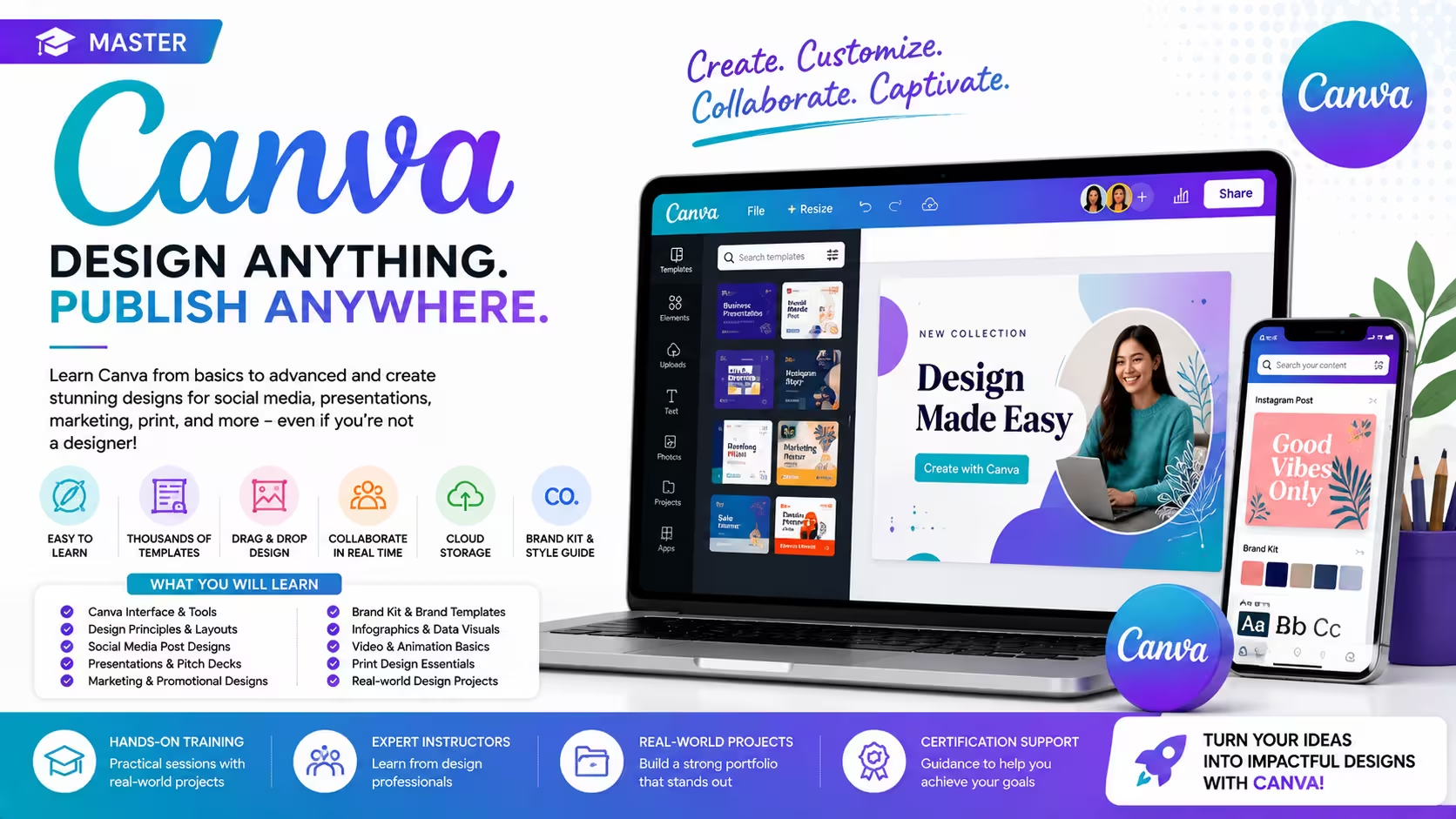
Course Objectives
1. What will you learn in the Canva course?
You will learn how to create professional graphics, social media posts, presentations, marketing materials, videos, resumes, and branding assets using Canva's easy-to-use design tools.
2. How does this course prepare you for real-world design projects?
The course provides hands-on experience in designing social media creatives, business presentations, marketing campaigns, logos, brochures, posters, videos, and business branding materials.
3. What practical skills will you develop during the training?
You will gain expertise in Canva design tools, templates, branding, typography, image editing, video editing, presentation design, content creation, and AI-powered design features.
4. How will real-time projects improve your Canva design skills?
You will work on practical projects involving social media campaigns, business presentations, marketing brochures, brand kits, promotional videos, and professional resumes.
5. What career opportunities can you pursue after learning Canva?
This course prepares you for roles such as Graphic Designer, Social Media Designer, Digital Marketing Executive, Content Creator, Branding Executive, Marketing Designer, and Freelance Canva Designer.
Popular Techniques Covered in This Course
Canva Graphic Design Tools
Social Media Post Design
Presentation Design
Logo and Brand Kit Creation
Image Editing and Photo Enhancement
Video Editing in Canva
Typography and Color Theory
Marketing Material Design
AI-Powered Design Features
Brand Identity and Visual Content Creation
Get Hands-on Knowledge about Real-Time Projects
Project 1
Project 1: Social Media Marketing Campaign
Design a complete social media campaign with Instagram posts, Facebook banners, LinkedIn graphics, and promotional stories.
Project 2
Project 2: Business Branding Kit
Create a professional brand identity including a logo, business card, letterhead, brand colors, and marketing templates.
Project 3
Project 3: Company Presentation Design
Develop a modern business presentation with infographics, charts, animations, and professional layouts.
Project 4
Project 4: Marketing Brochure and Flyer
Design brochures, flyers, posters, and promotional materials for a business or product launch.
Project 5
Project 5: Promotional Video Project
Create an engaging promotional video using Canva's video editing tools with animations, transitions, text, and music.
Key Features
Edubrights offers Canva – Graphic Design for Non-Designers Training in virtual mode with expert trainers. Here are the key features,
40 Hours Course Duration
100% Job Oriented Training
Industry Expert Faculties
Free Demo Class Available
Completed 500+ Batches
Certification Guidance
Curriculum
Module 1: Introduction to Canva
- Canva overview: browser-based design platform for everyone
- Canva Free vs Pro vs Teams: feature comparison and plan selection
- Canva interface: homepage, editor, and design management
- Design formats: social media, presentations, print, and video
Module 2: Working with Templates
- Browsing and selecting templates: filtering by format and style
- Customising templates: replacing text, images, and colours
- Saving and organising designs: folders and naming conventions
- Brand Kit: setting up brand colours, fonts, and logos in Canva Pro
Module 3: Design Elements
- Text tools: font selection, sizing, spacing, and text effects
- Elements library: shapes, lines, icons, illustrations, and grids
- Canva photo library: searching and editing stock images
- Frames: placing images inside decorative and geometric frames
Module 4: Colour and Typography
- Colour palettes: creating and applying consistent colour schemes
- Font pairing: combining complementary typefaces effectively
- Background colour and gradient tools in Canva
- Canva Color Palette Generator: extracting palettes from images
Module 5: Social Media and Marketing Design
- Social media post design: Instagram, Facebook, LinkedIn, and Twitter
- Story and Reel templates: vertical video and animated content
- Email header and newsletter design in Canva
- Marketing collateral: flyers, posters, and event banners
Module 6: Presentations and Documents
- Canva Presentations: slide design and presentation mode
- Canva Docs: creating documents and reports with visual elements
- Pitch deck design: investor and client presentation templates
- Presenting: Canva Present and publishing presentation links
Module 7: Canva Pro Advanced Features
- Background Remover: one-click background removal tool
- Magic Resize: adapting designs to multiple formats instantly
- Content Planner: scheduling social media posts from Canva
- Canva Apps and integrations: connecting to Dropbox, Google Drive, and HubSpot
Module 8: Capstone Project and Assessment
- Brand Kit setup and social media template set creation
- Presentation or pitch deck design project
- Marketing campaign assets: posts, stories, flyer, and email header
- Final assessment and course certification
Receive Training From Our Skilled and Effective Trainers
Experience in the Industry Learn from Canva experts and digital marketing professionals who have used Canva to produce consistent brand content, marketing campaigns, and presentation materials for teams without dedicated design resources.
Backgrounds at the Top Our Canva trainers have worked at marketing teams, content agencies, and education organisations where Canva empowers non-designers to produce professional visual content at scale.
Clear & Effective Teaching Canva templates, Brand Kit, design elements, typography, colour, social media design, presentations, Canva Docs, background remover, and Magic Resize are explained with practical marketing design examples.
Hands-On Learning Focus Students build brand kits, create social media content sets, design presentations, produce marketing materials, and schedule content through structured hands-on Canva project labs.
Up-to-Date Knowledge Trainers keep content current with the latest Canva platform releases, Canva AI features including Magic Write and Dream Lab, and evolving visual communication and content design best practices.
Professional Canva Graphic Design & Visual Content Creation Certification
The Professional Canva Graphic Design & Visual Content Creation Certification validates your ability to create professional-quality graphics, presentations, marketing materials, videos, and branding assets using Canva.

Course FAQs
1. What is Canva?
Canva is an online graphic design platform used to create professional graphics, presentations, videos, marketing materials, and social media content.
2. Who can use Canva?
Students, business owners, marketers, teachers, content creators, designers, freelancers, and professionals can use Canva.
3. Can I create professional designs without graphic design experience?
Yes. Canva offers beginner-friendly templates and drag-and-drop tools that make designing simple.
4. Does Canva support video editing?
Yes. Canva includes tools for editing videos, adding animations, transitions, audio, and visual effects.
5. Is Canva in demand?
Yes. Businesses of all sizes use Canva to create digital marketing content, social media graphics, presentations, and promotional materials.
6. Which industries use Canva?
IT, education, healthcare, retail, finance, real estate, media, e-commerce, digital marketing agencies, and startups use Canva.
7. What topics are covered in Canva training?
The course covers graphic design, branding, presentations, social media content, typography, image editing, video editing, AI tools, templates, and marketing design.
8. Will I work on real-time design projects?
Yes. You will complete projects involving branding, presentations, social media campaigns, brochures, promotional videos, and business marketing materials.
9. Is Canva suitable for freshers?
Yes. Canva is an excellent platform for beginners who want to build graphic design and digital content creation skills.
10. How long does it take to learn Canva?
Most learners can develop practical Canva skills within a few weeks through instructor-led training, assignments, and hands-on projects.
11. What skills will I gain from this course?
You will learn graphic design, branding, social media design, presentation design, typography, video editing, image editing, AI design tools, and visual storytelling.
12. Is Canva certification valuable?
Yes. Canva certification demonstrates practical design skills and strengthens your portfolio for graphic design, digital marketing, and content creation roles.
Get Training Quote for Free
Testimonials
Hear What Our Students Say
"Transform your life through Education, hear it from our Alumni"

8 LPA
Rahul
Student
Data Scientist
"Transform your life through Education, hear it from our Alumni"

8 LPA
Siddharth
NIELSON IQ
Data Analyst
"Transform your life through Education, hear it from our Alumni"

6 LPA
Fathima
Student
Software Engineer