Course Objectives
1. What will you learn in the Bootstrap course?
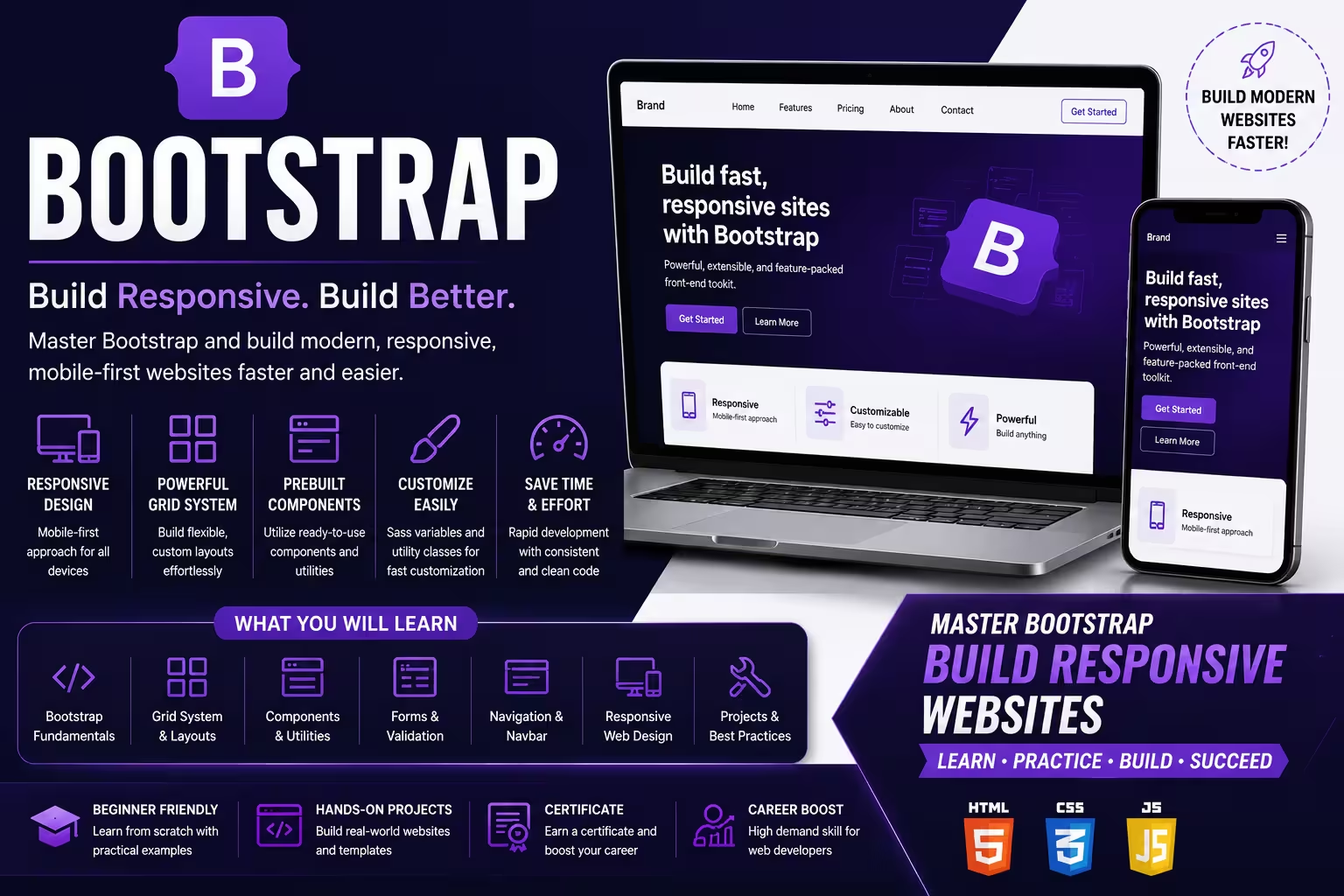
You will learn how to build responsive, mobile-friendly, and modern websites using Bootstrap, including layouts, components, navigation, forms, grids, and UI customization.
2. How does this course prepare you for real-world web development projects?
The course provides hands-on experience in creating responsive websites, landing pages, admin dashboards, business websites, and web applications using the Bootstrap framework.
3. What practical skills will you develop during the training?
You will gain expertise in Bootstrap Grid System, responsive web design, CSS utilities, Bootstrap components, forms, navigation bars, cards, modals, and website customization.
4. How will real-time projects improve your Bootstrap development skills?
You will work on practical projects involving business websites, e-commerce landing pages, portfolio websites, admin dashboards, and responsive user interfaces.
5. What career opportunities can you pursue after learning Bootstrap?
This course prepares you for roles such as Frontend Developer, Web Developer, UI Developer, HTML/CSS Developer, Web Designer, and Full Stack Developer.
Popular Techniques Covered in This Course
1.HTML and CSS Fundamentals
2.Understanding Bootstrap Grid System
3.Responsive Design Principles
4.Bootstrap Typography and Headings
5.Utility and Helper Classes
6.Bootstrap Components (Buttons, Cards, Navbars)
7.Forms and Form Validation
8.JavaScript Plugins (Modals, Tooltips, Dropdowns)
9.Customizing Bootstrap with Sass
10.Accessibility Best Practices
11.Integrating Bootstrap with JavaScript Frameworks
12.Debugging and Cross-Browser Compatibility
Get Hands-on Knowledge about Real-Time Projects
Project 1
Project 1: Responsive Business Website
Build a professional business website with responsive navigation, service sections, contact forms, and modern UI components using Bootstrap.
Project 2
Project 2: E-Commerce Landing Page
Develop a responsive landing page featuring product listings, promotional banners, pricing sections, and customer testimonials.
Project 3
Project 3: Personal Portfolio Website
Create a mobile-friendly portfolio website showcasing skills, projects, resume, and contact information with Bootstrap.
Project 4
Project 4: Admin Dashboard Interface
Design a responsive admin dashboard with charts, navigation menus, tables, cards, and user management pages.
Project 5
Project 5: Online Education Website
Develop a responsive training institute website with course listings, registration forms, testimonials, and inquiry pages.
Key Features
Edubrights offers Bootstrap Training in virtual mode with expert trainers. Here are the key features,
40 Hours Course Duration
100% Job Oriented Training
Industry Expert Faculties
Free Demo Class Available
Completed 500+ Batches
Certification Guidance
Curriculum
Module 1: Introduction to Bootstrap
- Overview of the Bootstrap framework and its purpose
- Methods to include Bootstrap in your projects (using CDN and local files)
- Understanding Bootstrap's importance in creating responsive web designs
- Compatibility across different browsers and key Bootstrap features
- Basic Bootstrap components focusing on layouts and content structure
Module 2: Intermediate Bootstrap Techniques
- Exploring the wide range of built-in Bootstrap components and utility classes
- How to effectively use helper classes for styling and layout
- Introduction to Bootstrap icons and their usage
- Deep dive into the Bootstrap grid system for crafting responsive layouts
- Customizing card components to fit design needs
- Brief insight into integrating Bootstrap with React applications
Module 3: Advanced Components and Interactive Features
- Building navigation bars and menus that adapt to different screen sizes
- Designing forms and implementing validation with Bootstrap classes
- Using modals, alerts, and other interactive UI elements
- Leveraging Bootstrap’s JavaScript plugins such as tooltips, popovers, carousels, and dropdowns
Module 4: Customizing and Theming Bootstrap
- Personalizing Bootstrap styles using Sass variables
- Creating and applying custom themes tailored to project requirements
- Managing responsive images and media elements
- Ensuring accessibility and following best practices for inclusive design
Module 5: Practical Project and Evaluation
- Developing a fully responsive website utilizing Bootstrap components and utilities
- Applying all learned concepts to real-world scenarios
- Final assessment through quizzes and project submission for certification
Receive Training From Our Skilled and Effective Trainers
Experience in the Industry Gain knowledge from experts with practical Bootstrap project experience in a variety of sectors.
Backgrounds at the Top Prominent corporations such as HCL, TCS, Accenture, and Cognizant employed trainers.
Clear & Effective Teaching Excellent communication and real-world examples simplify complex subjects.
Hands-On Learning Focus Students can apply their abilities in real-world situations with the use of case studies and real-time projects.
Up-to-Date Knowledge Trainers stay current with the latest tools, techniques and best practices.
Succeed Our Resourceful Certification
Our institute offers a comprehensive Bootstrap certification that equips you with the skills to build responsive, mobile-first websites using the latest Bootstrap framework. The certification covers essential concepts like the grid system, components, utilities, and JavaScript plugins through practical, hands-on projects. Completing this course validates your expertise and enhances your career opportunities in front-end web development.
Course FAQs
1. What is Bootstrap?
Bootstrap is a popular open-source front-end framework used to create responsive and mobile-first websites quickly with pre-designed CSS and JavaScript components.
2. How does the Bootstrap grid system work?
It uses a 12-column flexible grid layout with rows and columns, allowing developers to build responsive designs that adjust across different screen sizes using predefined breakpoints.
3. What are Bootstrap components?
Reusable UI elements like buttons, modals, navbars, forms, alerts, and cards that help build consistent and interactive web interfaces.
4. What is the difference between .container and .container-fluid?
.container provides a fixed-width responsive layout, while .container-fluid spans the full width of the viewport for fluid layouts.
5. How do you create a modal in Bootstrap?
By using a <div> with classes like .modal and .fade, and including modal header, body, and footer sections to organize content.
6. What are Bootstrap breakpoints?
Specific screen widths (e.g., xs, sm, md, lg, xl) where the layout adapts to provide an optimal viewing experience on different devices.
7. How does Bootstrap ensure browser compatibility?
By using standardized CSS with vendor prefixes and a mobile-first approach, Bootstrap supports all modern browsers consistently.
8. What is the role of Bootstrap’s JavaScript plugins?
They add interactivity to components such as tooltips, popovers, dropdowns, carousels, and modals, enhancing user experience.
9. How does Bootstrap support accessibility?
Bootstrap incorporates semantic HTML, ARIA roles, keyboard navigation, and focus management to make websites usable for people with disabilities
10. What are utility classes in Bootstrap?
Predefined classes for spacing, colors, display, and alignment that help quickly style elements without writing custom CSS.
Get Training Quote for Free
Testimonials
Hear What Our Students Say
"Transform your life through Education, hear it from our Alumni"

6 LPA
Fathima
Student
Software Engineer