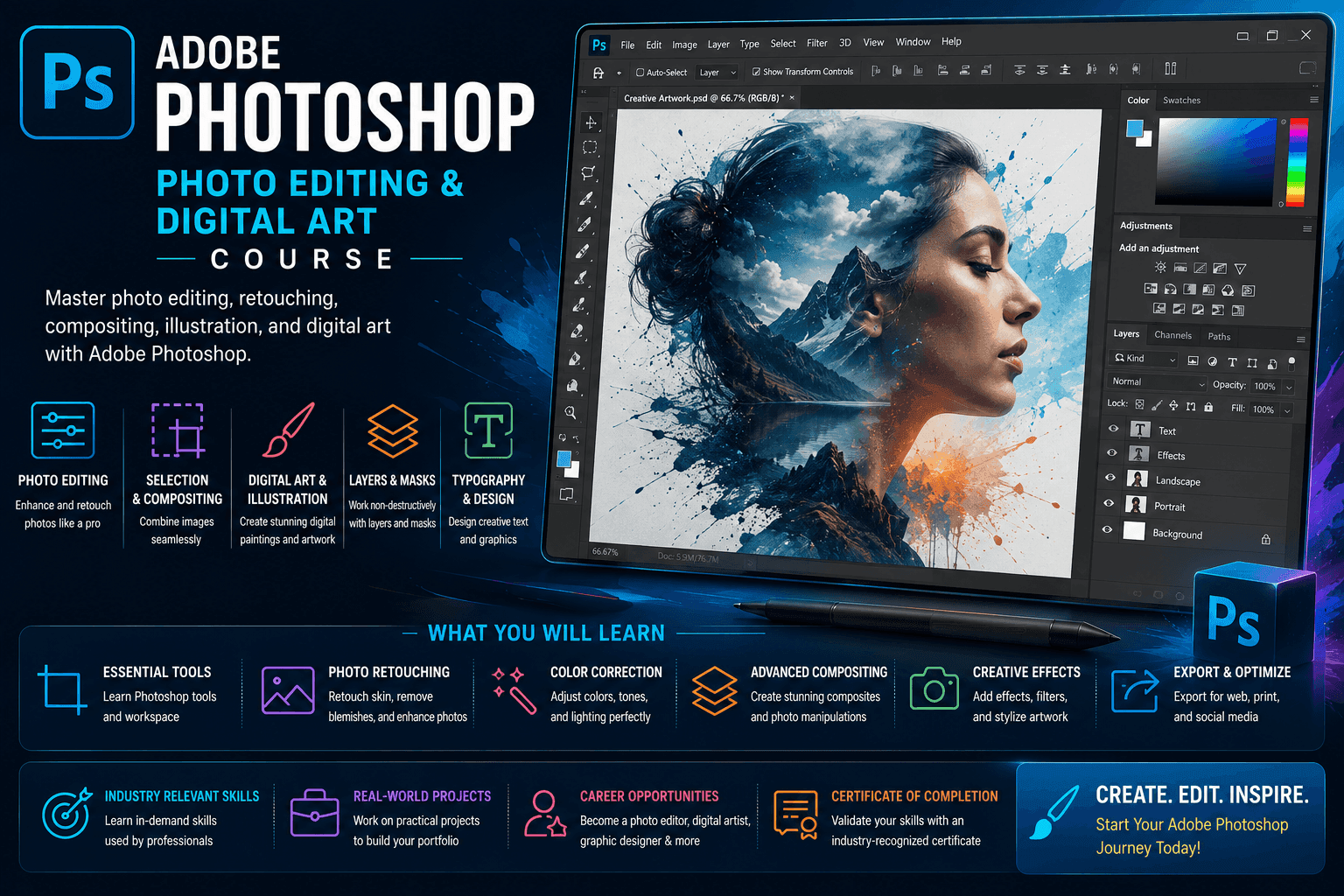
Course Objectives
1. Master Adobe Photoshop Fundamentals
Learn the core features of Adobe Photoshop, including tools, panels, layers, selections, and workspace customization for professional photo editing and digital design.
2. Develop Professional Photo Editing Skills
Gain the ability to enhance, retouch, correct, and transform images using industry-standard photo editing techniques.
3. Create Stunning Digital Artwork
Learn how to design digital illustrations, creative graphics, concept art, and visual content using Photoshop's powerful design tools.
4. Understand Image Manipulation and Compositing
Master advanced techniques such as background removal, photo manipulation, blending modes, masking, and compositing multiple images.
5. Design Content for Print and Digital Media
Create marketing materials, social media graphics, banners, posters, and branding assets for both print and online platforms.
6. Build a Professional Design Portfolio
Develop real-world projects that showcase your photo editing, graphic design, and digital art skills for career growth and freelancing opportunities.
Popular Techniques Covered in This Course
1. Photo Retouching
2. Layer Management
3. Image Manipulation
4. Color Correction
5. Background Removal
6. Digital Painting
7. Typography Design
8. Social Media Graphic Design
9. Print Design Preparation
10. Creative Visual Design
Get Hands-on Knowledge about Real-Time Projects
Project 1
1. Professional Portrait Retouching Project
Edit and enhance portrait photographs by applying skin retouching, color correction, lighting adjustments, and professional finishing techniques.
Project 2
2. Social Media Marketing Campaign Design
Create a complete set of social media posts, banners, and promotional graphics for a business or brand.
Project 3
3. Creative Photo Manipulation Artwork
Design a fantasy or conceptual artwork by combining multiple images, effects, and creative visual elements.
Project 4
4. Business Branding and Poster Design
Develop professional branding materials including posters, advertisements, and promotional graphics for a company.
Project 5
5. Digital Art and Illustration Project
Create an original digital illustration using Photoshop brushes, layers, textures, and artistic design techniques.
Key Features
Edubrights offers ADOBE PHOTOSHOP – PHOTO EDITING & DIGITAL ART Training in virtual mode with expert trainers. Here are the key features,
40 Hours Course Duration
100% Job Oriented Training
Industry Expert Faculties
Free Demo Class Available
Completed 500+ batches
Certification Guidance
Curriculum
Module 1: Introduction to Adobe Photoshop
- Photoshop overview: raster editing, compositing, and digital art
- Workspace: Tools panel, Options bar, Layers, and Properties panels
- Document setup: resolution, colour mode, and canvas size
- File formats: PSD, JPEG, PNG, TIFF, and when to use each
Module 2: Selections and Masking
- Selection tools: rectangular marquee, lasso, and object selection
- Quick Selection and Magic Wand for region-based selection
- Refine Edge and Select and Mask for hair and complex edges
- Layer masks: non-destructive masking for compositing
Module 3: Layers and Blending
- Layer types: pixel, adjustment, fill, shape, and smart object layers
- Layer organisation: groups, naming conventions, and colour coding
- Blending modes: multiply, screen, overlay, and luminosity explained
- Smart Objects: non-destructive editing and linked smart objects
Module 4: Photo Retouching and Restoration
- Healing Brush and Spot Healing for blemish and dust removal
- Clone Stamp: replacing image areas with sampled content
- Content-Aware Fill and Generative Fill for background removal
- Frequency Separation: professional skin retouching technique
Module 5: Colour Correction and Grading
- Levels, Curves, and Hue/Saturation adjustment layers
- Camera Raw filter: non-destructive RAW and JPEG processing
- Colour grading: creating cinematic colour looks with curves
- Selective colour: adjusting individual colour ranges precisely
Module 6: Photo Compositing
- Extracting subjects: removing and replacing backgrounds
- Perspective matching: blending elements with correct vanishing points
- Light and shadow: adding realistic shadows and light effects
- Composite colour matching: unifying colour across multiple images
Module 7: Digital Art and Text Effects
- Digital painting: brush settings, pressure sensitivity, and texture
- Text effects: layer styles, bevel, emboss, and gradient overlay
- Photo manipulation: surreal and creative compositing techniques
- Actions and batch processing: automating repetitive Photoshop tasks
Module 8: Capstone Project and Assessment
- Photo retouching project: portrait retouching with frequency separation
- Photo composite: multi-image scene with realistic lighting and masking
- Digital art or text effect design project
- Final assessment and course certification
Receive Training From Our Skilled and Effective Trainers
Experience in the Industry Learn from professional Photoshop artists and retouchers who have worked on commercial photography retouching, advertising composites, and digital art for brands, publications, and creative agencies.
Backgrounds at the Top Our Adobe Photoshop trainers have worked at photography studios, advertising agencies, and visual effects houses where Photoshop is the primary tool for image manipulation and digital compositing.
Clear & Effective Teaching Photoshop workspace, selections, layer masking, retouching, colour correction, photo compositing, digital painting, text effects, and automation are explained with real professional photo editing examples.
Hands-On Learning Focus Students retouch portraits, build photo composites, apply colour grades, create digital art, design text effects, and automate workflows through structured hands-on Photoshop project labs.
Up-to-Date Knowledge Trainers keep content current with the latest Adobe Photoshop releases, Generative AI and Firefly integration, Content-Aware tools, and evolving professional photo editing and retouching best practices.
Certified Adobe Photoshop Photo Editing & Digital Art Professional
Our institution offers a recognized ADOBE PHOTOSHOP – PHOTO EDITING & DIGITAL ART certification. This certification enhances your portfolio and prepares you for collaborative projects in real-world environments. Gain practical skills through hands-on training and assessments.

Course FAQs
1. What is Adobe Photoshop?
Adobe Photoshop is a professional image editing and digital design software used for photo editing, graphic design, digital painting, and visual content creation.
2. Who should take this Photoshop course?
Students, graphic designers, photographers, digital artists, content creators, marketers, and creative professionals can benefit from this course.
3. Are there any prerequisites for learning Photoshop?
No. This course is suitable for beginners as well as individuals looking to improve their design skills.
4. What will I learn in this Photoshop training?
You will learn photo editing, retouching, image manipulation, graphic design, digital painting, and creative artwork development.
5. Is Photoshop difficult to learn?
No. With proper guidance and practice, beginners can quickly learn Photoshop and build professional editing skills.
6. Can I use Photoshop for graphic design?
Yes. Photoshop is widely used for creating logos, posters, advertisements, social media graphics, and marketing materials.
7. What is photo retouching?
Photo retouching is the process of improving images by correcting imperfections, enhancing colors, and refining visual details.
8. Can Photoshop be used for digital painting?
Yes. Photoshop offers advanced brushes and tools that support digital illustration and artistic creations.
9. What industries use Photoshop?
Photography, advertising, marketing, publishing, media, entertainment, fashion, and e-commerce industries use Photoshop extensively.
10. Does the course include practical projects?
Yes. The training includes hands-on projects that simulate real-world design and photo editing tasks.
11. Can I create social media graphics with Photoshop?
Yes. Photoshop is one of the most popular tools for designing professional social media content.
12. Is Photoshop useful for freelancers?
Yes. Photoshop skills are highly valuable for freelance graphic designers, photo editors, and digital artists.
13. What file formats can Photoshop work with?
Photoshop supports PSD, JPEG, PNG, TIFF, GIF, PDF, and many other image formats.
14. How long does it take to learn Photoshop?
Basic skills can be learned within a few weeks, while advanced techniques require regular practice and project experience.
15. What career opportunities are available after completing this course?
You can pursue roles such as Graphic Designer, Photo Editor, Digital Artist, Creative Designer, Visual Content Creator, and Freelance Designer.
Get Training Quote for Free
Testimonials
Hear What Our Students Say
"Transform your life through Education, hear it from our Alumni"

8 LPA
Siddharth
NIELSON IQ
Data Analyst
"Transform your life through Education, hear it from our Alumni"

6 LPA
Fathima
Student
Software Engineer
"Transform your life through Education, hear it from our Alumni"

8 LPA
Rahul
Student
Data Scientist