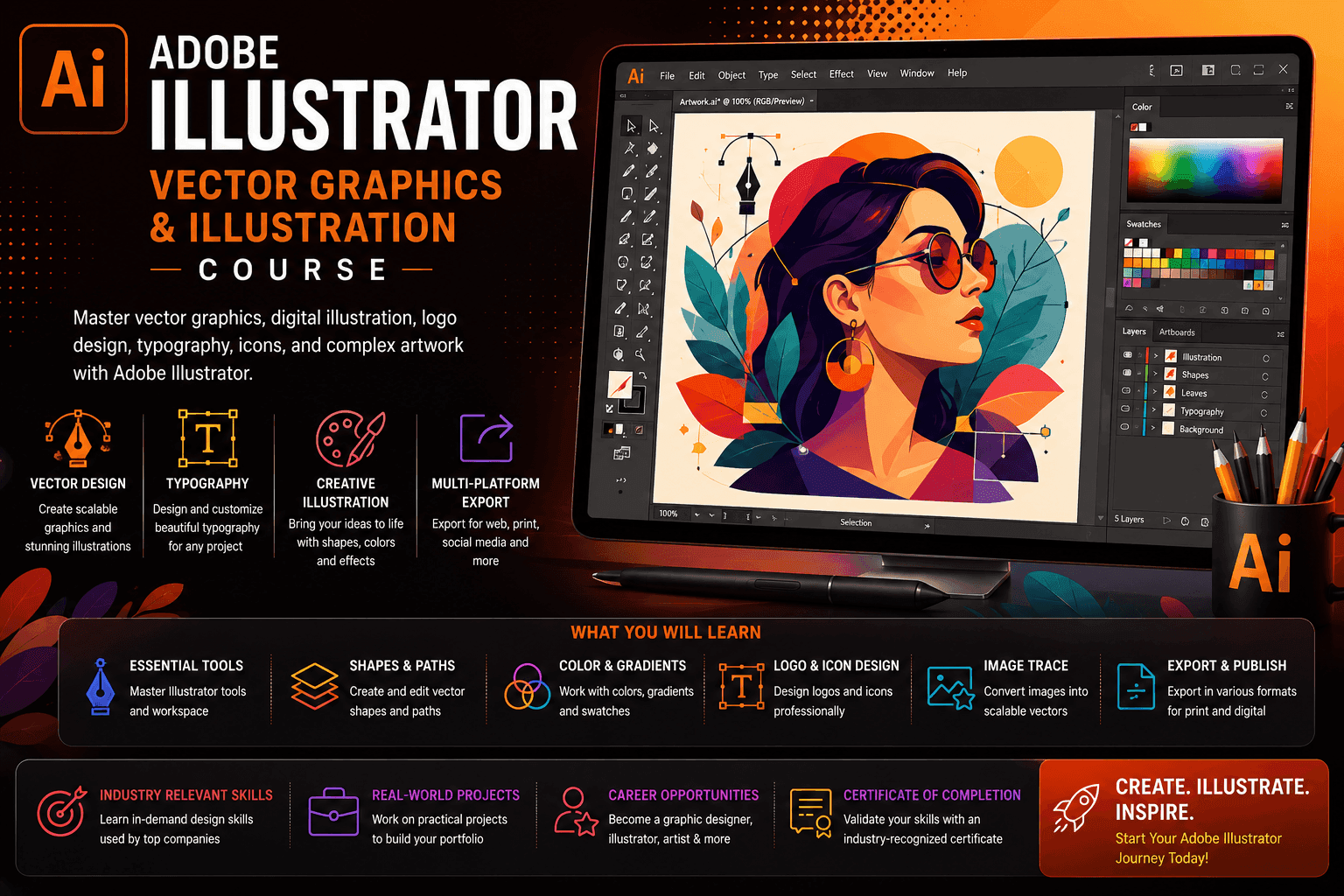
Course Objectives
1. What is Adobe Illustrator and why is it used in professional design?
Learn how vector-based design enables scalable, high-quality graphics for branding, print, and digital media.
2. Why is vector graphics important in modern branding and marketing?
Understand how businesses use vector designs for logos, identity systems, packaging, and advertising materials.
3. Which tools and techniques are used in Illustrator for design creation?
Explore pen tool mastery, shape building, path operations, color theory, typography, and illustration workflows.
4. How does Illustrator support professional branding and UI design?
Learn how vector assets are used across websites, mobile apps, social media, and marketing campaigns.
Popular Techniques Covered in This Course
Adobe Illustrator interface mastery
Vector drawing fundamentals
Pen tool techniques
Shape building and pathfinder operations
Logo design principles
Brand identity design
Typography design
Color theory and palettes
Icon design systems
Illustration techniques
Get Hands-on Knowledge about Real-Time Projects
Project 1
1 Logo Design & Brand Identity Project
Create a complete brand identity for a fictional company. Tasks: Design logo variations Create color palette system Develop typography style Build brand guideline sheet
Project 2
2 Social Media Design Project
Design engaging visuals for marketing campaigns. Tasks: Create Instagram posts Design banners and ads Maintain brand consistency Optimize for digital platforms
Project 3
3 Vector Illustration Project
Create professional digital illustrations using vector techniques. Tasks: Develop character illustrations Create flat design artwork Use pen tool for precision drawing Apply shading and gradients
Project 4
4 Packaging Design Project
Design product packaging for a commercial brand. Tasks: Create label design Apply brand identity Design print-ready packaging layout Prepare production files
Project 5
5 Infographic Design Project
Build data-driven visual storytelling graphics. Tasks: Convert data into visuals Design charts and icons Structure information hierarchy Optimize readability and layout
Key Features
Edubrights offers ADOBE ILLUSTRATOR – VECTOR GRAPHICS & ILLUSTRATION Training in virtual mode with expert trainers.Here are the Key Features,
40 Hours Course Duration
100% Job Oriented Training
Industry Expert Faculties
Free Demo Class Available
Completed 500+ batches
Certification Guidance
Curriculum
Module 1: Introduction to Adobe Illustrator
- Illustrator overview: vector graphics and its advantages over raster
- Illustrator workspace: artboards, panels, rulers, and guides
- Document setup: artboard size, colour mode, and resolution settings
- Basic shapes: rectangle, ellipse, polygon, and star tools
Module 2: Pen Tool and Paths
- Pen tool fundamentals: anchor points, handles, and direction lines
- Drawing straight and curved paths with precision
- Path editing: adding, deleting, and converting anchor points
- Compound paths: combining multiple paths into one object
Module 3: Colour and Fills
- Fill and stroke: solid colour, gradient, and pattern fills
- Colour panel and swatches: creating and saving custom colour palettes
- Global colours: updating brand colours across entire artwork
- Gradient tool: linear, radial, and freeform gradient creation
Module 4: Typography in Illustrator
- Type tool: point type, area type, and type on a path
- Character and paragraph panels: font, size, leading, and tracking
- Outline text: converting type to vector paths for logos
- Text effects: warping, envelope distortion, and 3D text
Module 5: Shape Builder and Pathfinder
- Shape Builder tool: intuitively merging and subtracting shapes
- Pathfinder operations: unite, minus front, intersect, and exclude
- Live Paint: filling regions within overlapping paths
- Clipping masks: masking artwork inside a shape boundary
Module 6: Illustration Techniques
- Flat design illustration: creating scenes with simple geometric shapes
- Gradient mesh: creating realistic shading and dimension
- Symbols and pattern brushes: repeating design elements efficiently
- Tracing: Live Trace for converting raster images to vectors
Module 7: Logo Design and Brand Assets
- Logo design workflow: concept sketching and Illustrator execution
- Icon design: creating a consistent icon set for UI or brand use
- Infographic design: combining type, icons, and charts in Illustrator
- Export formats: SVG, EPS, PDF, and PNG for different use cases
Module 8: Capstone Project and Assessment
- Logo design project: complete brand mark from concept to final vector
- Illustrated scene: flat design illustration with multiple elements
- Icon set design: 10 consistent icons for a chosen theme
- Final assessment and course certification
Receive Training From Our Skilled and Effective Trainers
Experience in the Industry Gain expertise from professional Illustrator users who have designed logos, brand identities, editorial illustrations, icon sets, and infographics for clients across technology, publishing, and consumer goods industries.
Backgrounds at the Top Our Adobe Illustrator trainers have worked at design studios and freelance illustration careers, bringing real professional vector artwork experience to structured teaching.
Clear & Effective Teaching Illustrator workspace, pen tool, colour and fills, typography, Shape Builder, Pathfinder, illustration techniques, logo design, and export formats are explained with real vector design project examples.
Hands-On Learning Focus Students master the pen tool, create logos and icons, build illustrated scenes, design infographics, and export professional vector assets through structured hands-on Illustrator project labs.
Up-to-Date Knowledge Trainers keep content current with the latest Adobe Illustrator releases, Generative AI features in Illustrator, vector illustration trends, and evolving professional vector design best practices.
About Our Course Certification*
Our institution offers a recognized Adobe Illustrator – Vector Graphics & Illustration certification. This certification enhances your portfolio and prepares you for collaborative projects in real-world environments. Gain practical skills through hands-on training and assessments.

Course FAQs
1. What is Adobe Illustrator used for?
Adobe Illustrator is used for creating vector graphics like logos, illustrations, and branding materials.
2. Who should learn Adobe Illustrator?
Students, designers, marketers, entrepreneurs, and creative professionals.
3. Is Illustrator difficult for beginners?
No, it becomes easy with practice and step-by-step training.
4. What is vector design?
Vector design uses mathematical paths instead of pixels, making graphics scalable without losing quality.
5. Is Illustrator used in companies?
Yes, it is widely used in advertising, branding, publishing, and digital media industries.
6. What jobs can I get after learning Illustrator?
Graphic Designer, Logo Designer, Illustrator Artist, and Branding Designer roles.
7. Do I need drawing skills?
Basic creativity helps, but drawing skills are not mandatory.
8. Can Illustrator be used for UI design?
Yes, it is used for icons, assets, and UI illustrations, though Figma is more common for full UI design.
9. Is Illustrator good for freelancing?
Yes, it is widely used for freelance logo and branding projects.
10. What is the difference between Photoshop and Illustrator?
Photoshop is pixel-based editing, while Illustrator is vector-based design.
11. Does this course include real projects?
Yes, it includes logo design, branding, packaging, and illustration projects.
12. Is Illustrator still in demand?
Yes, vector design is essential in branding, marketing, and digital design industries.
Get Training Quote for Free
Testimonials
Hear What Our Students Say
"Transform your life through Education, hear it from our Alumni"

8 LPA
Siddharth
NIELSON IQ
Data Analyst
"Transform your life through Education, hear it from our Alumni"

8 LPA
Rahul
Student
Data Scientist
"Transform your life through Education, hear it from our Alumni"

6 LPA
Fathima
Student
Software Engineer