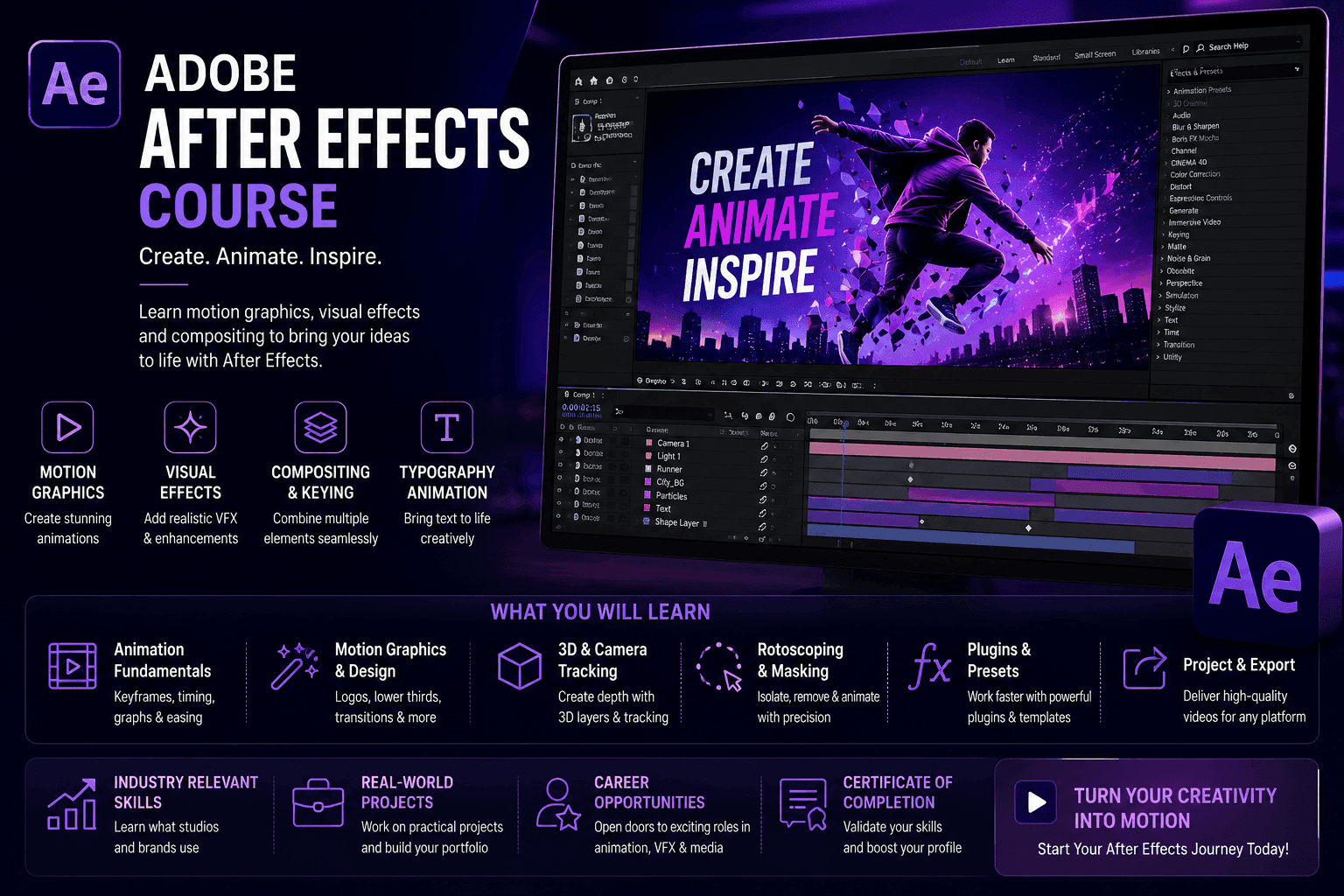
Course Objectives
1. What is the business value of integrating motion graphics into corporate media?
You will learn to transform dry corporate data and static user interfaces into highly engaging, kinetic explainer videos. By animating complex information, you provide marketing and sales teams with high-conversion assets that clearly explain product value to enterprise clients.
2. How do VFX artists seamlessly composite digital elements into live-action footage?
You will master advanced rotoscoping and chroma keying. The curriculum teaches you to extract subjects from green screens, remove unwanted background objects, and blend digital 3D models into live video seamlessly, ensuring perfect lighting and color matching.
3. Which techniques are used to track moving objects within a video scene?
You will gain absolute fluency in planar tracking and 3D camera tracking. You will learn to use tools like Mocha AE to analyze pixel movement, allowing you to attach floating text, replace screen displays, or stabilize shaky camera footage with millimeter precision.
4. What skills are required to automate complex, repetitive animations?
You will explore the power of After Effects Expressions. Rather than setting thousands of manual keyframes, you will learn to write small JavaScript-based code snippets that dynamically link animation properties, creating complex, physics-based movements instantly.
Popular Techniques Covered in This Course
1. Architecting advanced motion graphics using precise keyframe interpolation and the Graph Editor
2. Executing professional chroma keying (green screen removal) using Keylight and advanced edge refinement.
3. Tracking live-action pixel movement using the native 3D Camera Tracker and Mocha AE.
4. Designing kinetic typography and broadcast-ready lower thirds for corporate video production.
5. Writing JavaScript-based Expressions to automate physics, looping animations, and complex wiggles.
6. Animating vector graphics natively by integrating seamlessly with Adobe Illustrator source files.
7. Performing digital clean-up, wire removal, and advanced rotoscoping with the Roto Brush tool.
8. Building deep 2.5D visual environments using 3D layers, custom lighting, and depth-of-field cameras.
9. Organizing massive project timelines utilizing parent-child linking, Null objects, and Pre-compositions.
10. Exporting optimized video payloads for various broadcast and web platforms using Adobe Media Encoder.
Get Hands-on Knowledge about Real-Time Projects
Project 1
1. UI/UX App Explainer Animation
Goal: Create a high-converting promotional video demonstrating a new mobile application's workflow.Key Skills: Vector animation, parenting, easing, continuous rasterization. Tasks:1. Import layered vector UI screens from Adobe Illustrator, retaining shape paths and scalability.2. Build a parent-child hierarchy to animate scrolling menus and button clicks realistically.3. Utilize the Graph Editor to apply ease-in and ease-out velocity to mimic natural swiping physics. 4. Export the sequence as a compressed, web-ready asset for the client's landing page.
Project 2
2. Broadcast Lower Thirds & Title Sequence
Goal: Design a reusable, branded graphics package for a corporate news broadcast. Key Skills: Kinetic typography, alpha channels, Essential Graphics, MOGRTs. Tasks: 1. Design a multi-layered text animation featuring masked reveals and dynamic brand colors. 2. Program slider controls to allow external editors to change the text and colors without opening After Effects. 3. Package the entire composition into a Motion Graphics Template (MOGRT).
Project 3
3. Cinematic Green Screen Compositing
Goal: Place an actor shot on a soundstage into a realistic, digital 3D environment.Key Skills: Chroma keying, edge refining, color matching, depth of field.Tasks:1. Apply the Keylight effect to remove the green background while preserving fine hair details. 2. Implement edge blur and spill suppression to remove green color reflections from the actor's skin.3. Drop the keyed footage into a 3D digital background, matching the artificial lighting source to the studio lights.
Project 4
4. Advanced Screen Replacement via Planar Tracking
Goal: Replace the screen of a moving smartphone in a live-action commercial with a custom video feed. Key Skills: Mocha AE, planar tracking, corner pinning, motion blur. Tasks: 1. Launch Mocha AE to track the perspective shifts, rotation, and scale of the smartphone screen. 2. Export the tracking data and apply it to a Corner Pin effect on the new screen recording layer. 3. Mask out the actor’s thumb using the pen tool so it realistically overlaps the newly inserted digital screen.
Project 5
5. Data-Driven Automated Graphics using Expressions
Goal: Build an automated infographic chart that scales itself based on imported financial data. Key Skills: JavaScript Expressions, data linking, mathematical operators, slider controls. Tasks: 1. Create a bar chart graphic using shape layers and anchor point adjustments. 2. Write a JavaScript expression linking the scale property of the bar to a numerical text layer. 3. Import a CSV file containing external financial data and link the values directly to the animation properties. 4. Verify that the visual chart updates instantly whenever the source data file is modified.
Key Features
Edubrights offers ADOBE AFTER EFFECTS – MOTION GRAPHICS & VFX Training in virtual mode with expert trainers. Here are the key features,
40 Hours Course Duration
100% Job Oriented Training
Industry Expert Faculties
Free Demo Class Available
Completed 500+ batches
Certification Guidance
Curriculum
Module 1: Introduction to Adobe After Effects
- After Effects overview: motion graphics, compositing, and visual effects
- After Effects workspace: composition, timeline, and effects panels
- Compositions: settings, pre-composing, and nested compositions
- Importing assets: footage, images, Illustrator, and Photoshop files
Module 2: Animation Fundamentals
- Keyframes: setting, editing, and easing keyframe values
- Graph Editor: controlling animation speed and easing curves
- Transform properties: position, scale, rotation, opacity, and anchor point
- Parenting: linking layers for hierarchical animation control
Module 3: Text Animation
- Text layer creation: character and paragraph settings
- Text animators: animating individual characters, words, and lines
- Preset text animations: applying and customising built-in presets
- Kinetic typography: syncing text animation to audio
Module 4: Shape Layers and Motion Graphics
- Shape layers: creating and animating vector shapes in After Effects
- Trim paths: animating line drawing and shape reveal effects
- Repeater: creating pattern and grid animations with shape layers
- Motion graphics design: animated logo reveals and lower thirds
Module 5: Masking and Compositing
- Masks: creating and animating layer masks for reveals and cutouts
- Track Matte: using alpha and luma mattes for compositing
- Green screen keying: Keylight plugin for chroma key removal
- Blending modes: compositing layers with multiply, screen, and add
Module 6: Visual Effects
- Motion tracking: linking elements to moving footage
- Stabilisation: Warp Stabilizer for shaky footage correction
- Particle effects: CC Particle World and Particular for fire, smoke, and snow
- Glows, flares, and light leaks: cinematic VFX elements
Module 7: 3D Space and Camera
- 3D layers: enabling and positioning layers in 3D space
- Cameras: creating and animating After Effects cameras
- Lights: point, spot, and ambient lighting for 3D compositions
- Cinema 4D Lite integration: basic 3D objects in After Effects
Module 8: Capstone Project and Assessment
- Animated logo reveal with shape layers and motion graphics
- Kinetic typography video synced to audio track
- Visual effects composite: tracked element integrated into live footage
- Final assessment and course certification
Receive Training From Our Skilled and Effective Trainers
Experience in the Industry Learn from After Effects motion designers and VFX artists who have created animated title sequences, motion graphics packages, broadcast graphics, and visual effects for television, advertising, and digital content.
Backgrounds at the Top Our After Effects trainers have worked at motion design studios, broadcast post-production companies, and digital agencies delivering animated content for global brands and media organisations.
Clear & Effective Teaching After Effects composition, keyframe animation, text animation, shape layers, masking, compositing, motion tracking, particle effects, 3D space, and camera animation are taught with real motion design project examples.
Hands-On Learning Focus Students animate logo reveals, create kinetic typography, composite VFX elements, build motion graphics packages, and work with 3D camera through structured hands-on After Effects project labs.
Up-to-Date Knowledge Trainers keep content current with the latest Adobe After Effects releases, AI-powered Roto Brush updates, integration with Adobe Firefly, and evolving motion design and visual effects best practices.
Succeed Our Resourceful Certification
Our institution offers a recognized ADOBE AFTER EFFECTS – MOTION GRAPHICS & VFX certification. This certification enhances your portfolio and prepares you for collaborative projects in real-world environments. Gain practical skills through hands-on training and assessments.

Course FAQs
1. What is the operational difference between Adobe Premiere Pro and Adobe After Effects?
Premiere Pro is a Non-Linear Editor (NLE) designed for assembling raw footage, cutting clips, and mixing audio on a horizontal timeline. After Effects is a compositing and animation engine used to build complex visual effects and motion graphics on a vertical, layer-heavy timeline. They are meant to be used together, not as substitutes for one another.
2. Do I need to be a skilled illustrator or graphic designer to learn After Effects?
No. While knowing how to draw is helpful, modern motion designers frequently animate existing assets provided by graphic design teams (like logos, UI screens, and vector illustrations). The core skill is understanding movement, timing, and software mechanics, not necessarily illustration.
3. What is keyframe interpolation and why does the Graph Editor matter?
A keyframe tells the software where an object should be at a specific time. Interpolation controls the speed at which it gets there. Without the Graph Editor, animations look robotic and linear. By manipulating velocity curves in the Graph Editor, you add realistic physics (like ease-in and ease-out) to your animations.
4. How heavily does After Effects rely on coding?
For standard animation and compositing, zero coding is required. However, for elite-level workflow automation, you will learn to use "Expressions"—short snippets of JavaScript that can link parameters together (e.g., making a wheel spin automatically based on a car's horizontal position) to save hours of manual keyframing.
5. Can After Effects handle 3D animation?
After Effects is primarily a 2.5D program—meaning you can manipulate flat 2D layers in a 3D space with virtual cameras and lights. However, it also includes Cinema 4D Lite natively, allowing you to import and render true 3D geometry seamlessly within your composition.
6. What is rotoscoping and when is it used?
Rotoscoping is the process of manually or semi-automatically tracing an object (like a person) in moving video footage to separate it from its background. It is used when footage was not shot on a green screen, allowing VFX artists to place text or digital objects behind the moving subject.
7. What are the hardware requirements to run After Effects smoothly?
Because After Effects processes visual data heavily into RAM for real-time playback, memory is critical. While 16GB of RAM is the minimum, 32GB to 64GB is highly recommended for professional enterprise workflows, alongside a dedicated GPU and a fast SSD for media cache storage.
8. How does Dynamic Link improve the video editing workflow?
Dynamic Link is Adobe’s integration technology. It allows you to place an After Effects composition directly onto a Premiere Pro timeline without rendering it first. If you update the animation in After Effects, the changes instantly reflect in Premiere Pro, saving massive amounts of time.
9. Is Mocha AE included with standard After Effects?
Yes. A specialized version called Mocha AE is bundled natively with Adobe After Effects. It is the industry standard for planar tracking, allowing you to easily track the movement of flat surfaces (like screens, signs, or walls) even if they go out of focus or off-camera.
10. What is a Motion Graphics Template (MOGRT)?
A MOGRT is a packaged graphic file created in After Effects. An animator builds a complex title sequence, locks the heavy animation layers, and exports it so a video editor can simply drop it into Premiere Pro and change the text or colors without needing to know how to animate.
11. Are remote freelance opportunities available for Motion Graphics designers?
Extremely available. Because digital files can be transferred globally, motion design is one of the most remote-friendly careers in the creative industry. Freelance motion designers command premium rates on global platforms to create corporate explainers, logo reveals, and social media ads
12. Why do corporate IT and software companies hire VFX artists?
Software interfaces are notoriously boring to look at in a standard video. Tech companies hire motion designers to animate their software dashboards, create kinetic typography for their marketing, and visually demonstrate abstract concepts (like cloud computing or cybersecurity) that cannot be filmed with a standard camera.
Get Training Quote for Free
Testimonials
Hear What Our Students Say
"Transform your life through Education, hear it from our Alumni"

8 LPA
Rahul
Student
Data Scientist
"Transform your life through Education, hear it from our Alumni"

8 LPA
Siddharth
NIELSON IQ
Data Analyst
"Transform your life through Education, hear it from our Alumni"

6 LPA
Fathima
Student
Software Engineer