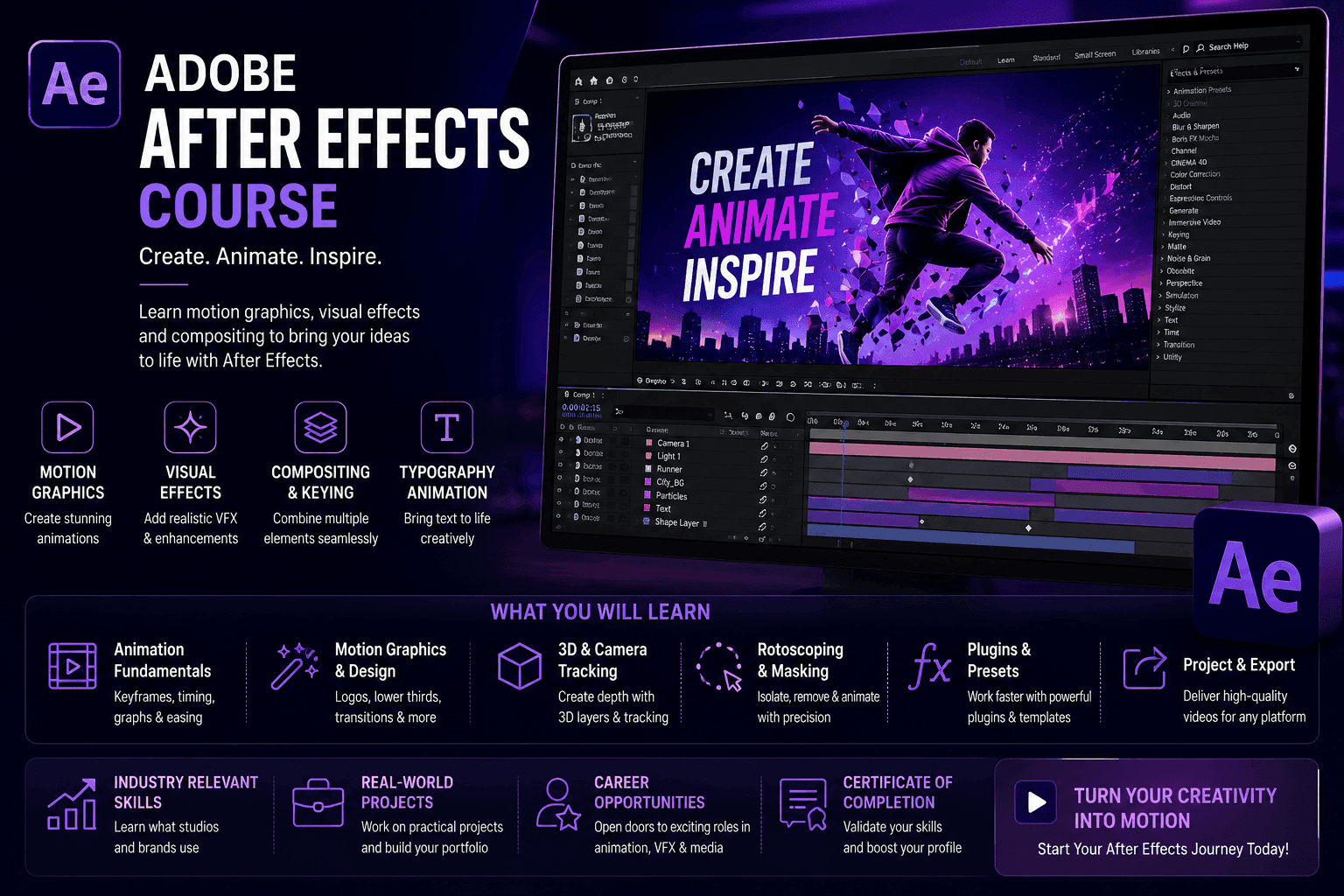
Course Objectives
1. What will I learn by taking the Adobe After Effects – Motion Graphics & VFX course in Bangalore?
You'll build a solid understanding of the core concepts, terminology, and fundamentals of Adobe After Effects – Motion Graphics & VFX, giving you a strong foundation to build on.
2. What hands-on skills will I gain from the Adobe After Effects – Motion Graphics & VFX training?
You'll get hands-on experience with industry-relevant Adobe After Effects – Motion Graphics & VFX tools and workflows through guided exercises, so you learn by doing rather than just reading theory.
3. How does the Adobe After Effects – Motion Graphics & VFX course prepare me for real-world work?
The Adobe After Effects – Motion Graphics & VFX course is designed around how Adobe After Effects – Motion Graphics & VFX is actually applied to solve real-world problems in professional settings, not just textbook scenarios.
4. What practical, job-ready skills will I build during Adobe After Effects – Motion Graphics & VFX training in Bangalore?
You'll develop the practical skills needed to confidently work with Adobe After Effects – Motion Graphics & VFX on the job, so you're ready to contribute from day one in a Adobe After Effects – Motion Graphics & VFX role.
5. Will I work on real projects during the Adobe After Effects – Motion Graphics & VFX course?
Yes, the Adobe After Effects – Motion Graphics & VFX course includes real-time projects and case studies that reinforce concepts through practice, giving you portfolio-ready work by the end.
6. How does the Adobe After Effects – Motion Graphics & VFX course help with certification and job interviews?
The Adobe After Effects – Motion Graphics & VFX course is structured to help you prepare for relevant certifications and interviews, covering the concepts and terminology employers and exam boards expect.
Popular Techniques Covered in This Course
1. Architecting advanced motion graphics using precise keyframe interpolation and the Graph Editor
2. Executing professional chroma keying (green screen removal) using Keylight and advanced edge refinement.
3. Tracking live-action pixel movement using the native 3D Camera Tracker and Mocha AE.
4. Designing kinetic typography and broadcast-ready lower thirds for corporate video production.
5. Writing JavaScript-based Expressions to automate physics, looping animations, and complex wiggles.
6. Animating vector graphics natively by integrating seamlessly with Adobe Illustrator source files.
7. Performing digital clean-up, wire removal, and advanced rotoscoping with the Roto Brush tool.
8. Building deep 2.5D visual environments using 3D layers, custom lighting, and depth-of-field cameras.
9. Organizing massive project timelines utilizing parent-child linking, Null objects, and Pre-compositions.
10. Exporting optimized video payloads for various broadcast and web platforms using Adobe Media Encoder.
Get Hands-on Knowledge about Real-Time Projects
Project 1
1. UI/UX App Explainer Animation
Goal: Create a high-converting promotional video demonstrating a new mobile application's workflow.Key Skills: Vector animation, parenting, easing, continuous rasterization. Tasks:1. Import layered vector UI screens from Adobe Illustrator, retaining shape paths and scalability.2. Build a parent-child hierarchy to animate scrolling menus and button clicks realistically.3. Utilize the Graph Editor to apply ease-in and ease-out velocity to mimic natural swiping physics. 4. Export the sequence as a compressed, web-ready asset for the client's landing page.
Project 2
2. Broadcast Lower Thirds & Title Sequence
Goal: Design a reusable, branded graphics package for a corporate news broadcast. Key Skills: Kinetic typography, alpha channels, Essential Graphics, MOGRTs. Tasks: 1. Design a multi-layered text animation featuring masked reveals and dynamic brand colors. 2. Program slider controls to allow external editors to change the text and colors without opening After Effects. 3. Package the entire composition into a Motion Graphics Template (MOGRT).
Project 3
3. Cinematic Green Screen Compositing
Goal: Place an actor shot on a soundstage into a realistic, digital 3D environment.Key Skills: Chroma keying, edge refining, color matching, depth of field.Tasks:1. Apply the Keylight effect to remove the green background while preserving fine hair details. 2. Implement edge blur and spill suppression to remove green color reflections from the actor's skin.3. Drop the keyed footage into a 3D digital background, matching the artificial lighting source to the studio lights.
Project 4
4. Advanced Screen Replacement via Planar Tracking
Goal: Replace the screen of a moving smartphone in a live-action commercial with a custom video feed. Key Skills: Mocha AE, planar tracking, corner pinning, motion blur. Tasks: 1. Launch Mocha AE to track the perspective shifts, rotation, and scale of the smartphone screen. 2. Export the tracking data and apply it to a Corner Pin effect on the new screen recording layer. 3. Mask out the actor’s thumb using the pen tool so it realistically overlaps the newly inserted digital screen.
Project 5
5. Data-Driven Automated Graphics using Expressions
Goal: Build an automated infographic chart that scales itself based on imported financial data. Key Skills: JavaScript Expressions, data linking, mathematical operators, slider controls. Tasks: 1. Create a bar chart graphic using shape layers and anchor point adjustments. 2. Write a JavaScript expression linking the scale property of the bar to a numerical text layer. 3. Import a CSV file containing external financial data and link the values directly to the animation properties. 4. Verify that the visual chart updates instantly whenever the source data file is modified.
Key Features
Edubrights offers ADOBE AFTER EFFECTS – MOTION GRAPHICS & VFX Training in virtual mode with expert trainers. Here are the key features,
40 Hours Course Duration
100% Job Oriented Training
Industry Expert Faculties
Free Demo Class Available
Completed 500+ batches
Certification Guidance
Curriculum
Module 1: Introduction to Adobe After Effects
- After Effects overview: motion graphics, compositing, and visual effects
- After Effects workspace: composition, timeline, and effects panels
- Compositions: settings, pre-composing, and nested compositions
- Importing assets: footage, images, Illustrator, and Photoshop files
Module 2: Animation Fundamentals
- Keyframes: setting, editing, and easing keyframe values
- Graph Editor: controlling animation speed and easing curves
- Transform properties: position, scale, rotation, opacity, and anchor point
- Parenting: linking layers for hierarchical animation control
Module 3: Text Animation
- Text layer creation: character and paragraph settings
- Text animators: animating individual characters, words, and lines
- Preset text animations: applying and customising built-in presets
- Kinetic typography: syncing text animation to audio
Module 4: Shape Layers and Motion Graphics
- Shape layers: creating and animating vector shapes in After Effects
- Trim paths: animating line drawing and shape reveal effects
- Repeater: creating pattern and grid animations with shape layers
- Motion graphics design: animated logo reveals and lower thirds
Module 5: Masking and Compositing
- Masks: creating and animating layer masks for reveals and cutouts
- Track Matte: using alpha and luma mattes for compositing
- Green screen keying: Keylight plugin for chroma key removal
- Blending modes: compositing layers with multiply, screen, and add
Module 6: Visual Effects
- Motion tracking: linking elements to moving footage
- Stabilisation: Warp Stabilizer for shaky footage correction
- Particle effects: CC Particle World and Particular for fire, smoke, and snow
- Glows, flares, and light leaks: cinematic VFX elements
Module 7: 3D Space and Camera
- 3D layers: enabling and positioning layers in 3D space
- Cameras: creating and animating After Effects cameras
- Lights: point, spot, and ambient lighting for 3D compositions
- Cinema 4D Lite integration: basic 3D objects in After Effects
Module 8: Capstone Project and Assessment
- Animated logo reveal with shape layers and motion graphics
- Kinetic typography video synced to audio track
- Visual effects composite: tracked element integrated into live footage
- Final assessment and course certification
Receive Training From Our Skilled and Effective Trainers
Experience in the Industry Gain expertise from Adobe After Effects – Motion Graphics & VFX professionals training in Bangalore who have applied their skills on live projects across corporate, product, and consulting environments, bringing practical, real-world context into every Adobe After Effects – Motion Graphics & VFX session.
Backgrounds at the Top Our Adobe After Effects – Motion Graphics & VFX trainers in Bangalore bring hands-on industry experience, having worked on real Adobe After Effects – Motion Graphics & VFX projects for organizations across various industries before moving into training.
Clear & Effective Teaching Core Adobe After Effects – Motion Graphics & VFX concepts, tools, and workflows are explained using real project examples and practical scenarios, so you understand not just the theory but how Adobe After Effects – Motion Graphics & VFX is actually used on the job.
Hands-On Learning Focus Students get structured, hands-on practice with Adobe After Effects – Motion Graphics & VFX through guided exercises, mini-projects, and lab work designed to build practical, job-ready skills.
Up-to-Date Knowledge Trainers keep the Adobe After Effects – Motion Graphics & VFX curriculum current with the latest tools, versions, and industry best practices, so what you learn stays relevant to how Adobe After Effects – Motion Graphics & VFX is used today in Bangalore and beyond.
Succeed Our Resourceful Certification
Our institution offers a recognized ADOBE AFTER EFFECTS – MOTION GRAPHICS & VFX certification. This certification enhances your design portfolio and prepares you for collaborative projects in real-world environments. Gain practical skills through hands-on training and assessments.

Course FAQs
1. What is the duration of the Adobe After Effects – Motion Graphics & VFX course in Bangalore?
The Adobe After Effects – Motion Graphics & VFX course in Bangalore typically runs from a few weeks up to a couple of months, depending on whether you choose a weekday, weekend, or fast-track batch. Institutes in Bangalore offer flexible schedules so working professionals and students can complete Adobe After Effects – Motion Graphics & VFX training without disrupting their routine.
2. Who can enroll in Adobe After Effects – Motion Graphics & VFX training in Bangalore?
Freshers, graduates, working professionals, and career switchers can all enroll in Adobe After Effects – Motion Graphics & VFX training in Bangalore. Most institutes don't require prior technical experience for the Adobe After Effects – Motion Graphics & VFX course, though a basic understanding of computers is usually helpful before you start.
3. Is the Adobe After Effects – Motion Graphics & VFX course available in online and classroom formats in Bangalore?
Yes, most Adobe After Effects – Motion Graphics & VFX training providers in Bangalore offer online, in-person classroom, and hybrid formats, so you can pick the mode that suits your schedule, location, and learning style.
4. What topics are covered in the Adobe After Effects – Motion Graphics & VFX course syllabus?
The Adobe After Effects – Motion Graphics & VFX course in Bangalore typically covers core concepts, essential tools, and practical, hands-on exercises, building up from fundamentals to real-world application so you can use Adobe After Effects – Motion Graphics & VFX confidently in a professional setting.
5. Will I receive a certificate after completing the Adobe After Effects – Motion Graphics & VFX course in Bangalore?
Yes, learners receive a course-completion certificate after finishing Adobe After Effects – Motion Graphics & VFX training in Bangalore. This certificate can be added to your resume and LinkedIn profile as proof of your Adobe After Effects – Motion Graphics & VFX skills.
6. Does Adobe After Effects – Motion Graphics & VFX training in Bangalore include placement assistance?
Many institutes offering Adobe After Effects – Motion Graphics & VFX courses in Bangalore provide placement support such as resume reviews, mock interviews, and introductions to hiring partners, helping graduates find relevant job opportunities after training.
7. What career opportunities are available after the Adobe After Effects – Motion Graphics & VFX course in Bangalore?
Completing a Adobe After Effects – Motion Graphics & VFX course in Bangalore can open up roles across IT services firms, product companies, and startups active in the city's tech hubs such as Whitefield, Electronic City, and Koramangala, depending on your prior background and experience.
8. How is structured Adobe After Effects – Motion Graphics & VFX training in Bangalore different from free online resources?
Structured Adobe After Effects – Motion Graphics & VFX training in Bangalore offers guided instruction, hands-on projects, doubt-clearing sessions, and mentor support — elements that are hard to replicate through scattered, free online resources alone.
9. Do I need a technical background to learn Adobe After Effects – Motion Graphics & VFX in Bangalore?
A technical background can help but usually isn't mandatory for Adobe After Effects – Motion Graphics & VFX training in Bangalore. Beginner-friendly batches in Bangalore start from the basics, so motivated learners from non-technical backgrounds can also follow along.
10. How do I choose the right institute for Adobe After Effects – Motion Graphics & VFX training in Bangalore?
When choosing a Adobe After Effects – Motion Graphics & VFX training institute in Bangalore, look at trainer experience, how current the curriculum is, the amount of hands-on project work, batch sizes, and post-training support — these matter more than price alone.
11. Are weekend batches available for the Adobe After Effects – Motion Graphics & VFX course in Bangalore?
Yes, most Adobe After Effects – Motion Graphics & VFX training institutes in Bangalore run dedicated weekend batches alongside weekday and fast-track options, making it easier for working professionals to complete Adobe After Effects – Motion Graphics & VFX training without taking time off work.
12. Will I work on real-time projects during Adobe After Effects – Motion Graphics & VFX training?
Reputable Adobe After Effects – Motion Graphics & VFX courses in Bangalore include real-time projects and case studies alongside theory, so you leave with practical, portfolio-ready experience rather than just conceptual knowledge of Adobe After Effects – Motion Graphics & VFX.
13. What is the typical batch size for Adobe After Effects – Motion Graphics & VFX training in Bangalore?
Most Adobe After Effects – Motion Graphics & VFX training providers in Bangalore keep batch sizes small so trainers can give individual attention, answer questions in depth, and adapt the pace of the Adobe After Effects – Motion Graphics & VFX course to the group's progress.
14. Who typically teaches the Adobe After Effects – Motion Graphics & VFX course in Bangalore?
Adobe After Effects – Motion Graphics & VFX courses in Bangalore are usually taught by trainers with hands-on industry experience, which means lessons tend to reflect current tools and practices rather than purely academic material.
15. Is prior coding experience required for the Adobe After Effects – Motion Graphics & VFX course?
Depending on the specific topic, some Adobe After Effects – Motion Graphics & VFX courses in Bangalore assume basic familiarity with computers or logic, while others are fully beginner-friendly. It's worth checking the exact prerequisites listed for the Adobe After Effects – Motion Graphics & VFX batch you're considering.
16. Can I attend a demo class before enrolling in Adobe After Effects – Motion Graphics & VFX training in Bangalore?
Many Adobe After Effects – Motion Graphics & VFX training institutes in Bangalore offer a free demo or trial session, letting you evaluate the trainer's teaching style and course structure before committing to the full Adobe After Effects – Motion Graphics & VFX program.
17. How much does the Adobe After Effects – Motion Graphics & VFX course cost in Bangalore?
Fees for Adobe After Effects – Motion Graphics & VFX training in Bangalore vary by institute, course depth, and format (online vs classroom), so it's best to compare a few providers directly and check what's included, such as materials, projects, and placement support.
18. Is the Adobe After Effects – Motion Graphics & VFX training in Bangalore suitable for corporate or group training?
Yes, several Adobe After Effects – Motion Graphics & VFX training providers in Bangalore offer customized corporate batches for teams, with schedules and content adjusted to match an organization's specific tools, workflows, and skill gaps.
19. How is Adobe After Effects – Motion Graphics & VFX training in Bangalore kept up to date with industry trends?
Established Adobe After Effects – Motion Graphics & VFX training providers in Bangalore regularly refresh their curriculum to reflect current tools, versions, and industry practices, so what you learn stays relevant to what employers are actually using.
20. What support is available after completing the Adobe After Effects – Motion Graphics & VFX course in Bangalore?
Beyond the Adobe After Effects – Motion Graphics & VFX course itself, many institutes in Bangalore offer post-training support such as doubt-clearing sessions, access to updated materials, and continued placement assistance as you begin applying for Adobe After Effects – Motion Graphics & VFX-related roles.
Get Training Quote for Free
Testimonials
Hear What Our Students Say
"Transform your life through Education, hear it from our Alumni"

8 LPA
Rahul
Student
Data Scientist
"Transform your life through Education, hear it from our Alumni"

8 LPA
Siddharth
NIELSON IQ
Data Analyst
"Transform your life through Education, hear it from our Alumni"

6 LPA
Fathima
Student
Software Engineer