Course Objectives
Q1. Why should I learn Microsoft Intune?
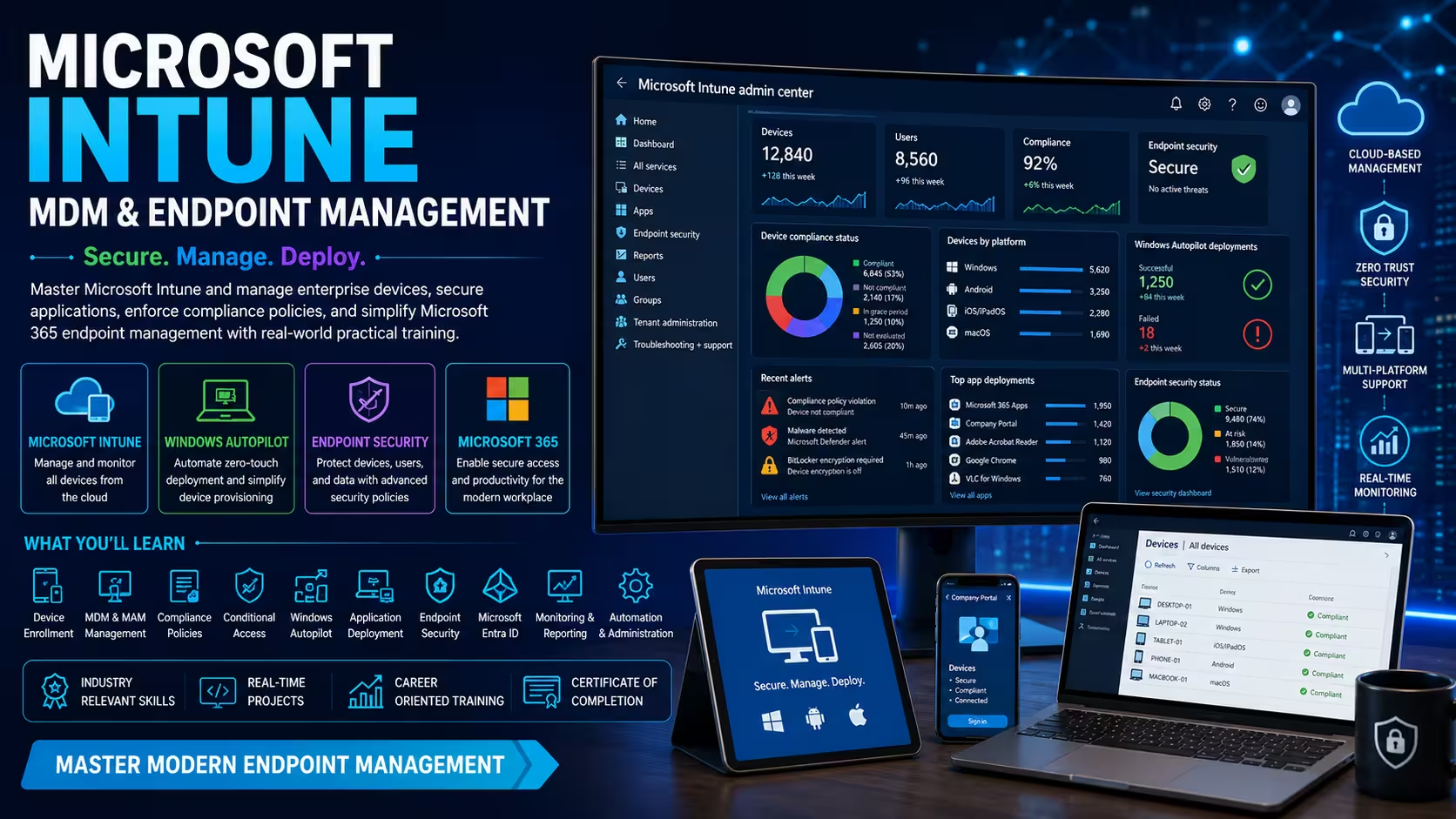
Microsoft Intune is one of the leading cloud-based endpoint management solutions used by organizations to manage and secure enterprise devices. Learning Intune helps you build practical skills in device management, endpoint security, and Microsoft 365 administration.
Q2. What practical skills will I gain from this course?
You will learn how to enroll devices, deploy applications, configure compliance policies, implement endpoint security, manage Windows Autopilot, and administer enterprise endpoints using Microsoft Intune and Microsoft Endpoint Manager.
Q3. How does this course support my IT career?
This course prepares you for modern IT administration roles by teaching enterprise endpoint management, cloud-based device administration, Microsoft 365 security, and identity management. These practical skills are widely used in organizations managing hybrid and remote work environments.
Q4. Is this course suitable for beginners?
Yes. The course begins with Microsoft Intune fundamentals and gradually introduces advanced topics such as Conditional Access, Windows Autopilot, Mobile Application Management, endpoint security, and enterprise administration through guided practical sessions.
Q5. What will I achieve after completing this training?
By the end of the course, you will be able to deploy, secure, monitor, and manage enterprise devices using Microsoft Intune. You will also gain hands-on experience with Microsoft 365 endpoint management through real-world projects that strengthen your technical portfolio.
Popular Techniques Covered in This Course
Microsoft Intune
Mobile Device Management (MDM)
Mobile Application Management (MAM)
Microsoft Entra ID
Windows Autopilot
Endpoint Security
Conditional Access
Compliance Policies
Application Deployment
Microsoft Endpoint Manager
Get Hands-on Knowledge about Real-Time Projects
Project 1
Enterprise Device Enrollment & Management
Deploy Microsoft Intune for a corporate environment by enrolling Windows, Android, iOS, and macOS devices. Configure device groups, enrollment policies, configuration profiles, and centralized endpoint management for enterprise users.
Project 2
Windows Autopilot Deployment Solution
Implement a complete Windows Autopilot deployment solution for zero-touch device provisioning. Configure deployment profiles, automate device setup, apply security policies, and streamline enterprise device onboarding.
Project 3
Endpoint Security & Compliance Implementation
Design and implement endpoint security using Microsoft Intune and Microsoft Defender. Configure compliance policies, Conditional Access, BitLocker encryption, antivirus protection, and security baselines to secure enterprise devices.
Project 4
Enterprise Application Deployment
Create an enterprise application management solution by deploying Microsoft 365 Apps, Win32 applications, mobile apps, and custom business applications using Microsoft Intune. Configure app protection policies and monitor deployment success.
Project 5
Microsoft 365 Endpoint Management Dashboard
Develop a centralized endpoint management environment that monitors device compliance, security health, software inventory, deployment status, and user activity using Microsoft Endpoint Manager reporting and analytics.
Key Features
Edubrights offers Microsoft Intune – MDM & Endpoint Management Training in virtual mode with expert trainers. Here are the key features,
40 Hours Course Duration
100% Job Oriented Training
Industry Expert Faculties
Free Demo Class Available
Completed 500+ Batches
Certification Guidance
Curriculum
Module 1: Introduction to Microsoft Intune
- Endpoint Management Fundamentals
- Microsoft Intune Overview
- Microsoft Endpoint Manager
- Licensing & Editions
- Cloud Concepts
- Environment Setup
Module 2: Microsoft Entra ID Integration
- Microsoft Entra ID Basics
- User & Group Management
- Device Registration
- Hybrid Identity
- Role-Based Access Control
- Tenant Configuration
Module 3: Device Enrollment
- Windows Enrollment
- Android Enrollment
- iOS & iPadOS Enrollment
- macOS Enrollment
- BYOD Configuration
- Enrollment Methods
Module 4: Mobile Device Management (MDM)
- Device Management Policies
- Device Restrictions
- Device Inventory
- Remote Device Actions
- Configuration Profiles
- Endpoint Administration
Module 5: Mobile Application Management (MAM)
- App Protection Policies
- Application Deployment
- Managed Applications
- Enterprise App Management
- App Configuration
- Data Protection
Module 6: Compliance Policies
- Compliance Settings
- Device Health
- Security Baselines
- Compliance Reporting
- Remediation
- Best Practices
Module 7: Endpoint Security
- Microsoft Defender Integration
- Antivirus Policies
- Firewall Configuration
- BitLocker Management
- Attack Surface Reduction
- Endpoint Protection
Module 8: Conditional Access
- Access Policies
- Multi-Factor Authentication
- Device-Based Access
- Identity Protection
- Risk-Based Policies
- Secure Access
Module 9: Windows Autopilot
- Autopilot Deployment
- Zero-Touch Provisioning
- Device Profiles
- User-Driven Deployment
- White Glove Deployment
- Device Lifecycle
Module 10: Monitoring & Reporting
- Device Monitoring
- Audit Logs
- Compliance Reports
- Endpoint Analytics
- Performance Monitoring
- Troubleshooting
Module 11: Automation & Administration
- PowerShell Automation
- Administrative Templates
- Endpoint Configuration
- Bulk Management
- Backup & Recovery
- Enterprise Best Practices
Module 12: Real-Time Projects & Certification Preparation
- Enterprise Deployment Project
- Endpoint Security Project
- Device Compliance Project
- Mock Interviews
- Certification Preparation
- Project Presentation
Receive Training From Our Skilled and Effective Trainers
Industry-Experienced Microsoft Intune Trainers
Learn from certified Microsoft cloud and endpoint management professionals with extensive experience in Microsoft Intune, Microsoft Endpoint Manager, Microsoft Entra ID, Windows Autopilot, Microsoft 365 administration, endpoint security, and enterprise device management. Gain practical knowledge through real-world deployment scenarios and enterprise infrastructure projects.
Corporate Training Expertise
Our trainers have delivered Microsoft Intune, Microsoft 365, Azure, Endpoint Management, and Enterprise Mobility training for professionals from leading organizations, including TCS, Infosys, HCLTech, Accenture, Cognizant, Wipro, Capgemini, IBM, and other top multinational companies. Learn modern endpoint management practices used across enterprise IT environments.
Simple & Practical Learning Approach
Master Microsoft Intune through instructor-led demonstrations, guided hands-on labs, live device enrollment, application deployment, compliance configuration, and endpoint security exercises. Our structured training methodology makes learning easy for students, freshers, and experienced IT professionals.
Hands-On Project-Based Training
Build practical expertise by working on enterprise device enrollment, Windows Autopilot deployment, Microsoft Entra ID integration, application deployment, endpoint compliance, Conditional Access implementation, Microsoft Defender integration, and Microsoft 365 endpoint management projects based on real business environments.
Latest Microsoft Endpoint Management Technologies
Stay updated with the latest Microsoft Intune features, Microsoft Endpoint Manager, Microsoft Entra ID, Windows Autopilot, Mobile Device Management (MDM), Mobile Application Management (MAM), Microsoft Defender, Conditional Access, compliance management, endpoint security, and Microsoft 365 administration best practices. Our curriculum is regularly updated to align with current enterprise technologies and Microsoft cloud solutions.
About Our Course Certification*
The Microsoft Intune – MDM & Endpoint Management Course in Chennai is designed to help learners build practical expertise in managing and securing enterprise devices using Microsoft's modern endpoint management platform. This training covers Microsoft Intune, Microsoft Endpoint Manager, Mobile Device Management (MDM), Mobile Application Management (MAM), Microsoft Entra ID, Windows Autopilot, Conditional Access, endpoint security, compliance policies, Microsoft Defender integration, application deployment, and enterprise device lifecycle management through instructor-led practical sessions.

Course FAQs
1. What is Microsoft Intune, and why should I learn it?
Microsoft Intune is a cloud-based endpoint management solution that enables organizations to manage, secure, and monitor devices and applications from a centralized platform. Learning Intune helps you develop practical skills in endpoint security, device administration, and Microsoft 365 management used in modern enterprise environments.
2. Who can join the Microsoft Intune – MDM & Endpoint Management Course in Chennai?
This course is ideal for students, fresh graduates, system administrators, desktop support engineers, Microsoft 365 administrators, cloud engineers, IT support professionals, cybersecurity professionals, and anyone interested in enterprise device management and endpoint security.
3. Are there any prerequisites for learning Microsoft Intune?
Basic knowledge of Windows operating systems, networking, or Microsoft 365 is helpful but not mandatory. The course starts with endpoint management fundamentals before introducing advanced Intune administration and security concepts.
4. How long does it take to complete the training?
The course duration depends on the selected learning mode and batch schedule. Most learners complete the training within a few weeks through instructor-led sessions, hands-on labs, assignments, enterprise projects, and guided Microsoft Intune administration exercises.
5. Will I work on real-world projects during the course?
Yes. Practical learning is a key component of the course. You will configure enterprise device enrollment, deploy applications, implement compliance policies, secure endpoints, configure Windows Autopilot, and manage Microsoft 365 environments using real-world scenarios.
6. Which technologies are covered during the training?
The course covers Microsoft Intune, Microsoft Endpoint Manager, Microsoft Entra ID, Mobile Device Management (MDM), Mobile Application Management (MAM), Windows Autopilot, Conditional Access, Microsoft Defender, compliance policies, application deployment, endpoint security, and Microsoft 365 administration.
7. What job roles can I pursue after completing this course?
After completing this course, learners can explore careers as Microsoft Intune Administrator, Endpoint Administrator, Microsoft 365 Administrator, Desktop Support Engineer, System Administrator, Cloud Administrator, IT Infrastructure Engineer, Endpoint Security Administrator, and Enterprise Mobility Administrator.
8. Is Microsoft Intune widely used in the industry?
Yes. Microsoft Intune is widely adopted by organizations that manage Windows, Android, iOS, and macOS devices. It is extensively used in enterprise IT, cloud environments, healthcare, banking, education, manufacturing, and multinational organizations.
9. Is this course suitable for beginners?
Absolutely. The course follows a structured learning approach beginning with endpoint management fundamentals before progressing to device enrollment, compliance management, endpoint security, Conditional Access, and Windows Autopilot through practical hands-on sessions.
10. Why should I choose Microsoft Intune Training in Chennai?
Chennai has a strong demand for Microsoft 365 administrators, endpoint management professionals, and cloud administrators. This course provides practical, industry-focused training aligned with enterprise IT infrastructure and modern workplace management requirements.
Get Training Quote for Free
Testimonials
Hear What Our Students Say
"Transform your life through Education, hear it from our Alumni"

6 LPA
Fathima
Student
Software Engineer
"Transform your life through Education, hear it from our Alumni"

8 LPA
Rahul
Student
Data Scientist
"Transform your life through Education, hear it from our Alumni"

8 LPA
Siddharth
NIELSON IQ
Data Analyst